Where to buy
Check the latest price, availability and delivery on Amazon. Orders are placed on Amazon. We may earn a commission from qualifying purchases.
- Best overall for renters: Philips Hue Solo Lightstrip Base Kit, 33 ft, White and Color Ambiance — Check on Amazon
- Govee COB LED Strip Light Pro, 16.4 ft, RGBICW with Matter — Check on Amazon
- Philips Hue Play Gradient Lightstrip, 65-inch TV — Check on Amazon
- Govee RGBWWIC Strip Light 2 Pro with Matter, 16.4 ft — Check on Amazon
See 2 more Amazon options
- Govee LED Strip Light M1, 16.4 ft, RGBICW with Matter — Check on Amazon
- PAUTIX Addressable CCT Smart IC COB LED Strip Lights, 32.8 ft, 2700K–6500K, Alexa Voice Control — Check on Amazon
Disclosure: As an Amazon Associate, dailyhomedecorating.com earns from qualifying purchases. Links to Amazon on this page are affiliate links; they cost you nothing extra. Listing details such as price and availability change often, so check the current price on Amazon before you buy.
A homeowner spending $300 on smart light strips asks one question: what is the best light this money buys? A renter has to ask a second question first, and it changes the ranking: on moving day, how much of this $300 is still mine? A light strip is not a fixture. It is electronics stuck to someone else’s wall with adhesive, powered by a plug, and — if you cut it to fit this apartment’s exact wall — permanently sized to a room you are going to leave. Some of what you buy travels perfectly: strips peel down and re-roll, a Hue Bridge works in any home, and every adapter here is plug-in. Some of it never travels: the adhesive stays on the paint (sometimes with the paint attached), screwed channel stays in the landlord’s cabinets, and every hour of install is spent. And one purchase here — the TV sync setup — only makes sense if you already own its extra boxes. This guide reads all six picks twice: once as light, and once as a renter’s asset. Because pricing shifts with the length and configuration you select, check the current price on Amazon for the exact configuration described.
The market finding underneath is the same one the homeowner version of this guide — Best Smart Light Strip Under $300 — is built on, and it is good news for renters: there is effectively no single smart light strip that fills the whole $200 to $300 band on its own. The most expensive room strips we could verify sit well below the top of the budget, at the premium end of the single-strip market. So $300 is never one strip; it is a system — a strip plus a hub, a strip plus extensions, or good light in two rooms. For a renter that framing is a gift: systems of plug-in boxes are exactly what moves house with you. The money only gets trapped when you spend it on installation instead of equipment.
Three honesty notes carry over from the main guide. First, control is a ladder with a catch on every rung: Bluetooth reaches one room, Wi-Fi adds voice control and schedules that run while you are out, Matter adds cross-platform reach — and then, on the Govee strips below, reduces a segmented color strip to a single color outside the maker’s app, because the Matter standard has no vocabulary for segments or effects. Hue’s full feature set lives behind a Bridge that is a separate purchase — though for a renter the Bridge is the most portable item in this guide. Second, brightness figures here are maker figures with no common standard behind them; we report them as theirs. Third, the cut is forever: the cut-off section cannot be reconnected, so a strip cut to fit this apartment is shortened for every apartment after it. One configuration warning matters before you check any listing: the Hue Solo pick is the 33 ft size on its listing family — select it before ordering, because the same family also sells shorter kits that belong to lower-budget guides.
Quick Picks
| Renter situation | Pick | Why it stands out | Link |
|---|---|---|---|
| Best overall for renters | Philips Hue Solo Lightstrip, 33 ft | The longest premium room strip Hue sells — and the Bridge that completes it moves to your next home; check price on Amazon | Check on Amazon |
| Most self-contained kit | Govee COB LED Strip Light Pro, 16.4 ft | 1,260 LEDs per meter of dotless RGBICW with Matter — one complete kit, nothing built into the apartment; check price on Amazon | Check on Amazon |
| Renters who already own the boxes | Philips Hue Play Gradient Lightstrip, 65-inch | Blended zones shaped for a 65-inch TV — but sync needs a Bridge and Sync Box you probably do not own; check price on Amazon | Check on Amazon |
| Best grow-with-you platform | Govee Strip Light 2 Pro, 16.4 ft | 60 LEDs per meter of RGBWWIC with Matter — extend it in this apartment, reconfigure it in the next; check price on Amazon | Check on Amazon |
| Best value that fully moves | Govee LED Strip Light M1, 16.4 ft | Govee’s proven Matter flagship in the value end of this tier — two kits light two rooms, and every part fits in a moving box; check price on Amazon | Check on Amazon |
| Best white coverage for the budget | PAUTIX Addressable CCT Smart IC COB Strip, 32.8 ft | Thirty-two feet of dotless, animated tunable white at the accessible end of this tier — easy to justify even on a short lease; check price on Amazon | Check on Amazon |
How These Picks Were Chosen
The first filter was the budget, applied systemically: not “is the strip under $300” — almost everything is — but “what complete system does $300 assemble?” Every strip below has a real Amazon listing, and each passed a systemic test: either it is one of the most expensive single strips that genuinely exists (the Solo, the COB Pro, the Play Gradient), or its honest role is as the anchor of a $300 plan — extended, doubled across two rooms, or paired with the hub that completes it (the Strip Light 2 Pro, the M1, the PAUTIX). Position within the tier is described qualitatively throughout, because the live figure for any length or configuration is the one on the listing on the day you order. For every linked pick, check the current price on Amazon for the exact length and configuration named in its review before you compare plans.
The second filter is the one this lens adds: portability, scored honestly. We separated each plan into what unplugs and travels (strips, adapters, control boxes, the Hue Bridge), what travels diminished (a cut strip travels at its new, shorter length — the offcut is waste), and what never travels (adhesive and the paint it takes with it, screwed channel, your install time). A plan scores well when its spending sits in the first category: a Bridge is pure portable asset, while money spent on screwed-in channel is money left in a landlord’s kitchen. Hue’s strips give Bluetooth out of the box and their full system — routines, out-of-home control, grouping, entertainment sync, Matter — only behind the Bridge. The three Govee picks speak Wi-Fi and Matter with no hub, and all three carry the same verified caveat: over Matter a segmented Govee strip presents as a single-color light, its gradients and scenes living only in Govee’s app. The PAUTIX refuses color entirely and spends everything on dotless, animated white.
We did not use these strips ourselves. We read the maker listings, manuals, datasheets and specification pages, and compared what decides whether a smart strip works in a rented home: footage and coverage for the budget; emitter density and whether the light reads as dots, blends, or a continuous line; power (every pick runs on a 24V adapter in the box — nothing here needs wiring into the apartment, exactly right for a rental); whether white comes from mixing red, green and blue or from a dedicated white channel; how control works, rung by rung; whether the strip can be cut, with the caveat that a cut-off section cannot be reconnected; and how it attaches — in a rental, the mounting method is a financial decision, and peel-and-stick backing is the weakest part of every strip here.
Two strips are discussed in prose rather than linked, for verification reasons, not quality: Hue’s Gradient lightstrip, which sits at the premium end of the single-strip tier at lighting retailers, and Govee’s COB Strip Light 2 Pro, which sits in that same premium tier at Govee’s own store — neither US Amazon listing could be pinned to our two-source standard in this pass, so both are positioned by tier here rather than linked.
What Moves With You — and What Stays Behind
Before the reviews, the ledger this guide runs on. Spend $300 the homeowner way and four kinds of money leave your account. Equipment money — strips, adapters, control boxes, hubs — is fully yours: it unplugs, re-rolls and works in the next apartment on day one. Consumable money — adhesive backing, mounting tape, pads — is spent the moment it sticks; a peeled strip rarely sticks well twice, so budget a small amount of fresh tape and clips at every move. Modification money is the quiet one: every strip here cuts at marked points and never rejoins, so trimming a long strip to fit a shorter wall turns the offcut into waste and makes the strip that shorter length for life — in a rental, cut reluctantly, cut late, and prefer extension sections or a loosely routed uncut run. Installation money — screwed channel, drilled clips, your Saturday — is gone at move-out, and can return as a deduction: one wall’s repaint charge can exceed the cost of the strip that caused it. The renter’s rule: maximize equipment money, minimize modification and installation money, treat consumables as a known small loss.
Then there is the arithmetic of the lease itself, which is about time rather than ticket size: the shorter the tenancy, the more a plan has to justify itself through portability alone. The complete Hue system asks you to value a hub you will carry through several homes; a two-kit value plan asks you to value two finished rooms now and cash kept for the move; the TV sync system asks the most, because its benefit is tied to one television in one room. The honest conclusion, repeated in the plans: for most renters, the cheaper plans plus cash kept beat the full $300 spend — not because the expensive light is worse, but because its advantage is permanence, and permanence is the one thing a lease does not sell you.
The 6 Best Smart Light Strips for Apartments Under $300
Philips Hue Solo Lightstrip Base Kit, 33 ft
Who it suits: Renters who want one long, whole-room run and a complete system in a single order — buying, in effect, two assets: a strip for this apartment, and a Bridge for every apartment after it.
Start with the configuration warning: this recommendation is for the 33 ft size — select it on the listing before ordering, and check the current price on Amazon for that 33 ft configuration specifically. The same listing family sells shorter kits; those belong to lower-budget guides. The 33 ft kit sits at the premium end of the single-strip tier and buys the longest one-piece run in this guide: ten meters of RGBWW strip in a diffusing silicone sleeve, rated by Signify at 1,700 lumens at 4000K and 1,500 at 2700K — maker figures, like every brightness figure here. Whites come from dedicated white emitters, not mixing. Power is a 24V adapter in the box; nothing is wired into the apartment, and out of the box the strip runs over Bluetooth in the Hue app. Then the Bridge changes it — and for a renter the Bridge is the best money in this guide: the Bridge is sold separately through Hue’s own store and on Amazon, positioned as a mid-tier hub purchase well inside this budget, so strip plus Bridge together still form a complete system within the $300 framing of this guide. The strip serves this lease; the Bridge, a palm-sized box that unplugs in seconds, serves every lease after it.
The compromises are the format, the finality of cutting, and the adhesive — the last two are rental problems specifically. The format first: the Solo shows one color along its whole length — a room wrapped in a single, consistent color, no segments or gradients; buyers who want the light show should take either Govee below. Cutting second, and this is the renter’s warning: the Solo is not extendable — Hue’s own materials are explicit — it trims at marked intervals of about 13 inches, and a trimmed-off section cannot be reconnected. Fit it to this apartment’s longest wall and you have made a permanent decision with a temporary home; route it uncut where you can, slack coiled behind furniture, and accept a loose fit as the way to keep all 33 ft. The adhesive third: owner feedback praises the light and faults the tape, and in a rental weak adhesive is a double risk — sagging now, paint damage on removal later. Mount it with clips or channel on removable adhesive pads, never screws. Bluetooth mode, until the Bridge arrives, stays limited to about ten lights in one room, with no schedules that run while you are away. Judged as a system, it is the most complete $300 purchase on the page.
- The longest premium smart room strip: 33 ft of RGBWW in a diffusing silicone sleeve, maker-rated 1,700 lumens — the longest single run here.
- Strip plus Bridge form a complete system inside this budget — and the hub outlives the lease, moving house in a coat pocket.
- Plug-in 24V power, cuttable at roughly 13-inch marks, the deepest support ecosystem in lighting.
Honest limitation: One color along its whole length — no segments or gradients; it cannot be extended, cut sections cannot be reconnected (so a strip fitted to this apartment stays that length), and its adhesive is the line’s most-complained-about part — mount it with clips or adhesive-backed channel, not screws. Order the 33 ft configuration specifically; the shorter sizes are different purchases.
Choose it if you want one long, consistent run and a Hue system that will still be yours in your next home. Skip it if you want effects along the strip — the Govee picks below do segmented color the Solo refuses to — or if your lease is short and a two-kit Govee plan leaves you cash ahead.

Govee COB LED Strip Light Pro, 16.4 ft
Who it suits: Renters with one short, visible run — a cabinet bank, a mirror, a media wall — who want the finest light Govee makes in a kit that moves by unplugging one adapter.
The COB Pro is what the money buys when the strip itself will be seen. COB construction packs 1,260 LEDs into every meter under a continuous phosphor inside a soft silicone sleeve — more than twenty times the density of conventional premium strips — so there are no dots to hide and no cove required; the strip is a single unbroken line of light. The chips are RGBICW: segmented addressable color with a dedicated warm-white emitter alongside, so whites are produced by a white diode instead of approximated by red, green and blue. Control is the full modern set with no hub to buy or leave behind: the Govee Home app over Wi-Fi, Alexa and Google voice, and Matter for Apple Home and SmartThings — with the caveat that Matter carries a single color while gradients and scenes live in Govee’s app. The box is complete: strip, control box, 24V adapter and manual. Its position is the premium end of this tier for a single short run — check the current price on Amazon before ordering, and judge it as the cost of flawless visible light rather than as coverage, because coverage is not what this kit sells. For a renter that positioning cuts both ways: it is among the most premium light in the guide, and also the least apartment-specific — nothing about it is sized to, fastened into or dependent on this particular home.
The compromises are flexibility and finality, plus the usual adhesive question. Flexibility first: unlike the M1 and the Strip Light 2 Pro, this line has no extension path — 16.4 ft is what there is, so a 20 ft run is not this strip’s job in this apartment or any other. Finality second: it trims at its cut marks, and as with every smart strip here, the cut-off piece cannot be reconnected and lit. On a premium strip, measure twice is arithmetic, not a proverb — and in a rental the correct default is not to cut at all: routed behind a media console, along a headboard or under a cabinet bank, a 16.4 ft run usually absorbs its full length untrimmed, keeping the kit whole for the next home. The Matter caveat deserves its plain words again: over Matter, the strip behaves as a single-color strip; the segmented effects that justify its premium position live only inside the Govee app, so a buyer whose home runs strictly on Matter is paying flagship-tier money for a very smooth plain strip. Govee publishes no CRI figure we could verify for it, and its headline brightness figures are maker figures with no common standard behind them. Confirm the live listing for your chosen configuration before ordering, since length and configuration change what the listing shows. Mount it the renter’s way — adhesive-backed channel or clips — and never let it meet a screw in a landlord’s kitchen.
- COB construction at 1,260 LEDs per meter under a continuous phosphor — no diodes to hide or reflect.
- RGBICW with a real warm-white channel, segmented effects, and Matter over Wi-Fi — no hub, nothing installed into the apartment.
- Complete kit in the box; cuttable at the marks if a future home demands it.
Honest limitation: Sixteen feet is the whole run — no extensions exist for this line; cut pieces cannot be reconnected; over Matter it is a single-color strip; and its premium positioning only pays if the run is genuinely visible.
Choose it if one visible run deserves the finest light Govee makes, in a kit that moves in minutes. Skip it if your run measures past 16 ft — the Strip Light 2 Pro extends, and the Solo starts at 33.

Philips Hue Play Gradient Lightstrip, 65-inch
Who it suits: Renters who already own a Hue Bridge and a Play HDMI Sync Box — full stop. For everyone else, this review shows in plain terms why the most famous TV strip in lighting is the weakest $300 a tenant can spend.
The strip itself is genuinely excellent, and it belongs to the only strip family here that sits in true flagship TV-strip territory: the Play Gradient line was positioned at launch as a premium television product for this 65-inch size. It is a shaped, diffuser-sleeved strip built to mount on the back of a 65-inch television with the included brackets, producing several blended colors at once along its length. It covers the top and two sides of the TV — not the bottom, a gap owners notice and the listing does not hide. Check the current price on Amazon if you are comparing it, and treat its position in the tier as the volatile one in this guide — it moves more than the room strips do, so plan around the system it requires rather than around the strip alone.
Now the renter’s reading, which is harsher than the homeowner’s. The Play Gradient’s headline job — light that syncs with what is on the screen — requires both a Hue Bridge and a Hue Play HDMI Sync Box, each sold separately, as the listing itself states in its own title. The Bridge is a separate hub purchase in the lower part of this budget. The Sync Box is a second substantial purchase of the same order as the strip itself, and a bundle of strip plus Sync Box still excludes the Bridge. Add the pieces honestly and the working system lands well over the $300 budget of this guide — a major multi-box commitment spread across a single lease, for one wall of one room. Every part is technically portable — boxes unplug, the strip peels off the TV — but portability is not transferability: the strip is shaped and sized for a 65-inch television, so its value at your next address depends on the same TV, in a room where a TV wall still makes sense, surviving the move. A homeowner spreads that bet over a decade in one media room; a renter makes it again at every lease. Unless you already own both boxes — in which case check the current price on Amazon and ignore this paragraph — or your tenancy is long and built around that television, this is the sunk purchase of the guide: the setup only pays out in the one room it was assembled in.
- Multiple simultaneous blended colors from a diffuser-sleeved strip shaped and bracketed for a 65-inch TV.
- A flagship TV strip positioned at the premium end of the category — timing and configuration matter, so check the live listing carefully.
- Power supply and mounting brackets in the box; full Hue app and voice control once it is on a Bridge.
Honest limitation: Screen sync — its headline feature — requires a Hue Bridge and a Play HDMI Sync Box, both sold separately; the complete working system costs well over the $300 budget of this guide. It also lights only the top and sides of the TV, not the bottom edge, is sized to one TV, and its position in the tier is the most changeable in this guide.
Choose it if you already own the Bridge and Sync Box, or your lease is long and your TV wall is permanent. Skip it if you rent on a normal lease — the Solo system above is complete for less of the budget, and every part of it travels better.
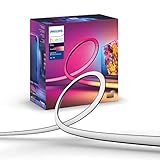
Govee Strip Light 2 Pro, 16.4 ft
Who it suits: Renters whose project will change shape between apartments, who want near-flagship light on a platform that grows by plugging in sections instead of by cutting — no hub, nothing installed.
The Strip Light 2 Pro is Govee’s current mainstream flagship in conventional form: RGBWWIC chips at 60 LEDs per meter — double the density of standard strips, with a dedicated white channel alongside the color emitters — segmented effects, the full scene and music library, DreamView sync, and Matter over Wi-Fi, no hub required. It sits in the middle of this tier for its base kit — check the current price on Amazon for the 16.4 ft configuration — and it is the pick the budget can build with: the base kit connects with Govee’s extension sections, sold as short add-on lengths, up to a 32.8 ft maximum run, so a complete long build stays comfortably inside this budget; or the same budget buys two complete kits for two rooms. For a renter, the extension architecture is the point: extensions are how a run gets longer without the irreversible act this guide keeps warning about. Add a section for this apartment’s long wall; at the next place, leave it off or add it elsewhere. Nothing is cut, nothing is sized to a room, and the whole platform unplugs into one moving box.
The compromises are the familiar Govee ones, plus one renter-specific discipline. The effects live in Govee’s app: Matter carries the strip as a single-color light, so the gradients and music modes depend on Govee’s software and your 2.4GHz Wi-Fi — in a rental, its smarts also reset when the router changes at every move. Extensions are proprietary — this line’s own sections only, to 32.8 ft — and cutting remains one-way, so the discipline is absolute: never solve a length problem with scissors when an add-on section solves it reversibly. Density is the honest step down from the COB Pro: 60 LEDs per meter blends well at viewing distance and in a cove, but in direct view at arm’s length the emitters still bead where the COB Pro reads as a bar of light — if the run will be seen up close, that difference is what the COB Pro’s premium position charges for. Govee publishes no CRI figure we could verify. As a platform a renter can reconfigure forever, it is the most flexible purchase in the guide.
- 60 LEDs per meter of RGBWWIC with a real white channel, segmented effects and Matter, in the middle of this tier for 16.4 ft.
- Extends with maker sections toward a 32.8 ft maximum — length changes reversible at moving time — or doubles as two rooms of light inside the budget.
- DreamView sync, the full scene and music library, and voice control — no hub, nothing wired in.
Honest limitation: Segmented effects live in Govee’s app — Matter sees a single-color strip; extensions are proprietary and capped at 32.8 ft; cutting is still one-way if you resort to it; and at arm’s length its emitters still bead where the COB Pro’s do not.
Choose it if your $300 is a project that will be re-planned at the next address. Skip it if one short visible run is the whole job and it must be flawless — that is the COB Pro above.

Govee LED Strip Light M1, 16.4 ft
Who it suits: Renters who want the most light for the least commitment — proven flagship strips toward the value end of the tier, in kits that fit in a moving box and touch the apartment only with removable adhesive.
The M1 earned its place in a lower-budget guide as that tier’s quality pick, and it returns here in the role this lens cares about most: the unit of the clearest allocation in the guide. The strip itself is unchanged and still excellent — four-in-one RGBICW chips at 60 LEDs per meter with a dedicated warm-white channel, 24V mains power with the adapter included, Matter over Wi-Fi alongside the Govee Home app’s scenes and music sync, and independent testing coverage that called it the brightest strip in its class. It trims at its marked points and extends with Govee’s extension kits toward a 32.8 ft maximum per its manual. Its position is the value end of the flagship tier — check the current price on Amazon for the configuration you need. Two M1 kits light two rooms with flagship-density, real-white, Matter-speaking light for well under half this budget, leaving the majority of the $300 unspent; even at the top of its usual tier range, two kits still fit. And the portability ledger is perfect: two strips, two adapters, two control boxes, zero hubs, zero fasteners, zero modifications — the whole purchase moves in one box. The M1 is the most honest answer a renter’s guide can give: for a tenant, the budget was never really about spending it all.
The compromises carry over from its lower-budget review, repeated rather than revised. Over Matter, the M1 behaves as a single-color strip — brightness and white temperature adjustable, but the gradients, segments and music modes that justify its position live only inside the Govee app; multiple independent assessments make exactly this point. Cutting is one-way: the manual is explicit that detached pieces cannot be reconnected, so an extended build must be planned as base-plus-extensions, never cut-and-rejoin — doubly true in a rental, where an uncut kit keeps its full length for the next home. Its per-foot positioning at the top of its range is flagship-tier money, so the two-room plan is strongest when the listing sits at its value end; at the top of its range, the Strip Light 2 Pro above is the better build-out value. Govee publishes no CRI figure we could verify. Two kits do mean two adapters and two app entries to manage — a small cost, and a portable one.
- 60 LEDs per meter of RGBICW with a real white channel, Matter, and the deepest independent testing coverage in its class.
- Two kits cover two finished rooms well inside this budget, with a substantial share of the $300 left unspent for the move.
- No hub, no fasteners, nothing hardwired — the whole purchase moves in one box; extendable toward 32.8 ft per run.
Honest limitation: Over Matter it is a single-color strip — the segmented effects live only in Govee’s app; cut pieces cannot be reconnected; and the two-room value case is strongest at the value end of its tier, since at the top of its range the Strip Light 2 Pro builds out better.
Choose it if you want two rooms of proven, premium light a lease cannot hold hostage. Skip it if the run must be dotless in direct view — the COB Pro is the same company’s answer, at a clear premium over this kit.

PAUTIX Addressable CCT Smart IC COB LED Strip Lights, 32.8 ft
Who it suits: Renters with long white-light runs — a kitchen perimeter, a hallway cove — who want the dotless COB look and smart control at the accessible end of the tier, so that even a short lease justifies it, provided the install stays reversible.
Take the white-light argument of the lower-budget guide and give it this tier’s arithmetic. The strip is 32.8 feet of COB at 560 LEDs per meter — a continuous, dotless line — built on addressable IC control, so the white itself can move: chasing, flowing and gradient effects rendered in whites from 2700K to 6500K. It is powered by a 24V supply with the maker’s smart controller in the kit and Alexa voice control on top of the app, and it sits at the accessible end of this tier — check the current price on Amazon for the 32.8 ft configuration, because it gives the longest run in this guide and the broadest white coverage for the budget. Which is the point of including it at $300: two of these runs — 65.6 feet of animated, dotless white — still leave roughly half the budget unspent. For coves and perimeters, where a strip is architecture rather than decoration, it remains the most complete white answer at any tier we have covered — and its accessible positioning is itself a renter feature: the one pick where even a total loss at move-out would sting least.
The compromises are changeable positioning, platform size, the white-only brief — and one temptation this lens must name. Positioning first: this pick’s place in the tier moves more than the big-brand picks, so price the two-kit plan from the live listing on the day — even at the top of its usual range, two kits still fit inside this budget. Platform second: the chasing effects and voice control run through PAUTIX’s controller and app, a smaller operation than Govee’s or Hue’s. White-only third: its animation is done in shades of white — elegant in a cove, a limitation at a party. The temptation is the install: a 32.8 ft kitchen perimeter begs for channel screwed under the cabinets, and in a rental that is precisely the move to refuse — screwed channel leaves holes landlords itemize, while adhesive-mounted channel, clips, or a strip laid along the cabinet tops achieves the same light reversibly. Output and CRI figures are maker figures.
- Dotless and animated at once: 560 LEDs per meter of addressable COB, with chasing and flowing effects in tunable white, 2700K–6500K.
- The longest run in this guide at the accessible end of the tier — two complete runs still leave roughly half the budget unspent.
- 24V supply, smart controller and Alexa voice control in the kit; install with adhesive channel or clips — never screws.
Honest limitation: Its positioning in the tier is the changeable one — price the plan from the live listing on the day; effects live in PAUTIX’s app rather than in the voice assistants; it is white-only by design; and its natural install (long cabinet runs) is exactly where a renter must resist permanent fasteners.
Choose it if you are lighting long coves or cabinet runs in white and want them smart, animated, bought twice over — and removable without a trace. Skip it if you want any color at all — every other pick here does color; this one refuses to.
Comparison Table
| Product | Format & length | Light & control | Renter verdict | Link |
|---|---|---|---|---|
| Philips Hue Solo Lightstrip, 33 ft | Diffused strip, 33 ft, not extendable | Single-color RGBWW; Bluetooth app, full features via Bridge | Strip serves this lease, Bridge serves every lease after — mount with clips, cut reluctantly | Check on Amazon |
| Govee COB LED Strip Light Pro | COB strip, 16.4 ft, 1,260 LEDs/m | Segmented RGBICW with real white channel; Matter + Govee app, no hub | One self-contained kit that moves in minutes — the least apartment-specific money here | Check on Amazon |
| Philips Hue Play Gradient Lightstrip | Shaped TV strip, 65-inch size | Multiple blended zones; sync requires Bridge + Sync Box | A sunk bet on one TV in one room — only for renters who already own the boxes | Check on Amazon |
| Govee Strip Light 2 Pro | Standard strip, 16.4 ft, 60 LEDs/m | Segmented RGBWWIC; Matter + Govee app, extendable to 32.8 ft | Grows with add-on sections instead of cuts — reconfigures at every move | Check on Amazon |
| Govee LED Strip Light M1 | Dense strip, 16.4 ft, 60 LEDs/m | RGBICW with real white channel; Matter + Govee app | Two kits well inside the budget, zero trapped spending — the renter’s default answer | Check on Amazon |
| PAUTIX Addressable CCT COB Strip | COB strip, 32.8 ft, 560 LEDs/m | Animated tunable white only; app + Alexa voice | Broadest white coverage in this tier — keep the long install screw-free | Check on Amazon |
How to Choose a Smart Light Strip for a Rental Under $300
Start with the lease, not the strip. On a longer, stable lease, the complete Hue system’s permanence is a reasonable bet, because the hub and the routines have time to earn their place across many evenings in one home. On a short or uncertain lease, the two-kit M1 plan — with every part portable and a large share of the budget unspent — is usually the smarter purchase. Short or uncertain tenancy argues for kits over systems, sections over cuts, cash kept over budget spent. Long, stable tenancy is the only condition under which this tier’s expensive permanence earns its position.
Decide the ecosystem before the strip — and treat the hub as an asset. Hue’s strips are the best-supported lights in the category, but their full feature set sits behind a Bridge, sold separately through Hue’s own store and on Amazon and positioned in the lower part of this budget; the newer Bridge Pro sits much higher in the tier and is not the value route here. For a renter, though, the Bridge is not a toll in the usual sense: it is a durable, palm-sized asset that anchors your lighting in every future home and holds your routines. Govee’s strips need no hub and speak Wi-Fi and Matter out of the box, but their best effects are rented from Govee’s app. Choose the app you are willing to open for five years and across several addresses, then the strip inside it.
Match density to visibility, and insist on a real white channel. Apartments are small, so you are always close: a strip hidden in a cove can be a spaced-emitter model and still read as a line of light, but a strip in direct view shows every diode it owns — at arm’s length, 60 LEDs per meter still beads, COB at 560–1,260 LEDs per meter does not. And if the strip will ever serve as a light, it should carry a dedicated white emitter (RGBWW, RGBICW or RGBWWIC) or be white-only by design like the PAUTIX: plain RGB fakes white by mixing red, green and blue into a cold, blue-leaning wash.
Measure the run, then respect the cut — twice over in a rental. Every smart strip here trims at marked points, and on every one the cut is final: the offcut cannot be reconnected and lit. Extendable lines (Strip Light 2 Pro, M1) grow only with their maker’s sections, to their stated maximum; non-extendable lines (Solo, COB Pro) make the box length a hard ceiling. A homeowner cutting a strip loses footage; a renter also loses the next apartment’s options — the strip leaves at its new length. Measure twice, plan the outlet end first, and prefer sections and slack over scissors.
Budget the install — and keep it reversible. Peel-and-stick adhesive is the weakest component in every box here: it sags on textured paint, lets go in warm kitchens, and is effectively one-shot. In a rental it is also a deposit instrument: torn-off adhesive can take flat paint with it, and screwed channel leaves itemized holes. The renter’s install kit is clips, channel on removable adhesive pads, heat-and-patience removal at move-out, and photographs of every wall before and after.
What $300 Actually Buys a Renter: Five Plans, Re-Read for Renters
Plan 1 — The complete Hue room, comfortably inside the budget. The 33 ft Solo plus a Hue Bridge together form a complete system well within the $300 framing of this guide — check the current price on Amazon for the 33 ft configuration and the Bridge before ordering. The renter’s re-read: the strip’s value is consumed in this apartment, especially if you cut it — but the Bridge, a substantial share of the spend, is a permanent asset, and mounted with clips the system needs no fasteners a landlord could object to. The only expensive plan this guide endorses for tenants without conditions.
Plan 2 — The gradient cove, near the top of the budget. Hue’s Gradient lightstrip — 80 inches of blended zones, maker-rated up to 1,800 lumens, extendable toward 33 ft with 40-inch extensions — sits at the premium end of the single-strip tier at lighting retailers; add the Bridge and the system sits near the top of this budget. It is discussed in prose rather than linked because its current US Amazon listing could not be pinned to our verification standard. The renter’s re-read is cooler than the homeowner’s: the fullest use of the budget of any working plan here, for a short effect-led run whose extensions are further spending sized to this room. Legitimate on a long lease; hard to defend on a short one.
Plan 3 — Two finished rooms, well under half the budget in its value case. Two Govee M1 kits at the value end of their tier total well under half this budget — two rooms of 60-LED-per-meter, real-white, Matter-speaking light, with a large share of the $300 unspent for channel and clips. Even at the top of the M1’s usual tier range the same plan still fits inside the budget. The renter’s re-read needs no caveats: nothing is cut, nothing is fastened permanently, nothing is left behind, and most of the budget never leaves your account. For most tenants this is not the budget option — it is simply the correct one.
Plan 4 — The dotless feature plus a platform, in the upper-middle of the budget. The COB Pro for the one visible run that must be flawless, plus a Strip Light 2 Pro, together sit in the upper-middle of this budget — flagship light where eyes land, build-out flexibility everywhere else; check the current price on Amazon for both configurations before ordering. The renter’s re-read: both halves are complete, hub-free kits that unplug whole; the only trapped value is the adhesive and time you spend mounting them. A defensible splurge on any lease length, provided the COB Pro stays uncut.
Plan 5 — White coverage, at the accessible end of the budget. Two PAUTIX 32.8 ft runs total 65.6 feet of dotless, animated tunable white for a full kitchen perimeter, at the accessible end of this tier — even at the top of the strip’s usual range the plan stays comfortably inside the budget. The renter’s re-read: the lightest call on the budget of any two-room plan, with one condition — the long cabinet runs must be mounted reversibly, or the deposit risk quietly eats the savings.
The plan that does not work for renters — the TV trap. The Play Gradient plus a Bridge can look, at a glance, like it fits “under $300” — and the light still does not sync, because the Sync Box is a third purchase: a bundle of the strip with the current 8K Sync Box, before any Bridge, already puts a working system well over this budget, for a strip shaped to one television in one room. Renters should buy Plan 3 and keep the difference.
Common Buying Mistakes
- Buying the Play Gradient for a TV you cannot sync. The strip’s headline feature needs a Bridge and a Sync Box. If you own neither, the strip alone buys static gradients only, the working system costs well over this budget — and its value is chained to one TV in one room for your whole lease.
- Comparing listings without lengths. A premium strip can be 16.4 ft (the COB Pro) and an accessible strip can be 32.8 ft (the PAUTIX). Coverage for the budget, configuration for configuration, and portability across your actual lease are the only honest comparisons — check the current price on Amazon for the exact length you are comparing, never a headline figure for a different size.
Final Recommendation
For most renters, skip the flagship logic and take the allocation: two Govee M1 kits at the value end of their tier put proven, real-white, Matter-speaking light in two rooms for well under half this budget — with every component portable and a large share of the $300 still in your account: Check on Amazon. For longer leases, the complete Hue setup is the exception worth making: the 33 ft Solo lightstrip plus a Hue Bridge together form a complete system comfortably inside this budget — Check on Amazon — mounted on clips, cut only if you must, with the Bridge as the asset you keep. The step down is equally real — the picks in Best Smart Light Strip Under $100 cover most single-room rental jobs for far less. Room-specific readings of this same budget live in Best Smart Light Strip For Bedrooms Under $300, Best Smart Light Strip For Modern Homes Under $300 and Best Smart Light Strip For Small Rooms Under $300.
Frequently Asked Questions
Will light strip adhesive cost me my deposit?
It can, and the risk is technique, not the strip. Backing removed cold and fast can lift flat rental paint, and landlords charge for repainting. Mount in clips or channel on removable adhesive pads, warm the adhesive and peel slowly at move-out, and photograph every wall before and after, alongside your day-one move-in photos. Keep a modest share of the $300 aside for that hardware and the deposit question mostly disappears.
Is there actually a smart light strip that costs $300?
No — not a general-purpose one we could verify. Sweeping the major brands’ flagship lines, the most expensive single room strips sit in the premium tier well below the top of this budget: Hue’s Gradient lightstrip and Govee’s COB flagship at the top of that single-strip tier, Hue’s 33 ft Solo just behind them. The only strip family positioned above that tier at launch — Hue’s Play Gradient TV strips — is a television product whose sync feature needs two further boxes. That is why this guide treats $300 as a system budget — a framing that suits renters, because systems of plug-in boxes move house with you.
Can I cut these strips to fit my apartment, and rejoin the pieces later?
You can cut every strip in this guide at its marked points. A cut-off section cannot be reconnected and lit again on any pick here; Hue states it for the Solo, Govee for its COB lines, and the M1’s manual is explicit. In a rental that permanence is the decision: a strip cut for this wall is a shorter strip in every future apartment. Extendable strips grow only with the maker’s sections — so measure twice, prefer sections and slack, and cut only if the room demands it.