Where to buy
Check the latest price, availability and delivery on Amazon. Orders are placed on Amazon. We may earn a commission from qualifying purchases.
- Best overall: TP-Link Tapo L930-5 RGBWIC Smart LED Light Strip, 16.4 ft — Check on Amazon
- Nanoleaf Essentials Matter Smart Multicolor Lightstrip, 16.4 ft (5 m) Smarter Kit — Check on Amazon
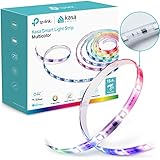
- Kasa Smart KL420L5 LED Light Strip, 50 Color Zones RGBIC, 16.4 ft — Check on Amazon
- Govee 100ft RGBIC LED Strip Lights (2 rolls of 50 ft), WiFi — Check on Amazon
See 2 more Amazon options
- Aqara LED Strip T1, 6.6 ft (2 m), RGB+IC with tunable white — hub required, sold separately — Check on Amazon
- Philips Hue Lightstrip Plus V4 Base Kit, 80 in — check price on Amazon for the strip; the full smart system costs more once the Bridge is added (see the review) — Check on Amazon
Read the full guide ↓
Disclosure: As an Amazon Associate, dailyhomedecorating.com earns from qualifying purchases. Links to Amazon on this page are affiliate links; they cost you nothing extra. Listing details such as price and availability change often, so check the current Amazon listing before you buy.
The word “smart” is doing heavy lifting in this category, so this guide defines it before spending your money: a light strip is smart when it joins a platform — an app on your phone, a voice assistant, schedules and automations that run whether or not you are holding a remote. By that definition a strip with a plastic infrared remote is not smart, however the box is labeled. What $100 buys, spent this way, is a fork with four prongs, and the six picks divide along it cleanly. The money can buy control breadth — the Tapo and Kasa strips speak to Alexa, Google and (for Tapo) Apple Home with no hub at all. It can buy standards insurance — the Nanoleaf speaks Matter over Wi-Fi, the protocol designed to outlive any one brand’s app. It can buy footage — a hundred feet of Govee RGBIC in a single kit. Or it can buy into an ecosystem with a gate fee — which brings us to this guide’s two warnings.
Warning one: two of the six picks are not complete purchases on their own. The Aqara T1 is a Zigbee strip that does nothing until it is paired with an Aqara hub, sold separately — for a buyer starting from zero, the working system is the strip plus that mandatory hub, so check the current price on Amazon for both pieces together. The Philips Hue Lightstrip Plus sits at the top of this budget tier as a strip, but its full smart feature set sits behind the Hue Bridge, and strip plus Bridge together push the total well over this budget, stated here rather than discovered at checkout. Both picks earn their place anyway: hub owners need only the strip, and for everyone else the reviews consider the whole system, not the first box. Warning two: brightness numbers in this category are maker numbers. Tapo rates its strip at 1,000 lumens, Nanoleaf’s listing states a white brightness of about 550 lumens, Hue publishes 1,600 — all of them are the manufacturers’ own figures with no common measurement standard behind them, and this guide reports them attributed, as claims, and judges light by construction instead: LED density per meter, zone counts, and whether white comes from a dedicated white channel or is mixed out of red, green and blue, in which case it leans cold and blue no matter what the box promises.
One more piece of honesty belongs up front, because it is specific to smart strips: a smart strip is a subscription to somebody’s cloud, whether or not money changes hands. When Sengled’s cloud collapsed through 2025, Amazon removed its Alexa skill entirely and strips that had worked for years lost their voice control — the hardware was fine; the service was the product. That is the quiet argument under this whole guide for Matter support, for local control, and for brands whose apps are a going concern: TP-Link’s Tapo and Kasa lines, Nanoleaf, Govee, Aqara and Hue.
Quick Picks
Short on time, or comparing several options at once? Each row below names a buyer type and the strip that suits it, with a link to the listing.
| Buyer type | Pick | Why it stands out | Link |
|---|---|---|---|
| Best overall | TP-Link Tapo L930-5, 16.4 ft | RGBWIC with a real white channel and 50 zones; Apple Home, Alexa and Google, no hub — check price on Amazon | Check on Amazon |
| Best Matter pick | Nanoleaf Essentials Matter Lightstrip, 16.4 ft | Matter over Wi-Fi (no Thread border router needed), 300 LEDs at 60 per meter, and a physical in-line controller — check price on Amazon | Check on Amazon |
| Best budget RGBIC | Kasa Smart KL420L5, 16.4 ft | Fifty-zone RGBIC from a major brand, positioned at the entry end of this tier — check price on Amazon | Check on Amazon |
| Best for length | Govee 100ft RGBIC (2 × 50 ft) | A hundred feet of segmented color with Wi-Fi and voice control, by far the most footage in this guide — check price on Amazon | Check on Amazon |
| Best for Aqara homes | Aqara LED Strip T1, 6.6 ft | Zigbee RGB+IC with tunable white and Apple Adaptive Lighting — check price on Amazon for the strip, but a hub you may not own is mandatory | Check on Amazon |
| Best ecosystem, with a toll | Philips Hue Lightstrip Plus V4, 80 in | The extendable platform strip with a maker-rated 1,600 lumens — check price on Amazon for the strip; a working system with a Bridge costs more | Check on Amazon |
How These Picks Were Chosen
The first filter was the definition above: every pick joins a real platform. The Tapo, Kasa and Govee connect directly to 2.4 GHz Wi-Fi and speak to voice assistants with no hub; the Nanoleaf connects over Wi-Fi and Bluetooth and speaks Matter; the Aqara speaks Zigbee to an Aqara hub, which bridges it to Matter, Apple Home, Alexa and Google; the Hue runs in a limited Bluetooth mode out of the box and becomes a full platform citizen only behind its Bridge. Infrared-remote strips, Bluetooth-only strips whose “smart” claim ends at a phone in the same room, and white-label app strips under rotating brand names were all excluded: this keyword is a promise about control, and they do not keep it.
The second filter was verification. Every pick below was checked against at least two independent sources — maker listings, specification sheets and manuals — for its platform support, construction and control path, and where sources disagreed on a specification, the disagreement is noted rather than averaged away. The two ecosystem picks are labeled as what they are throughout: the Aqara strip requires an Aqara hub, and the Hue strip’s full feature set requires the Hue Bridge, so both reviews treat the whole working system, not the strip alone. For current pricing on any pick, check the current price on Amazon, since listing prices change often.
We did not use these strips ourselves. We read the maker listings, specification sheets, manuals and owner reports, and compared the things that decide whether a smart strip works in a real room: the footage in the box; the emitter density and the zone count, which together decide whether color blends or bands; whether white has its own channel (the Tapo’s RGBWIC and the Aqara’s RGB-with-CCT do; the Kasa’s and Govee’s whites are mixed from color, and read cooler for it); how control actually works, platform by platform, and what each path leaves behind; whether the strip can be cut, and — the question almost nobody asks — whether the piece you cut off can ever be used again (on the Aqara and, in one narrow case, the Hue, yes; on everything else here, no); and what the whole working system involves, hub included, against the $100 line this guide is named for.
The 6 Best Smart Light Strips Under $100
TP-Link Tapo L930-5 RGBWIC Smart LED Light Strip, 16.4 ft
Who it suits: Most buyers — anyone who wants one 16.4 ft run that does color effects and honest white light, talks to whichever voice assistant they already own, and needs no hub, no bridge and no second purchase to be fully smart.
The L930-5 is the most complete strip in this guide at its position in this tier — check price on Amazon for the current listing. The strip is RGBWIC, and the letters matter: alongside the addressable color emitters (50 color zones along the 5 meters, so gradients render as blends rather than five-color rainbows) sit dedicated white LEDs, which is why this strip’s whites — warm to daylight — are produced by a white channel instead of mixed from color. Tapo rates the white output at 1,000 lumens — a maker’s figure, reported as one; the construction underneath it (a PU-coated strip, IP44-rated against splashes) is the part you can verify from the listing. Control is the full set for a hub-free strip: the Tapo app over 2.4 GHz Wi-Fi, Amazon Alexa, Google Home and — the feature that separates it from its Kasa sibling below — Apple HomeKit, with schedules, grouping and a sync-to-sound mode in the app. It trims at marked points to fit a run.
The compromises are physical and corporate. Physical first: TP-Link sells no connectors for this strip, and its official position is that you may cut it shorter but not cut and rejoin it around obstacles — owners on Tapo’s own store report exactly the kitchen-cabinet problem this creates, and the one who rejoined his with third-party connectors reports flicker toward the end of the run; plan a route the strip can travel in one piece, around corners it can bend (the PU coating makes tight 90-degree turns stiff, per the same owner reports). The adhesive draws the store’s most repeated complaint — fine on top of or beside a surface, unreliable underneath one — so budget for clips on any downward-facing install. Corporate second: TP-Link runs two smart-home apps, Tapo and Kasa, and this strip lives in Tapo while the Kasa strip below lives in Kasa; owners of both lines complain about the split, and a household standardizing on one app should notice which side of it this pick falls on. Neither flaw touches the light or the platform support — which is why it leads the guide: it is the only pick that gives Apple, Alexa and Google households the same complete answer as a complete, hub-free purchase.
- Real white plus addressable color: RGBWIC chips with dedicated white LEDs and 50 color zones over 16.4 ft.
- The broadest hub-free control in the guide: Tapo app, Alexa, Google Home and Apple HomeKit, no hub required.
- Check price on Amazon, with a PU-coated, IP44-rated strip.
Honest limitation: Cut to shorten only — TP-Link sells no connectors and does not support rejoining cut sections; the adhesive is the weak point owners name most, especially under cabinets, and the strip lives in the Tapo app, not the Kasa one.
Choose it if you want one strip that does color and white properly and joins your existing platform today. Skip it if your install must turn cabinet corners in separate pieces — that is the Aqara’s party trick, with a hub required — or if your household is standardized on the Kasa app.

Nanoleaf Essentials Matter Smart Multicolor Lightstrip, 16.4 ft (5 m)
Who it suits: Buyers building for the long term — anyone who wants their strip on the Matter standard rather than in one brand’s cloud, with the densest LED layout in this guide and a physical controller on the cable for the moments the phone is in another room.
This is Nanoleaf’s current 5-meter kit (model NF085K03-5ALS). Three hundred LEDs at 60 per meter — the density figure is in the listing’s own spec fields — sit behind its color zones, so effects render finely rather than in blocks. The strip is RGBW, with a real white component; the listing states a white brightness of about 550 lumens, a maker’s figure reported as printed — by construction and density, this is accent and feature light, not a ceiling replacement. Control is the point of the product: Matter over Wi-Fi, which means it joins Apple Home, Google Home, Alexa and SmartThings through the standard rather than through a Nanoleaf cloud account, and — unlike Nanoleaf’s earlier Thread-based strips — it needs no Thread border router, because the radio is ordinary Wi-Fi, with Bluetooth for setup and local control. One honest qualification: joining a platform still requires that platform’s Matter controller (a HomePod, a Nest hub, a recent Echo — the speaker most smart homes already own), while the Nanoleaf app itself works with no hub at all. Uniquely in this guide, the in-line controller has physical buttons, so the strip can be switched and dimmed by a guest, a child, or you with wet kitchen hands.
The compromises are length discipline and app depth. The kit is one 5-meter strip: it trims at the marked lines, but there is no extension path we could verify — a longer run means a second kit running as a second, independent light. Among the complete purchases in this guide it sits toward the upper end of the tier, which reflects the density and the standard, not footage — check the current price on Amazon. And while Matter guarantees the basics everywhere — on, off, dim, color, temperature — the animated scene work lives in Nanoleaf’s app, as it does for every effects strip here; a strict platform-only buyer gets a very good plain strip and should know it. What no other pick offers is the combination: this density, a white channel, a physical controller, and a standard designed so the strip still works if its maker’s priorities change — the rational choice for a permanent install in this tier.
- Matter over Wi-Fi: joins every major platform through the standard, with no Thread border router and no hub needed for app control.
- 300 LEDs at 60 per meter — the densest layout in the guide — with an RGBW emitter set and a physical in-line controller.
- Check price on Amazon for the 16.4 ft kit; trimmable at the marked lines.
Honest limitation: A single fixed 5 m kit with no verified extension path; the listing’s roughly 550-lumen white figure is a maker’s number and marks this as accent light; platform control needs a Matter controller, and the animated scenes live in Nanoleaf’s app.
Choose it if the install is permanent and you want it on Matter with density to spare. Skip it if your run is longer than 16.4 feet or your budget is footage-first — the Govee below covers six times the length.

Kasa Smart KL420L5 LED Light Strip, 16.4 ft
Who it suits: Kasa households and budget-first buyers — anyone whose home already runs on TP-Link’s Kasa plugs and switches, or who wants fifty-zone RGBIC color from a brand with a support desk, at the entry end of this guide’s tier.
The KL420L5 is what the bottom of the legitimate smart market looks like. Sixteen point four feet of RGBIC strip with 50 color zones — the same zone count as the Tapo above — a protective PU coating, and Wi-Fi control through the Kasa Smart app with Amazon Alexa, Google Home and SmartThings voice support, no hub anywhere in the chain. TP-Link’s datasheet is unusually concrete for the category: the strip cuts to size every 10 cm, the system draws 20.5 W at most, and the warranty is two years. Positioned at the entry end of this tier, it is the most accessible legitimate entry in this guide for branded, platform-connected RGBIC — check price on Amazon for the current listing. One buyer’s note: crawls of this listing have at times shown no featured offer, so confirm an orderable offer before ordering.
The compromises are the white channel that is not there, and the platform that is not Apple. The KL420L5 is RGBIC only: its whites are mixed from the color emitters, and mixed whites lean cool and slightly blue against a wall — fine for a gaming room’s glow, wrong for under-cabinet light you will read recipes by, and the exact gap the Tapo above is positioned in this tier to close. There is no HomeKit support; Apple households should take the Tapo or the Nanoleaf. The cut rule is the category’s usual one-way door: trim at the 10 cm marks and the offcut is waste. And the two-app split cuts the other way here — this strip lives in the Kasa app, so a Tapo household adding it inherits a second app. None of that dents its proposition: if your home is Kasa already, or your budget is simply firm, this is the floor under the real smart market, and the floor is solid.
- Fifty-zone RGBIC color with a PU coating, Wi-Fi app control and Alexa, Google and SmartThings voice — no hub.
- Check price on Amazon: positioned at the entry end of this tier as a complete smart strip, with a two-year warranty.
- Cuts every 10 cm per the maker’s datasheet; maximum draw 20.5 W.
Honest limitation: No white channel — whites are mixed RGB and read cool; no Apple HomeKit; cut-off pieces cannot be reused; and the listing’s featured offer should be confirmed live, as crawls have shown it absent at times.
Choose it if you are a Kasa household, or want branded RGBIC at the entry end of this tier. Skip it if you need real white light (the Tapo) or Apple Home support (the Tapo or the Nanoleaf).
Govee 100ft RGBIC LED Strip Lights (2 rolls of 50 ft), WiFi
Who it suits: Whole-room buyers — anyone whose project is a ceiling perimeter, a full bedroom outline or a long cove, who wants segmented color and voice control across all of it, and who understands that at this tier the footage is the feature.
One hundred feet changes the conversation, so start with what the box actually contains: two 50 ft rolls, one control box, one 24V adapter — both rolls feed from that single point, which dictates the layout before the adhesive does (most installs start mid-wall, behind furniture, and run outward in both directions). The strip is RGBIC with segmented DIY color, the Govee Home app’s scene library and music modes, and voice control through Alexa and Google Assistant over 2.4 GHz Wi-Fi. For current pricing, check the current price on Amazon — the value story here is the sheer footage in the box compared with the shorter strips above. A lookalike warning belongs in the review: Govee sells a near-identical Bluetooth-only sibling (model family H617) with no Wi-Fi and no voice control; the smart version is the Wi-Fi model, and the model number on the listing is the thing to check before ordering.
The compromises are written into the physics. This strip is not cuttable: Govee’s RGBIC construction means cutting it kills sections that cannot be reconnected, so the 100 feet is deployed as-is — routed, coiled at the ends, planned around — and a buyer who needs 30 exact feet should buy a cuttable strip instead. There is no Matter and no HomeKit; the platform story is Govee’s app plus Alexa and Google — a real ecosystem, but a walled one. Whites are mixed RGB and read as atmosphere, not illumination. Density is the bulk-reel standard rather than the Nanoleaf’s 60 per meter, so in direct view the emitters show as points — this is cove and perimeter light, judged from across the room, and for whole-room coverage that is the correct trade. And the one-shot adhesive warning applies a hundredfold: a failed stick at this length is an afternoon, so clean the surface and plan the route from the single feed point. Judged on its own terms — the most smart footage $100 buys, by a factor of six — it has no competitor in this guide.
- A hundred feet of RGBIC (two 50 ft rolls) with app scenes, music modes and Alexa/Google voice over Wi-Fi.
- Check price on Amazon — the footage-first pick in this guide, with by far the longest total length in the box.
- One control box and one 24V adapter feed both rolls — the layout starts at that single feed point.
Honest limitation: Not cuttable — cut sections die permanently; no Matter or HomeKit; whites are mixed and cool; both rolls hang off one feed point, and a Bluetooth-only lookalike model exists, so verify the Wi-Fi model number before buying.
Choose it if the project is a whole room and footage is the priority. Skip it if you need to trim to an exact length, want Matter, or will view the strip up close — the Nanoleaf and Tapo above are built for that.

Aqara LED Strip T1, 6.6 ft (2 m)
Who it suits: Aqara households — buyers who already run an Aqara hub for sensors and switches, who want the one strip in this guide whose cut pieces can be reattached, with tunable white and Apple’s Adaptive Lighting on top.
Read the condition before the features, because it governs everything: the T1 speaks Zigbee 3.0 and does nothing — nothing — until it is paired with an Aqara Zigbee hub, which is sold separately and which no other brand’s hub can substitute for. For a buyer who owns that hub, the strip on its own completes the setup — check price on Amazon for the current listing. For a buyer who does not, the honest system to consider is the strip plus a hub, and that combined outlay pushes a from-zero setup to or over this guide’s budget. What the hub buys is genuinely distinctive. The strip is RGB+IC with a CCT white channel — tunable white from a dedicated component, not a mix — divided into addressable zones (ten across the 2 meters, per Aqara’s own materials). It supports Apple Home including Adaptive Lighting, which shifts white temperature across the day automatically, a feature almost no strip at any price offers, and it reaches Matter through a Matter-capable Aqara hub. It extends with 1-meter kits to a 10-meter maximum. And it performs the category’s rarest trick: cut it at its 20 cm marks, and the cut piece can be reattached with standard 5-pin connectors and 5-core ribbon cable — Aqara states plainly that the strip loses its IP44 rating at the joint.
The compromises are the toll itself and the footage it buys. Six point six feet is the shortest strip in this guide, sized for a desk, a TV, a cabinet bank, not a room; reaching even 16 feet means roughly five extension kits and a system outlay far beyond this guide’s tier. Aqara does not publish a lumen figure for the strip that this guide could verify (a reviewer found third-party references to 600 lumens and flagged them as unstated by Aqara; we print neither number as fact). The Zigbee bargain cuts both ways: the strip acts as a mesh repeater and stays responsive when the internet drops, but it is a citizen of exactly one hub ecosystem, and its Matter support is bridged, not native — it arrives through the hub, with the hub’s firmware between you and the standard. For the household already inside Aqara’s walls, none of this is a compromise: it is the natural strip, as a strip-only purchase, with the reattachment trick as a bonus. For everyone else, it is a whole-system decision wearing a strip-only label, reviewed here so the decision is made with the hub requirement visible.
- RGB+IC with a dedicated tunable-white (CCT) channel, addressable zones, and Apple Adaptive Lighting support.
- The reattachment exception: cut pieces rejoin with 5-pin connectors (the joint loses the IP44 rating, per Aqara).
- Extends to 10 m with 1 m kits; check price on Amazon — acts as a Zigbee mesh repeater.
Honest limitation: A hub is mandatory and sold separately — a from-zero system sits at or over this budget once the hub is included; the strip alone is only 6.6 ft, and Aqara publishes no verified lumen figure for it.
Choose it if you already own an Aqara hub, or are deliberately starting an Aqara system and accept the total. Skip it if you do not — the Tapo gives you white, zones and three platforms as a complete, hub-free purchase.

Philips Hue Lightstrip Plus V4 Base Kit, 80 in
Who it suits: Hue households and committed planners — buyers who already own a Hue Bridge, or who want the one strip that grows by extensions and whose trimmed pieces can live again, and who accept that Hue’s full intelligence is a second purchase.
The strip itself sits at the top of this guide’s tier: the 80-inch base kit is positioned at this guide’s ceiling — check price on Amazon — and for a buyer who already owns a Bridge, the strip alone completes the purchase, which is why it is here. What it buys is Hue’s RGBWW color quality, a maker-rated output of 1,600 lumens (a first-party figure — the highest such rating in this guide), and the platform’s one structural superpower: it extends. Forty-inch extensions click onto the base strip’s connector, up to 32 feet on the original supply, and — uniquely alongside the Aqara — a trimmed section can be reattached to another Lightstrip base with the included connector clip, softening the one-way cutting rule. Out of the box, with no Bridge, it runs over Bluetooth in the Hue app: dimming, color and basic scenes within range of your phone, for a small number of lights. That is a real but deliberately limited mode; the review’s job is to consider the unlocked system as a whole.
Here is the toll, in full. The Hue Bridge — which unlocks out-of-home control, real schedules and routines, grouping with a house of Hue lights, entertainment sync, voice assistants and Matter — is sold separately; check the current price on Amazon for the Bridge as well as the strip. Strip plus Bridge together sit well over this guide’s budget. It is a strip-only purchase for Bridge owners and a substantially larger system purchase for everyone else, and both statements are stated because both are true. The remaining compromises are format and finish: the Plus shows one color along its whole length — no zones, no gradients, the RGBIC light show belongs to the four picks above — and the base kit is positioned at the premium end of this guide, with every 40 inches of growth another purchase. Hue’s adhesive carries the line’s well-documented owner complaints; plan clips or a channel. Judged as a strip for the already-converted, it is superb. Judged as an entry ticket, the purchase is the strip plus the toll, and the toll is a substantial second purchase.
- The growing strip: extendable from 80 inches to 32 feet, with offcuts reattachable to another base unit.
- Maker-rated 1,600 lumens with Hue’s RGBWW color — a first-party figure, reported as one.
- Bluetooth control with no hub; the full platform unlocks behind the Bridge.
Honest limitation: Over budget as a system for new buyers once the separately sold Bridge is added; it shows a single color along its length, and its adhesive is the line’s most-complained-about component.
Choose it if you own a Bridge, or your run will grow over years inside the Hue system. Skip it if $100 is your whole budget — every pick above it is a complete smart system inside the line.

Comparison Table
| Product | Format & length | Light & control | Best use | Link |
|---|---|---|---|---|
| TP-Link Tapo L930-5 | Coated strip, 16.4 ft, cut to shorten | RGBWIC, 50 zones, real white channel; Wi-Fi app + Alexa, Google, Apple Home | The complete hub-free strip for any platform | Check on Amazon |
| Nanoleaf Essentials Matter Lightstrip | Strip, 16.4 ft, 60 LEDs/m, trimmable | RGBW with zones; Matter over Wi-Fi + Bluetooth, physical controller | Permanent installs built on the Matter standard | Check on Amazon |
| Kasa Smart KL420L5 | Coated strip, 16.4 ft, cuts every 10 cm | RGBIC, 50 zones, mixed whites; Wi-Fi app + Alexa, Google, SmartThings | Kasa homes and the entry-level branded pick in this tier | Check on Amazon |
| Govee 100ft RGBIC | Two 50 ft rolls, one feed point, not cuttable | RGBIC segments; Wi-Fi app + Alexa, Google | Whole-room perimeters with the most footage in this guide | Check on Amazon |
| Aqara LED Strip T1 | Strip, 6.6 ft, extendable to 32.8 ft | RGB+IC with CCT white; Zigbee via Aqara hub to Matter, Apple Home, Alexa, Google | Aqara homes; the reattachable strip | Check on Amazon |
| Philips Hue Lightstrip Plus V4 | Strip, 80 in, extendable to 32 ft | Single-color RGBWW; Bluetooth app, full features via Bridge | Hue homes and runs that grow over time | Check on Amazon |
How to Choose a Smart Light Strip Under $100
- Consider the system, not just the strip. Four picks here are complete in the box. Two are not: the Aqara needs its hub and the Hue needs its Bridge for full features, and in both cases the from-zero total moves well beyond the strip alone. Compare the working setup you will actually own, and check the current price on Amazon for every piece it requires.
- Start from your platform, not from the strip. Apple Home households have three real options here (Tapo, Nanoleaf, Aqara-through-hub); Alexa and Google households can use all six; SmartThings households should note the Govee and Aqara reach it only indirectly. A strip that cannot join your platform is a remote-control strip with extra steps.
- Ask where the white comes from. The Tapo, Nanoleaf, Aqara and Hue produce white from dedicated white emitters or channels; the Kasa and the Govee mix white from red, green and blue, and mixed white leans cold and blue. If the strip will light faces, food or fabric, this question outranks every scene mode.
- Read density and zones before brightness. Lumen figures here are maker figures with no common standard — Tapo claims 1,000, Hue publishes 1,600, Nanoleaf’s listing states about 550 for white, Aqara publishes none we could verify. Density (60 LEDs per meter on the Nanoleaf) and zone counts (50 on the Tapo and Kasa) are checkable, and they decide what the light actually looks like.
- Weigh footage against construction. The six picks range from a short 6.6 ft strip to a hundred feet in one kit. Neither end is a scam: the footage end buys coverage, the compact premium end buys density, white quality and ecosystem.
- Ask the cutting question in full. Not just “can it be cut” but “what happens to the piece I cut off”. On the Tapo, Kasa and Nanoleaf it is waste; on the Govee 100-footer cutting is not offered at all; on the Aqara it rejoins with connectors (and loses its splash rating at the joint); on the Hue it can reattach to another base unit. Kitchen-cabinet layouts live or die on this answer.
- Check what Matter actually carries. Matter moves a strip into every platform for on, off, dimming, color and temperature. The gradients, segments, music modes and shape effects stay in the maker’s app on every pick here. Matter is insurance and interoperability; it is not a replacement for the vendor app on an effects strip.
- Treat the cloud as part of the product. Sengled’s strips lost their Alexa integration when its cloud failed — the hardware outlived the service. Prefer strips with Matter, local control, or a maker whose app business is visibly healthy, and be wary of no-name strips whose app is the whole product.
- Treat adhesive as a starting suggestion. Owners of the Tapo — on TP-Link’s own store — call its adhesive the weak point, and Hue’s line carries the same reputation. On smooth, clean surfaces it can hold for years; under cabinets, on textured paint, or over heat, plan on clips or a channel from the start.
What $100 Buys — and What It Still Doesn’t
One hundred dollars, spent on smart strips, buys any one of four complete answers. It buys breadth: the Tapo’s three platforms, real white and fifty zones as a complete hub-free purchase — check price on Amazon. It buys standards insurance: the Nanoleaf’s Matter-over-Wi-Fi connection at the guide’s highest density, positioned toward the upper end of this tier — check price on Amazon. It buys the branded entry point in this tier: Kasa’s fifty-zone RGBIC — check price on Amazon. And it buys footage at a rate the rest of the guide cannot approach: a hundred feet of Govee in a single kit — check price on Amazon. What it does not buy is a complete premium ecosystem from zero. The two hub-gated picks both break the line as systems — the Aqara just over the line once its hub is included, the Hue well over it once the Bridge is included — and that is the shape of the market: the strip is only part of a platform purchase, and the platform hardware is a second purchase at the door. It also does not buy verified brightness (every lumen figure here is a maker’s), published CRI figures from any pick, or freedom from apps: every effects feature in this guide lives in somebody’s app, and Matter, for all its virtues, standardizes the basics and leaves the showmanship proprietary.
The step down deserves its honest sentence: several of these same control systems appear at shorter lengths and simpler constructions in lower tiers, and a buyer whose run is a desk or a headboard rather than a room should read Best Smart Light Strip Under $40 before spending at this tier on a five-foot problem. What this tier buys at $100 is the combination — density, white channels and platform breadth in the same box — plus the two ecosystem doors (Aqara’s reattachment trick, Hue’s growth path) that do not exist in lower tiers. Spend it when the install is permanent; save it when the job is one short run.
Will a Smart Light Strip Fit Your Room?
Physically, everything here fits anywhere, so the real questions are about power, platforms and the shape of the room. Every run starts within reach of an outlet, and the two long or gated picks add their own geometry: the Govee’s hundred feet radiate from one control box, so the layout starts where the outlet is, and the Aqara’s and Hue’s control hardware wants a planned home near the run’s start. In apartments, where the install must come down clean, adhesive discipline and damage-free mounting weigh heavier than any feature list — the apartment-specific shortlist in Best Smart Light Strip For Apartments Under $100 scores exactly that. In bedrooms the questions are about the night: a controller’s standby glow, an app’s brightness floor at 2 a.m., and whether the white channel is honest enough for a room you wake up in — the bedroom picks in Best Smart Light Strip For Bedrooms Under $100 are chosen with sleep in the room.
In a modern interior, where the strip is often the only visible light source and there is no shade to forgive it, density and diffusion become the design decision itself; the style-first shortlist in Best Smart Light Strip For Modern Homes Under $100 scores the finish of the light rather than the length of the feature list. And in small rooms you are always close enough to see a strip’s construction — dots read as dots at four feet — which is why the shortlist in Best Smart Light Strip For Small Rooms Under $100 leans on density and short, complete kits instead of bulk footage. Two installation rules protect every pick in this guide. First, prepare the surface like you mean it: clean, dry, fully cured paint, and a test section before the full run; most “defective adhesive” stories are unprepared-surface stories, and the rest are gravity stories that clips would have solved. Second, respect the electrical boundaries: cut only where a strip says it can be cut, never power a strip from a supply that did not come with it or match its voltage, and keep adapters and control boxes out of splash zones — of these six, only the Tapo and the Aqara carry even a splash rating on the strip itself, and neither rating covers their power supplies.
Common Buying Mistakes
- Calling a remote-control strip “smart”. If it cannot join an app, a voice assistant or an automation, it is a strip with a remote — the platform connection is the product.
- Comparing picks without weighing footage — one pick here is 6.6 feet and another is 100 feet, and both are honest offerings; they are selling different things.
- Forgetting the hub in the total. An Aqara strip plus its mandatory hub is a whole-system purchase, and a Hue strip plus a Bridge is likewise well beyond the strip alone. The toll is real whether or not the listing mentions it — check the current price on Amazon for the hub or Bridge as well as the strip.
- Assuming Matter means full features. On every pick here, Matter carries the basics; the gradients, segments and music modes stay in the maker’s app.
- Buying the Bluetooth lookalike. Govee’s Bluetooth-only sibling resembles its Wi-Fi strip and has no voice control at all — check the model number, not the product photo.
- Believing the biggest lumen claim — or demanding one. These are maker figures with no shared standard; density, zones and the white channel tell you more.
- Cutting a strip that cannot be cut, or cutting one and expecting the offcut to live. The Govee 100-footer offers no cutting at all; on most others the trimmed piece is waste forever.
- Planning a kitchen run that must rejoin around obstacles on a strip that cannot rejoin. The Tapo shortens only; the Aqara is the pick built for cut-and-bridge layouts.
- Ignoring the two-app split. TP-Link’s Tapo and Kasa lines live in different apps; a mixed household inherits both, and owners complain about it on the maker’s own store.
- Skipping the live-offer check. One pick here has shown no featured offer in crawls at times — confirm the model, the length and an orderable offer at or under $100 before ordering, and check the current price on Amazon at that moment.
Final Recommendation
- Most buyers: TP-Link Tapo L930-5, 16.4 ft.
- Matter and density: Nanoleaf Essentials Matter Lightstrip, 16.4 ft.
- Entry-level branded pick: Kasa Smart KL420L5, 16.4 ft.
- Whole-room footage: Govee 100ft RGBIC (2 × 50 ft).
- Aqara households: Aqara LED Strip T1, 6.6 ft.
- Hue households: Philips Hue Lightstrip Plus V4, 80 in.
Our top two frame the tier’s real decision. The Tapo is the complete answer for almost everyone: real white, fifty zones, three platforms, no hub — check price on Amazon, and buy it unless a specific constraint points elsewhere. The Nanoleaf is the permanence answer: the densest light in the guide on the connection standard built to outlive apps, for buyers installing once, for a decade. Between them sit the value floor (the Kasa), the footage play (the Govee), and the two gated ecosystems, each excellent inside its walls with its gate stated plainly — the Aqara as a strip-plus-hub system from zero, the Hue as a strip-plus-Bridge system. Decide your platform first, ask where the white comes from, count density before lumens, consider the whole system including any hub, check the current price on Amazon and the live offer, and mount it like you expect it to stay.
Frequently Asked Questions
What makes a light strip “smart” rather than just remote-controlled?
Connection to a platform. A smart strip joins an app, a voice assistant and automations — schedules, scenes shared with other devices, control from outside the room — over Wi-Fi, Zigbee or Matter. A strip whose only control is an infrared remote or a same-room Bluetooth connection is a remote-controlled strip, whatever the box says. Every pick here clears the platform bar; they differ in which platforms, and at what extra cost in hubs.
Do I need a hub for a smart light strip?
For four of these six, no: the Tapo, Kasa, Govee and Nanoleaf connect to your Wi-Fi directly (the Nanoleaf’s platform control needs a Matter controller such as a smart speaker or hub you likely already own, but its app needs nothing). For two, yes, absolutely: the Aqara T1 works only through an Aqara Zigbee hub, and the Philips Hue strips run in a limited Bluetooth mode until a Hue Bridge unlocks their full features. The hub question is the first question, because the hub or Bridge is a substantial second purchase on top of the strip — check the current price on Amazon for both pieces.
What is the difference between RGB, RGBIC and RGBW?
RGB shows one mixed color along the whole strip at a time, and its “white” is that mix leaning cold and blue. RGBIC adds an independent control chip so different segments show different colors at once — gradients and chasing effects — but still mixes its whites unless it also has a white channel. RGBW (and spellings like RGBWIC and RGBCCT) adds dedicated white emitters, which produce honest warm-to-daylight white. In this guide the Tapo, Nanoleaf, Aqara and Hue have real white; the Kasa and the Govee mix theirs.
Does Matter actually matter for a light strip?
It matters as insurance and as a universal key. A Matter strip (the Nanoleaf natively; the Aqara and Hue through their bridges) joins Apple Home, Google Home, Alexa and SmartThings through one standard, and keeps working if you switch platforms or if a maker’s cloud stumbles — a live concern since Sengled’s cloud failure stripped its strips of Alexa support. What Matter does not carry is the showmanship: segmented effects, music modes and scene libraries stay in the maker’s app on every strip here.
Can I cut a smart light strip, and use the piece I cut off?
Usually you can cut, and usually the offcut is dead. The Tapo shortens at its marks (its maker sells no connectors and does not support rejoining), the Kasa cuts every 10 cm, the Nanoleaf trims at marked lines — in each case the trimmed piece cannot be lit again. Two exceptions: the Aqara’s cut pieces rejoin with standard 5-pin connectors (losing the strip’s splash rating at the joint), and a Hue Lightstrip Plus offcut can be reattached to another base unit. The Govee 100-footer cannot be cut at all. Measure first; the offcut is waste unless you bought one of the two exceptions.
Why is one pick in this guide effectively over the $100 budget?
Because the strip alone is not the whole system. The Philips Hue Lightstrip Plus sits at the top of this budget tier as a strip — check price on Amazon — but its full smart feature set requires the Hue Bridge, sold separately, which makes a complete new system sit well over this budget once both pieces are counted. It is included, toll stated, because for the many buyers who already own a Bridge the strip alone completes the purchase and it is one of the best here. The Aqara carries the smaller version of the same warning: a strip in this tier plus a mandatory hub, pushing a from-zero setup to or over the budget.
Are smart light strips bright enough to light a room?
As accent and feature light, yes; as a room’s only light source, treat the claims carefully. The lumen figures in this category are maker figures with no common standard — Tapo claims 1,000 lumens for its strip’s white, Hue publishes 1,600 for the Lightstrip Plus, Nanoleaf’s listing states about 550 for white — — none independently verified. In practice these strips wash coves, cabinets and ceilings beautifully and read as glow rather than task light; judge them by density, zones and placement, not by the biggest number on a box.