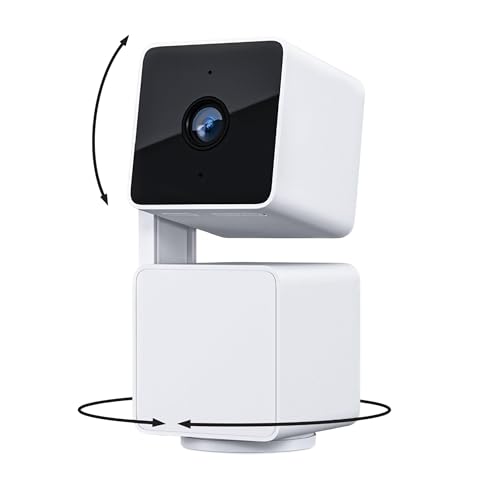
Where to buy
Check the latest price, availability and delivery on Amazon. Orders are placed on Amazon. We may earn a commission from qualifying purchases.
- Best for small homes overall: Wyze Cam Pan v3 — Check on Amazon
- TP-Link Tapo C225 Pan/Tilt Camera — Check on Amazon
- Blink Mini 2 — Check on Amazon
- Aqara Camera Hub G3 — Check on Amazon
See 2 more Amazon options
- Ring Pan-Tilt Indoor Cam — Check on Amazon
- Google Nest Cam (Indoor, Wired) — Check on Amazon
Read the full guide ↓
Disclosure: As an Amazon Associate, dailyhomedecorating.com earns from qualifying purchases. Links to Amazon on this page are affiliate links; they cost you nothing extra. Listing details such as price and availability change often, so check the current Amazon listing before you buy.
In a compact home, the best indoor security camera for small homes under $300 is rarely the biggest camera on the page — it is the one that covers the whole home from a single shelf, stays out of the way of daily life, and does not demand a shelf of hubs and hardware to do it. Small homes change the arithmetic of this category in the buyer’s favour. One pan-and-tilt camera can honestly see an entire small floor plan. Two modest cameras can watch every door the home has. And the $300 ceiling, which is a ceiling rather than a target, stretches from a single do-everything device to a complete little system with local recording and money left over for the memory cards that keep it free of subscriptions.
The small-home brief also sharpens the questions that matter in every guide in this series. Where do recordings live — on a card in the camera, in a company’s cloud, or somewhere in between — and what stops working if you never pay a plan? In a small home the privacy version of that question is louder, too: the camera’s room is every room, the people it sees are always the household, and a camera without a credible off — a cover, a shield, a lens that turns away — will not survive a month in a home where there is nowhere to put it out of sight. Every pick below has a physical answer to that, and every review states its subscription truth in plain terms.
One boundary, as in the rest of this series: these are whole-home indoor security cameras for living spaces, entries and halls. They are not nursery monitors — crib-specific cameras with sleep tracking and parent units are a separate category with dedicated guides on this site — and they are chosen for indoor duty, even where a weather-resistant body lets one moonlight in a garage or on a covered porch.
In this guide
Quick Picks
Short on space and time? This table matches each pick to the small-home job it does best, from one-camera whole-home coverage to the tiniest shelf footprint.
| Buyer type | Pick | Why it stands out | Link |
|---|---|---|---|
| Best one-camera system | Wyze Cam Pan v3 | One motorised camera patrols the whole floor plan and records to its own card — the complete small-home answer at a fraction of the budget | Check on Amazon |
| Best 2K small-home pick | TP-Link Tapo C225 Pan/Tilt Camera | Sharper 2K video and free smart detection in the same small footprint — the upgrade that still fits the shelf | Check on Amazon |
| Best for the smallest shelves | Blink Mini 2 | A palm-sized camera with the widest fixed view here — in a small room, that lens is nearly a pan-tilt’s worth of coverage | Check on Amazon |
| Best for sensor setups | Aqara Camera Hub G3 | Camera, sensor hub and IR remote in one compact body — in a small home, consolidation is a feature you can measure in inches | Check on Amazon |
| Best Ring small-home pick | Ring Pan-Tilt Indoor Cam | One motorised camera sweeps the whole compact floor plan from the app, with a fingertip cover for when the home is occupied | Check on Amazon |
| Best for Google homes | Google Nest Cam (Indoor, Wired) | A camera guests mistake for decor, with smart alerts included free — the small-home pick for design-sensitive rooms | Check on Amazon |
How These Picks Were Chosen
We judged these cameras against a small home’s actual constraints, starting with coverage per device. In a compact floor plan, a pan-and-tilt camera is not a compromise — it is often the whole system, able to check the entry, the kitchen and the living space from one outlet. Fixed cameras were scored on field of view for the same reason: a very wide lens in a small room sees nearly everything a motor would. Any pick that needed multiple units to make sense in a small home had to justify the sprawl.
Footprint came next, in both directions: the shelf space a camera takes in a home that has none to spare, and the clutter it brings with it. Hub-based systems were required to earn their second box by replacing other devices, as the Aqara pick does. We also weighed how a camera behaves at close quarters — motor noise in a quiet studio, status lights in a bedroom-adjacent space, and above all the privacy off state, because in a small home the camera is always in somebody’s room.
Storage and subscription rules were verified from maker documentation, as throughout this series, and they matter here for a small-home reason: compact households feel recurring costs and device sprawl more sharply. A camera that records to its own card with no plan is a finished purchase; a camera that rents its memory is a small monthly reminder on the shelf. Specifications quoted are manufacturers’ published figures, with sources recorded alongside this article; we compared documentation and owner experience rather than hands-on testing.
The 6 Best Indoor Security Cameras for Small Homes Under $300
Wyze Cam Pan v3
Who it suits: Owners of studios, cottages and small houses who want one camera, one outlet and one shelf corner to watch the entire home, with no subscription in the picture.
The Pan v3 is the small-home thesis in product form. Its motorised head pans a full circle and tilts widely, patrols automatically between the viewpoints you set — front door, kitchen, back window — and follows a person or pet across the room, which in a compact floor plan means one camera genuinely covers the home rather than covering one angle of it. Colour night vision, two-way talk and a weather-resistant body (useful when the ‘second room’ is a garage or porch) round out a package that costs a small fraction of this budget and leaves the rest for a second unit or the cards it records to.
Recording is the small-home-friendly kind: a microSD card in the camera stores continuous or event footage with no plan at all, so the system you buy is the system you keep. The optional Cam Plus plan adds full cloud events and the smart labels for people, pets and packages; without it, cloud events are snapshots separated by a cooldown, which we flag because it is the free tier’s one real gap — the card, however, misses nothing. Privacy mode rotates the lens down into the base, giving the camera a visible off in a home where it is always in view.
The trade-offs are resolution and app manners: 1080p video where the Tapo below offers 2K, and an app that advertises its plan persistently. In a small home, where the camera is never far from its subject, 1080p goes further than it does across a great room, and the price gap buys a second camera for the far door. For most compact homes, this is where the guide’s money would go first.
- Full-circle pan, wide tilt, patrol points and motion tracking from one outlet (maker specifications).
- microSD recording with no subscription; optional plan adds cloud clips and smart detection labels.
- Privacy mode points the lens down out of sight; weather-resistant body suits garages and porches.
Honest limitation: 1080p resolution, a busy upsell-prone app, and free cloud events limited to snapshots with a cooldown between them.
Choose it if you want one inexpensive camera to be the whole system in a compact home, recording locally. Skip it if you want 2K detail or a calmer app — the Tapo C225 is the step up in both.
TP-Link Tapo C225 Pan/Tilt Camera
Who it suits: Small-home owners who want the one-camera system but refuse to give up picture quality or pay a plan for the privilege of smart alerts.
If the Wyze is the small-home answer at minimum cost, the C225 is the same answer at higher quality. Its 2K sensor sits behind a fast f/1.6 lens that keeps night pictures in colour in many real rooms, the pan-tilt head tracks movement across the space, and the detection that rivals charge for — person, pet, vehicle, even a baby’s cry — runs on the camera itself, included in the purchase. In a small home, where one camera is the system, having its brain included rather than rented is the difference between a finished purchase and a small monthly tenancy.
Privacy is handled physically, which matters more the smaller the home: the C225’s privacy mode rotates the lens up into the housing until the eye disappears, an off state every member of the household can verify from anywhere in the room — and in a compact home, everywhere is within sight of the camera. Recording goes to a microSD card with no plan; TP-Link’s cloud exists as an optional extra for off-site clips, not as the price of basic function. HomeKit, Alexa and Google live view are all supported, unusual breadth at this size and price.
The honest costs are a 2.4GHz-only radio and an app that is capable rather than beautiful. Neither changes the small-home verdict: this is the most complete single camera in the guide relative to the space it occupies, and at well under the ceiling it leaves budget for a second one on the far door — two fee-free 2K cameras being a very credible definition of a finished small-home system.
- 2K QHD video with f/1.6 lens and colour night vision in a compact pan-tilt body (maker specifications).
- On-device detection and microSD recording included free; cloud plan optional only.
- Physical privacy mode hides the lens inside the housing; works with HomeKit, Alexa and Google.
Honest limitation: Wi-Fi is 2.4GHz only, the app trails Ring and Nest for polish, and HomeKit use is live view rather than HomeKit Secure Video recording.
Choose it if you want the one-camera system at 2K quality with no fees and a lens that truly hides. Skip it if you want a hub that also runs sensors, or the absolute calmest app — see the Aqara and Nest picks.
Blink Mini 2
Who it suits: Small-home owners whose scarcest resource is surface space, and Alexa households who want a camera that disappears onto a bookcase or fridge top.
The Mini 2’s small-home argument is geometric. It is a tiny cube, and its lens sees 143 degrees — the widest fixed view in this guide — so placed in the corner of a small living room it takes in nearly the whole space without moving at all. A built-in spotlight gives it colour pictures at night, the stand needs no screws, and the whole installation is an outlet and a few minutes in the Blink app. In a home where the camera competes with books and plants for the same shelf, being almost invisible is a specification, and this is the only pick that truly disappears.
Blink’s arrangement needs its usual plain statement. A subscription plan unlocks cloud recording and person detection; a Mini 2 without one offers live view and motion alerts only, unless you add Blink’s Sync Module with a USB drive for local clips — and person detection stays with the plan even then. In a small home the multiplication maths still charms: two or three Mini 2s, one per key room or door, cost less than one flagship and share one simple app. Just buy them knowing which recording arrangement you are choosing.
Privacy is the Mini 2’s honest gap: there is no physical cover, only app disarming and privacy zones, so the lens is always a lens. In a small home, where the camera shares the household’s only living space, some families will accept that and some will not — the Tapo and Ring picks close physically if yours will not. As pure coverage per square inch and per dollar, though, nothing else here is close.
- Widest fixed view in the guide at 143 degrees, with a built-in spotlight for colour night view (maker specifications).
- Palm-sized plug-in body that stands anywhere with no mount and no screws.
- Optional local clips via Sync Module and USB drive; plan adds cloud recording and person detection.
Honest limitation: No physical privacy cover, 1080p resolution, and recording requires either the plan or the extra Sync Module.
Choose it if space is your scarcest resource and you want coverage that vanishes into the room. Skip it if a shutterless lens in your only living space will bother the household — choose a camera that closes.
Aqara Camera Hub G3
Who it suits: Small-home owners building a little smart system — a door sensor, a leak sensor under the sink, motion in the hall — who refuse to give three devices the shelf space of one.
Small homes run out of shelf before they run out of budget, and the G3 is designed for exactly that arithmetic. It is a 2K pan-and-tilt camera that watches the main room, tracks people and pets, and recognises faces and simple gestures on-device. It is also a Zigbee hub that can run a whole kit of small battery sensors — the natural security companions in a compact home, where one door, one hall and one under-sink spot are most of the map — and an infrared remote that puts the TV and the air conditioner on your phone. Three boxes, one body, one outlet.
Its privacy answer suits close quarters: a sleep mode rotates the lens down into the body, so the camera’s off state is a face turned away, legible from the sofa. Recording is flexible in the ways small homes need: a microSD card in the Aqara app with no subscription, or HomeKit Secure Video into iCloud for Apple households — with the honest notes that HomeKit recording needs an iCloud+ plan, that Apple caps it at 1080p while the Aqara app keeps the full 2K, and that the face and gesture features live in Aqara’s app rather than HomeKit.
The compromises are that its camera, judged purely as a camera, is matched by the Tapo at less money, and that setup rewards order — add it to HomeKit first, as owners advise. But in a small home the G3 is not really bought as a camera; it is bought as the home’s one smart box, and on that brief nothing else in this guide competes with it.
- 2K pan-tilt camera plus Zigbee 3.0 hub plus IR remote in a single compact unit (maker specifications).
- Sleep mode rotates the lens into the body — a visible off for a camera that is always in the room.
- microSD recording with no subscription; HomeKit Secure Video supported for Apple homes.
Honest limitation: HomeKit recording requires an iCloud+ plan and is capped at 1080p; the smartest features work only in the Aqara app and not all at once.
Choose it if you want sensors and a camera but only have shelf and patience for one smart box. Skip it if you want a camera and nothing else — the Tapo gives you more camera per dollar and per inch.
Ring Pan-Tilt Indoor Cam
Who it suits: Small homes already speaking Alexa or Ring — a doorbell on the front, an Echo in the kitchen — that want the indoor camera to join the same system and patrol the whole space.
In a small home, a pan-tilt camera’s sweep is total: from one shelf, this Ring can turn from the front door to the kitchen to the sofa and back, driven live from the app, which makes it the closest thing to a walk-through check on the house from anywhere. The video is 1080p with colour night vision, two-way talk handles the doorstep conversation or the dog on the counter, and the camera plugs into a single outlet with an optional small mount. For a compact home inside the Ring ecosystem, it is the natural indoor citizen, sharing an app and a plan with the doorbell.
The feature small homes will use most is the manual privacy cover. Slide it across and camera and microphone switch off together, physically. In a compact home the camera is in the living room because there is only the living room; a cover that anyone in the household can close with a fingertip, no app and no account required, is what makes an always-plugged-in camera socially sustainable at close quarters.
Ring’s terms, plainly: this camera stores nothing locally, so without a Ring Home plan you get live view and alerts but no recorded video, and the continuous recording option sits on the premium tier. It is also a 2.4GHz Wi-Fi device. A small Ring household paying the plan gets a coherent, patrolling system; a household allergic to subscriptions should take the Wyze or Tapo, which patrol and record locally for less.
- Motorised full-circle pan and wide tilt driven from the Ring app (maker specifications).
- Manual privacy cover disables camera and microphone with a slide — no app needed.
- 1080p video with colour night vision and two-way talk; one plan can cover a home’s Ring cameras.
Honest limitation: No local storage and no recording without a Ring Home plan; 1080p video and 2.4GHz-only Wi-Fi trail the Tapo pick.
Choose it if your small home already runs on Ring or Alexa and you want one camera to patrol all of it. Skip it if you want recordings kept in the home or a system that survives cancelling every plan.
Google Nest Cam (Indoor, Wired)
Who it suits: Small-home owners in the Google ecosystem who want the camera to blend into a carefully kept little space and the app to stay calm.
In a small home there is nowhere to hide a camera, so the Nest Cam’s design restraint becomes a practical feature: a smooth, pebble-like body on a tidy stand, in soft colours, that reads as an object rather than equipment on the one shelf everyone sees. Behind the manners sits a capable fixed camera — 1080p HDR video, a wide 135-degree view that suits a living-room corner, two-way talk — and the gentlest software in this guide, with person, animal and vehicle alerts included free through Google Home.
The free tier is the most generous of the cloud brands and still finite: a rolling window of event clips measured in hours, extended to weeks by Nest Aware, which also adds familiar-face detection, while the top tier adds continuous recording for this wired model. There is no memory-card option, so your archive is Google’s, on Google’s terms. In a small Google home that already trusts that arrangement for its doorbell and displays, the coherence is worth more than the caveat; in a home building a fee-free local system, it disqualifies the camera, and the Tapo and Wyze picks exist for exactly that household.
As a fixed camera it cannot patrol, so in a small home its placement is the whole installation: the corner that sees the entry and the main space in one frame. Get that corner right and it is the most liveable camera in this guide — the one visitors do not comment on, the app nobody dreads, and the alerts nobody mutes.
- 1080p HDR video with a wide 135-degree view and free person/animal/vehicle alerts (maker specifications).
- Free rolling event history measured in hours; Nest Aware extends it and adds familiar faces.
- Design-forward body on a shelf stand — no mount, no holes, nothing to hide.
Honest limitation: No local storage exists, the free history window is short, and the fixed lens cannot patrol like the pan-tilt picks.
Choose it if your small home runs on Google Home and you want the camera to disappear into the room’s design. Skip it if you need local recordings, a long free history, or a camera that can sweep the space.
Comparison Table
| Product | Type | Best use | Link |
|---|---|---|---|
| Wyze Cam Pan v3 | Budget pan/tilt | Whole small homes covered by a single patrolling camera | Check on Amazon |
| TP-Link Tapo C225 Pan/Tilt Camera | Pan/tilt, local-first | The single main room of a small home, watched sharply and fee-free | Check on Amazon |
| Blink Mini 2 | Fixed mini camera | Small rooms and entries where a tiny wide-angle camera sees nearly everything | Check on Amazon |
| Aqara Camera Hub G3 | Camera + hub + IR blaster | Compact homes where one device must run the whole smart setup | Check on Amazon |
| Ring Pan-Tilt Indoor Cam | Motorised pan/tilt, cloud | Compact floor plans patrolled from one shelf inside a Ring home | Check on Amazon |
| Google Nest Cam (Indoor, Wired) | Fixed designer camera | The main room of a Google household where looks and calm software lead | Check on Amazon |
How to Choose the Best Indoor Security Camera for Small Homes Under $300
- Exploit the small-home advantage: one camera can be the system. In a compact floor plan, a pan-tilt camera on the right shelf sees the entry, the living space and usually the kitchen in one patrol. Start there. Add a second camera only for a genuinely separate zone — a far bedroom wing, a garage — rather than multiplying devices out of habit.
- Spend the headroom on the system, not the badge. Under $300 in a small home buys the camera plus everything that makes it good: high-endurance memory cards for local recording, a second mini camera for the back door, or a door and leak sensor if you choose the hub route. A lone expensive camera with no cards and no plan is the worst spend at this scale.
- Measure the shelf before the specs. Small homes have specific shelves: a bookcase top, a fridge, a windowsill. Check the camera’s footprint against the actual spot, confirm an outlet reaches it, and check the view from that exact height in the app before committing. A camera that fits the room beats a better camera that lives in a drawer.
- Make privacy physical, because the camera is always in the room. There is no spare room to exile a camera to in a small home; it watches the household’s whole life. Choose a cover (Ring), a lens that hides (Tapo), a lens that turns down (Wyze) or a face that sleeps (Aqara), so the off state is visible to everyone who lives under it.
- Decide the subscription question at small-home scale. Local-first cameras (Wyze, Tapo, Aqara’s card mode) are finished purchases. Cloud cameras rent their memory: Ring records nothing without a plan, Blink needs a plan or a module, Nest’s free window is hours. In a small home with one or two cameras the sums are small either way — but the principle compounds with every camera you add.
- Use wide lenses and corners. Small rooms reward geometry: a wide fixed lens in a corner (Blink’s 143 degrees, Nest’s 135) can cover a room that would need a motor in a larger house. Place high in the corner opposite the entry, angle slightly down, and check the night view from the doorway before you call it done.
- Plan for the whole home’s noise and light. Pan motors, status lights and night-vision glow all matter more at close quarters, especially where the living room is also someone’s bedroom. Favour cameras with quiet movement, dimmable or absent status lights and privacy modes you can schedule for sleeping hours.
One Camera or Two? The Small-Home Coverage Map
Draw the floor plan and mark the doors; that map, not the marketing, decides the camera count. If every entry is visible from one central spot — common in studios, cottages and small bungalows — one pan-tilt camera (Wyze or Tapo) is the system, and the rest of the budget belongs to memory cards and perhaps a sensor on the door. If the plan bends — an L-shape, a hall with the back door out of sight — two cameras earn their outlets: the pan-tilt on the main space and a mini on the blind entry. Three cameras in a small home is almost always sprawl; the third view duplicates one of the others.
The second camera decision is also where ecosystems get chosen, so make it deliberately. Two cameras from one brand share an app, a plan and a set of habits; two brands mean two of everything, forever, in a home with no spare attention for admin. The hub route (Aqara) changes the map again: the camera watches the main room while cheap battery sensors quietly cover the door, the hall and the sink, which in a small home is often better coverage than a second lens.
Living With a Camera at Close Quarters
A small home’s camera sees breakfast, arguments, illness and dancing in the kitchen — the unguarded archive of a household. That is why this guide weights privacy hardware as heavily as resolution: the camera that stays plugged in for years is the one whose off state the whole household trusts. Build the rituals early: cover or sleep the camera when guests come, schedule privacy for bedroom hours where the layout demands it, and share app access with the adults who live there. A camera treated as household infrastructure, rather than one person’s gadget, is a camera that survives.
It is worth repeating the boundary this series keeps: none of these picks is a baby monitor. A small home with a new baby may well use one of these cameras for occasional nursery check-ins, and several hear a cry and alert you. But crib mounting, sleep tracking and a parent unit that works with the Wi-Fi down are a different product’s job, compared in the dedicated baby camera guides on this site. Buy the security camera for the home, and the nursery tool for the nursery.
The Second Purchase: Growing a Small-Home System Without Clutter
Most small-home systems are finished at one camera, and that is a strength, not a compromise. But a month of living with the first camera teaches you the one thing it cannot see — the back door around the bend, the garage, the side window — and that is when the second purchase happens. Make it with the map, not the sale page: the second camera exists to close a named blind spot, in the same brand and app as the first, so the system stays one system. A mini camera is usually the right shape for the job; the blind spot rarely needs the flagship, it needs an eye.
The other direction a small system grows is sideways, into sensors — and in a compact home, sensors are astonishingly efficient. A contact sensor on the main door reports the opening before any camera’s motion detection would, a motion sensor in the hall covers the one space a camera angle misses, and a leak sensor under the sink or behind the washing machine guards the incident small homes actually suffer most: water. If you chose the Aqara hub camera, these arrive as cheap battery pucks that stick up in minutes and report into the same app. If you did not, they are the strongest argument for making the hub camera your eventual main-room upgrade.
What not to add is as important. A third camera in a small home almost always duplicates a view and doubles an admin burden; a second app for one bargain camera taxes every alert you will ever receive; and a subscription added ‘because it was on offer’ converts a finished purchase into a bill for a feature you had not missed. The discipline of the small home is that everything in it earns its space — hold the camera system to the same rule, and it will stay small, calm and switched on, which is the entire point.
Small Homes, Honest Limits: What One Camera Cannot Do
Honesty about limits is worth a section in a small-home guide, because the same compactness that makes one camera feel sufficient can hide its two real blind spots. The first is simultaneity: a pan-tilt camera watching the door is not watching the kitchen, and in a small home the patrol cycle is short but never zero. If two zones genuinely matter at the same instant — a sleeping baby in one room and the entry in another, a pet gate and a back door — that is the legitimate case for the second fixed camera, aimed once and forgotten, rather than a faster motor. The second blind spot is the outage: every camera here is wired and Wi-Fi dependent for alerts, so a power cut silences the system entirely, and an internet cut silences its voice even where local recording continues.
Neither limit argues against the small-home approach; they argue for completing it cheaply. A small backup battery under the router keeps the alerts alive through short power blips. A door sensor reports the one event that matters most even while a camera is looking the other way. And a household that has rehearsed what the system cannot do is never surprised by it at the worst moment. The small home’s advantage was never that one camera sees everything — it is that the whole home is close enough for one camera, honestly placed and honestly understood, to see nearly everything that matters.
Renters in Small Homes: A Shorter Version of the Same Rules
Many small homes are rented, and the overlap of the two briefs is nearly total: no drilling, no permanent fixtures, a system that packs into one box at move-out, and housemates or partners whose consent the camera needs every day, not just on installation day. Every pick in this guide passes the lease test — plug in, place, pair — and the local-first picks pass the moving test best of all, because a system whose recordings live on its own cards has no account history to migrate and no plan to renegotiate at a new address. If your small home is also a rented one, weight the Wyze, Tapo and Aqara picks a little higher than this guide already does, and treat the cloud picks as what they are: excellent cameras whose memories live in someone else’s building, which is a fine arrangement right up until the month it is not.
Common Buying Mistakes
- Buying a flagship system with a hub and multiple boxes for a home with one shelf. Match the system’s footprint to the home’s, not the budget’s.
- Assuming a small home needs several cameras. One pan-tilt usually covers it; a second covers the blind entry. The third is furniture.
- Forgetting the camera is always in the room. A pick without a physical off will eventually be unplugged by someone who lives there.
- Letting a cloud camera’s trial lapse in a home that assumed it was recording. Ring records nothing without its plan; check your model’s rule.
- Placing the camera low and central, where it dominates the room and sees mostly backs. High corners see more and intrude less.
- Spending the whole budget on the camera and nothing on cards, a second angle or a door sensor — the parts that turn a gadget into a system.
- Mixing brands across a tiny system. Two apps and two plans in a small home is admin out of all proportion to the protection gained.
- Judging by daytime video alone. In a small home the camera works at arm’s length at night; check its night view from the doorway before settling.
Final Recommendation
- Most small homes: Wyze Cam Pan v3
- Best quality single camera: TP-Link Tapo C225 Pan/Tilt Camera
- Tiniest footprint: Blink Mini 2
- Camera plus sensor hub: Aqara Camera Hub G3
- Ring and Alexa homes: Ring Pan-Tilt Indoor Cam
- Google homes, best looks: Google Nest Cam (Indoor, Wired)
Our top two for small homes are the Wyze Cam Pan v3 — one inexpensive patrolling camera with local recording that genuinely covers a compact floor plan — and the Tapo C225, the same one-camera idea executed at 2K with free detection and a lens that hides. Homes building a sensor system should take the Aqara G3 and let one box do everything, while Ring and Google households have in-ecosystem picks that patrol or blend in respectively. Draw the door map, buy the smallest system that covers it, insist on a physical off, and keep the change: at under $300, restraint is the small home’s superpower.
Frequently Asked Questions
How many cameras does a small home actually need?
Usually one, sometimes two. A single pan-and-tilt camera placed centrally can patrol a studio or small house’s whole living space and entries. Add a second camera only for a zone the first cannot see — a back door around a bend, a detached garage. This guide’s picks are ordered with that map in mind, and the budget covers the two-camera version comfortably.
Which small-home camera records without a subscription?
The Wyze Cam Pan v3 and Tapo C225 record to their own memory cards with no plan, and the Aqara G3 records locally in its app the same way. Ring’s Pan-Tilt records nothing without a Ring Home plan, Blink’s Mini 2 needs a plan or a Sync Module for clips, and Nest keeps only a few hours of event history free. Every review here states its model’s rule.
Is a pan-tilt camera or a wide fixed camera better for a small room?
Both work, differently. A pan-tilt (Wyze, Tapo, Ring) can check every corner in turn and follow movement, but sees one direction at a time. A wide fixed camera (Blink at 143 degrees, Nest at 135) sees nearly the whole small room at once but cannot zoom its attention to the far side. In the smallest rooms the wide fixed lens is often enough; in open-plan small homes the pan-tilt earns its motor.
Where should I put one camera in a small home?
High in the corner of the main living space, opposite or angled toward the main entry, where one view takes in the door and as much of the room as possible. Confirm an outlet reaches it, check the live view at night from the doorway, and make sure the privacy cover or mode is reachable — in a small home you will use it often.
Can these cameras go in a bedroom?
They can, and that is exactly where the privacy hardware in this guide earns its place: choose a camera with a cover, a hiding lens or a sleep mode, schedule its off hours, and agree it with everyone who sleeps there. Many small-home owners instead cover the living space and entry only, and keep bedrooms camera-free entirely — a perfectly good security posture.
What should I do with the money left over under $300?
Complete the system: high-endurance memory cards so local recording runs for months untouched, a second small camera for the blind entry, or a door and leak sensor if you chose the hub-based Aqara. In a small home those additions protect more additional square feet than any camera upgrade would.
Can I take this system with me when I move?
Yes — that portability is built into every pick here. Nothing is drilled, hardwired or glued down: the cameras unplug, the cards keep their footage, and the whole system typically packs into a single small box. Cloud accounts move with you automatically; local-first systems need nothing at all. In the new home, repeat the same routine: map the doors, place the main camera high in the corner opposite the entry, and check the night view before you call it done.


