Where to buy
Check the latest price, availability and delivery on Amazon. Orders are placed on Amazon. We may earn a commission from qualifying purchases.
- Best overall for renters: Airlonv LED Desk Lamp with Clamp, 17-Inch Light Bar — Check on Amazon
- Addtam LED Desk Lamp with Power Strip — Check on Amazon
- Lepro LED Desk Lamp with USB Charging Port — Check on Amazon
- Lepro Metal LED Desk Lamp — Check on Amazon
- LEPOWER 800LM LED Desk Lamp — Check on Amazon
- BOHON Desk Lamp with Wireless Charger — Check on Amazon
Read the full guide ↓
Disclosure: As an Amazon Associate, dailyhomedecorating.com earns from qualifying purchases. Links to Amazon on this page are affiliate links; they cost you nothing extra. Listing details such as price and availability change often, so check the current Amazon listing before you buy.
Renting rewrites the lighting problem. The ceiling fixture belongs to your landlord, the lease forbids drilling into anything, the walls are not yours to mark, and the desk — if the apartment even has a proper desk — is probably pushed into whichever corner has an outlet nearby. You cannot rewire, you cannot hardwire a sconce, and in many leases you cannot even swap the builder-grade ceiling light without asking permission. A desk lamp is the one lighting upgrade a renter controls completely: it plugs in, it clamps on or stands on its own feet, and on moving day it leaves with you and takes every trace of itself along. The six lamps in this guide were picked with that reality in front of us — nothing here mounts to a wall, nothing needs an electrician, and nothing asks your landlord for anything.
The second rental reality is sockets. Older apartment buildings ration outlets in ways no modern desk setup anticipates: one receptacle on the desk wall, already claimed by a monitor, a laptop brick and a router. So this guide weighs outlet math almost as heavily as light. One of these lamps clamps to the desk edge and consumes no surface at all. Another turns a single wall outlet into three AC sockets and four USB ports from its own base, on a flat plug designed to fit behind furniture. Others fold flat for the move, remember your last setting so a studio’s one lamp can be a work light at nine and a reading light at ten, or charge the phone that shares your nightstand. What this guide will not do is dress up the numbers: every brightness figure below is a maker’s claim with no shared measurement standard behind it, and every “USB charging port” is translated into the volts and amps it actually delivers, because a port that trickles at five watts should never be sold to you as a charger.
For most renters we would start with the Airlonv clamp lamp, because a clamp is the most rental-friendly mount ever put on a lamp — no holes, no adhesive, no marks, and no desk surface spent. If your building’s outlet shortage is the real emergency, start with the Addtam instead. Below you will find a quick picks table, detailed notes on all six lamps, a comparison table, the renter-specific rules that shaped this list, a buying checklist, an honest account of what $30 still cannot buy, the mistakes renters make at this price, and answers to the questions that come up again and again.
Quick Picks
Short on time, or comparing several options at once? Each row below names a renter situation and the lamp that suits it, with a link to the listing.
| Renter situation | Pick | Why it stands out | Link |
|---|---|---|---|
| Best overall for renters | Airlonv LED Desk Lamp with Clamp, 17-Inch Light Bar | Clamps to the desk edge — zero holes, zero marks, zero desk surface used | Check on Amazon |
| Best for outlet-starved rentals | Addtam LED Desk Lamp with Power Strip | Three AC outlets plus four USB ports in the base — one wall socket becomes seven charging points | Check on Amazon |
| Best for studios and bedside desks | Lepro LED Desk Lamp with USB Charging Port | Compact, folds flat for the move, and trickle-charges a phone from its base — 5V/1A, stated plainly | Check on Amazon |
| Best looking on a living-room desk | Lepro Metal LED Desk Lamp | Metal shade and aluminum post that read as furniture, not dorm gear | Check on Amazon |
| Best for long work-from-home hours | LEPOWER 800LM LED Desk Lamp | The widest panel and finest adjustment here — 50 lighting modes for all-day desk work | Check on Amazon |
| Best charging station | BOHON Desk Lamp with Wireless Charger | USB-A, USB-C and a wireless pad in the base, so the nightstand cable pile disappears | Check on Amazon |
How These Picks Were Chosen
The first filter was the lease. Every lamp below is a plug-in appliance that stands on a desk or clamps to its edge; none of them screws into a wall, hangs from a ceiling, replaces a fixture or leaves anything behind when you move. That sounds obvious until you shop the category and find the wall-mounted and hardwired options mixed into the results. The second filter was the budget, applied the same way we apply it everywhere: each product is a real Amazon listing positioned within this under-$30 tier in the configuration this guide recommends — check the current price on Amazon before you buy — and where a lamp lives close to the top of the tier, the review says so in qualitative terms.
We did not use these products ourselves. We read the maker listings and specification pages and compared the things a listing can actually prove: mount type and clamp range, color temperature span, whether dimming is stepped or stepless, whether a wall adapter is in the box, and exactly what each USB port outputs in volts and amps. Brightness was deliberately not ranked by headline lumens, because there is no common standard forcing one brand’s “800 lumens” to mean the same thing as another’s — the figures are reported as maker claims and weighed alongside wattage and panel size instead. Rental-specific virtues counted for real: a clamp that returns your whole work surface, a flat plug that fits behind a dresser, a body that folds flat enough to ride in a moving box, a memory function that saves a studio tenant from re-dialing the lamp twice a day.
Fit numbers decided the borderline cases, because in a rental they decide everything. A clamp lamp only helps if your desk has an edge within its grip range and a few inches of clearance behind that edge — not guaranteed in a room where the desk is shoved flush to the wall. A base lamp only helps if its footprint fits the corner you actually have, and a power-strip lamp only helps if its cord reaches the one outlet the room offers. Where a listing was vague about a figure — charging wattage on one pick below is the standing example — we say so in the review rather than guess, and the checklist further down tells you what to verify before ordering.
The 6 Best Desk Lamps for Apartments Under $30
Airlonv LED Desk Lamp with Clamp, 17-Inch Light Bar
Who it suits: Renters whose desk surface is fully spoken for — dual monitors, a laptop, a notebook, no corner left — and anyone who wants a lighting upgrade that leaves the apartment exactly as they found it.
Start with the mount, because for a renter the mount is the product. The Airlonv’s metal clamp bites onto the back or side edge of the desk, gripping edges up to about 2.36 inches thick, and that is the entire installation: no screws into the wall, no adhesive strips gambling with the paint, no holes to fill and no deposit conversation at move-out. From that clamp, a long 360-degree flexible gooseneck carries a 17-inch bar of 100 LEDs out over the work, so the light hangs above and beside your keyboard — the position task lighting has always wanted — while the square footage underneath stays one hundred percent yours. In a rental, where the desk is often a small table doing double duty, that reclaimed surface is worth as much as the light itself. Brightness and color temperature are both stepless: hold the control and output sweeps from 1 to 100 percent and from 2700K warm to 6500K daylight, stopping where you release it rather than at a preset step. The lamp draws 10W through the 5V/3A USB adapter included in the box, weighs about 1.6 lb, and routes its cord down a channel in the gooseneck so the cable run stays tidy. Check the current price on Amazon — it sits comfortably within this guide’s budget tier, which is one reason it leads the list.
The rental-specific catch is clearance. A clamp needs a real edge and a few inches of open space behind it for the clamp body and the gooseneck’s first bend, and apartments conspire against exactly that: desks get pushed flush against walls, backs get blocked by modesty panels and cable trays, and rental furniture packages love glass tops and rounded waterfall edges that a clamp cannot bite. Measure the back edge of your desk before ordering — if there is a grippable edge with air behind it, this is the best lamp in the guide; if there is not, no amount of wanting will mount it, and the base lamps below are your list. Two smaller honest notes: the lamp reaches full brightness from its included adapter, and while it will run from a computer’s USB port, a weaker port can leave the bar dimmer than its best, so treat the laptop option as a travel convenience. And there is no charging output at all — this lamp consumes a USB feed, it does not offer one, so the phone keeps its own charger.
- Clamp mount: the most deposit-friendly installation there is — nothing drilled, stuck or left behind.
- A 17-inch, 100-LED bar, the widest light in this guide, covering a full keyboard-and-notebook spread.
- Stepless dimming and stepless 2700K–6500K color temperature, not fixed steps.
- Included 5V/3A adapter, so full brightness never depends on a laptop’s USB port.
Honest limitation: Clamp-only mounting — desks without a grippable edge and clearance behind it cannot use it — and no USB charging output for your phone.
Choose it if your desk has a proper edge and your surface is full. Skip it if your desk sits flush to the wall, has a glass or rounded top, or your real problem is a shortage of outlets — the Addtam below was built for that.

Addtam LED Desk Lamp with Power Strip
Who it suits: Anyone renting an older unit where the desk wall offers one outlet and it is already taken — dorm-style first apartments, converted bedrooms, and desks parked far from the room’s only receptacle.
The Addtam starts from a truth about rental housing: the light is rarely the scarcest thing at a desk; the socket is. So the base of this lamp is a power strip. Three 3-prong AC outlets, two USB-C ports and two USB-A ports live in the base and stay live whether the lamp is on or off, all fed by a 5-foot cord ending in a low-profile 45-degree flat plug — the kind that fits behind a desk or dresser pushed close to the wall, which in a rental is every desk and dresser. Plug this one lamp into the room’s one reachable outlet and the monitor, the laptop brick, the phone, the watch charger and the lamp itself all land in a single footprint, and the desk gains back the socket a normal lamp would have consumed. The lamp on top is a compact touch-controlled LED with four color temperatures running up to 6500K daylight and five brightness levels — honest, adequate light for a laptop-and-notebook workspace. Check price on Amazon — it sits toward the lower end of this budget tier, and as a lamp and power strip in one it is one of the most practical infrastructure upgrades in this guide.
Rank it correctly, though: this is a good power strip with a decent lamp attached, not a great lamp that happens to have outlets. The head is small, the maker does not headline a lumen figure for it the way the light-first lamps in this guide do, and nobody should expect the LEPOWER’s wide panel or the Airlonv’s reach from it — it lights a workspace, not a drafting table. The maker is also less specific than we would like about the USB ports’ charging wattage, so assume ordinary-speed charging for phones and accessories and check the live listing’s specification table if charging speed is the deciding factor for you. One safety note that outlet abundance invites people to forget: seven points in a lamp base does not make it a circuit upgrade, and a space heater or kettle has no business plugged into it. Judged on what it actually is — the single purchase that makes an under-outleted rental desk fully functional — nothing else here competes.
- Three AC outlets plus 2 USB-C and 2 USB-A ports in the base, live whether the lamp is on or off.
- 5-foot cord with a 45-degree flat plug that fits behind furniture pushed to the wall.
- Four color temperatures and five brightness levels with touch control.
- Positioned toward the lower end of this tier — check price on Amazon — as a combined lamp and power strip rather than two separate purchases.
Honest limitation: The lamp itself is the modest part — a small head with no headline brightness figure — and the maker does not clearly publish the USB ports’ charging wattage, so assume standard-speed charging.
Choose it if outlets, not lumens, are your desk’s real shortage. Skip it if you want the best light quality under $30 — every lamp ranked around it lights better; they just cannot feed seven devices.

Lepro LED Desk Lamp with USB Charging Port
Who it suits: Studio tenants and bedside-desk readers — anyone whose one lamp has to be a work light by day and a reading light by night, and who expects to move it at least once before the lease is old.
In a studio apartment the desk lamp rarely gets to be only a desk lamp. It reads in bed, it softens the room in the evening, and it does it all from the same small surface everything else competes for. This Lepro fits that life: a compact base lamp about 15 inches tall with a folding arm, touch controls, five color modes running from warm to daylight white, five brightness levels within each, and a memory function that returns it to the setting you last used instead of greeting you with a full-power blast. The maker rates output at up to 700 lumens — a maker’s figure, like every brightness number in this guide, offered here as a neighborhood rather than a measurement. The feature that earns the slot is in the base: a USB charging port, so the lamp that lights your book can also feed the phone, earbuds case or e-reader beside it, and one wall charger leaves the room entirely. Check the current price on Amazon — it sits in the middle of this budget tier — and its folding design packs flat — a virtue renters appreciate on a schedule homeowners do not, because this lamp’s likely owners will carry it up a new staircase within a year or two. Renters furnishing a dedicated sleep corner rather than a do-everything studio will find the same budget judged on warm light and timers in Best Desk Lamp For Bedrooms Under $30.
The port needs its honest paragraph, because it is the reason to buy this lamp and the likeliest source of disappointment if bought on the listing’s wording alone. The output is 5V/1A — five watts. By current standards that is a trickle: earbuds, a watch and an e-reader charge properly from it, and a phone charges slowly, holding or gently raising its level overnight rather than rescuing a dying battery on your way out the door. It is not fast charging, it will not meaningfully charge a tablet, and no lamp in this guide does better than the BOHON’s 5V/2A further down. Judged as an overnight nightstand arrangement — phone on the lamp, one cable, wake up charged — it does exactly what you hope. Judged as a replacement for your phone’s real charger, it does not, and we would rather say so here than let a product title imply it. The body is plastic rather than metal, the other deliberate trade against the Lepro Metal below: at a similar position in this tier you are choosing between this lamp’s port and that lamp’s materials, and our view is that bedside and studio duty should take the port, while a desk you stare at all day should take the metal.
- USB charging port in the base (5V/1A) — one less wall charger in a small room.
- Five color modes and five brightness levels, with memory for your last setting.
- Compact 15-inch lamp that folds flat for storage and for moving day.
- Touch controls — no dial or cord switch to hunt for in the dark.
Honest limitation: The USB port is 5V/1A, a trickle suited to earbuds and overnight phone charging but not fast charging, and it will not feed a tablet; the body is plastic.
Choose it if one lamp covers desk and bedside and the phone charges beside it. Skip it if you want metal construction or stronger light — the Lepro Metal and LEPOWER below are the respective answers.

Lepro Metal LED Desk Lamp
Who it suits: Renters whose desk lives in the living room, in full view of the sofa and every guest — people furnishing a small apartment they intend to make look deliberate, not temporary.
An apartment desk is usually on display, and a lamp that screams “dorm” taxes the whole room. This is the lamp that does not. The light is fully featured: a maker-rated 800 lumens, five color temperatures from 2700K to 6500K across five brightness levels for twenty-five combinations, touch control, memory, and a frosted diffuser that melts the LED points into an even wash. It also folds flat, which matters twice in a rental — the desk can become a dining table or a wrapping station without a lamp in the way, and on moving day the lamp slides into a box instead of riding in someone’s lap. Buyers furnishing a permanent home office rather than a rental corner will find the same lamp weighed under different priorities in Best Desk Lamp For Modern Homes Under $30.
The honest limitation is hiding in the name: it is not metal all the way down. The shade and post are metal; the base is plastic, as reviewers of this lamp consistently note, and while that changes nothing about the light or the stability in ordinary use, a buyer paying for “metal” deserves to know which parts the word covers. There is also no USB charging port and no smart feature of any kind — this is a purely plug-in lamp whose entire budget visibly went into the light and the build, which is the right trade for a display desk and the wrong one for a nightstand. That is why this guide carries both Lepros at a similar position in this tier with opposite priorities: take this one when the lamp will be looked at, take the USB model when the lamp will be lived beside.
- Metal shade and aluminum lamp post with a matte, fingerprint-resistant finish.
- Maker-rated 800 lumens with 5 color temperatures × 5 brightness levels — 25 combinations.
- Frosted diffuser for an even wash of light rather than visible LED points.
Honest limitation: The base is plastic despite the metal name, and there is no USB charging port or any smart feature — it is a lamp, only a lamp, albeit a well-made one.
Choose it if the desk is on display and looks lead your list. Skip it if you need a charging port (the Lepro above or the BOHON below) or a clamp mount (the Airlonv at the top).

LEPOWER 800LM LED Desk Lamp
Who it suits: Renters working from home at the same desk for full days — readers, students and crafters who need the light itself to be excellent, because the room’s landlord-grade lighting is not going to help.
Working from a rental means working under whatever fixture the landlord chose, which is usually a ceiling dome chosen for price. The LEPOWER (model DL-13) is the pick that compensates. Its panel is roughly twice the width of a standard budget lamp head, driven at 12W — the highest wattage in this guide — and rated by the maker at 800 lumens spread across a claimed 50-inch lighting area. The adjustment is the headline: five color modes and ten brightness levels combine into fifty lighting modes on touch control with memory, all on a 360-degree flexible gooseneck, so the lamp can be a dim warm pool for evening reading and a bright cool wash for a morning of paperwork without either feeling like a compromise preset. The maker also claims RG0 eye-safety certification under IEC 62778 for its lamp beads and optical lenses — a more specific claim than the category’s usual “eye-caring” adjectives, though it remains a maker’s claim this guide cannot independently verify, and it is reported here as exactly that. Check the current price on Amazon: it lives at the top of this budget tier, and for its coverage and adjustment range it is arguably one of the strongest-value picks of the six in qualitative terms.
The compromises are real and worth naming. There is no USB port, which lamps positioned lower in this tier manage to include, and at a work-from-home desk where the lamp could be the hub, that is a genuine miss. The gooseneck format cuts both ways: it aims anywhere and packs anywhere — a mover’s friend — but a long flexible neck holding a wide panel at full horizontal reach will keep that position with less authority than a jointed metal arm, so anyone who parks the lamp in one extreme pose for months should expect the occasional re-aim. And the brightness story needs the guide’s standing caution at full strength: the 800 lumens and the 50-inch lighting area are the maker’s numbers, produced under no standard shared with the other lamps here, so read this pick as the widest, most finely adjustable light in the guide rather than a measured champion. On control, coverage and hours-long comfort, it is the connoisseur’s choice of the six.
- Wide 12W panel — maker-rated 800 lumens across a claimed 50-inch lighting area.
- Fifty lighting modes: 5 color temperatures × 10 brightness levels, with memory.
- 360-degree gooseneck and touch control; RG0 eye-safety claim (maker-stated, IEC 62778).
- The finest-grained dimming of any lamp in this guide.
Honest limitation: No USB charging port, a position at the very top of this budget tier — check the current price on Amazon — and brightness figures that are maker claims like all the rest.
Choose it if light quality for long hours is the whole point. Skip it if you need charging at the lamp, or you want to stay well within this tier — the Lepro Metal gives up little light while sitting lower in the tier.
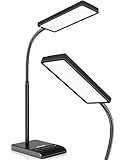
BOHON Desk Lamp with Wireless Charger
Who it suits: Renters drowning in charging cables on a small nightstand or desk — anyone who wants the phone to land on the lamp and the cable pile to simply stop existing.
Small apartments collect cable clutter faster than big ones because there is nowhere for it to hide, and the BOHON (model BH-WCDL-01) is the tidiness end of this category. The lamp itself is a 12W LED with five color modes spanning 2700K to 6500K, stepless dimming rather than steps, touch control with memory, and a 30-minute auto-off timer that suits a lamp pulling bedside duty. The base is a charging station with three routes in: a USB-A port and a USB-C port, each rated 5V/2A, and a wireless charging pad rated up to 12W for Qi phones. It runs from a proper 12V/2A wall adapter included in the box — a step up from the USB-only power arrangements elsewhere in this guide, and the reason it can light and charge simultaneously without either sagging. Check the current price on Amazon: it sits at the top end of this tier and is the pick living closest to the budget line, so treat the live listing as part of the decision, because pricing in this tier can move into step-up territory.
The charging claims deserve the usual translation into arithmetic. Five volts at two amps is 10 watts per wired port — roughly double the Lepro USB lamp’s trickle, enough for a respectable ordinary-speed phone charge, and still not the 20W-plus fast charging of a modern phone’s own brick. The pad’s “up to 12W” is a ceiling real phones approach only when perfectly aligned and bare or thin-cased; thick and wallet cases slow it or stop it, as with every pad at every price. And when the pad and both ports work at once, they share what the adapter can give, so everything slows together — physics, not a defect, but worth knowing before you plan a three-device hub around it. None of that undoes the appeal for a renter: one object on a small nightstand replaces a lamp, two chargers and a pad, and the stepless dimming makes it a better lamp than its gadget billing suggests.
- Three charging routes in the base: USB-A and USB-C at 5V/2A each, plus a wireless pad rated up to 12W.
- Stepless dimming across five color modes (2700K–6500K), with memory and a 30-minute timer.
- Included 12V/2A wall adapter — real mains power, not a USB-only feed.
- Touch control and a gooseneck design that aims like the reading lamps above.
Honest limitation: It sits at the very top of this budget tier — check the current price on Amazon — and can move above it; wired charging is 10W per port, not true fast charging, and the wireless pad slows through thick cases.
Choose it if you want the phone on a pad and the cables gone, and the listing you check sits within this tier. Skip it if the live price on Amazon has crossed this budget’s line — then it competes with a different tier — or if you never charge at your desk.

Comparison Table
| Product | Type | Best use | Link |
|---|---|---|---|
| Airlonv LED Desk Lamp with Clamp, 17-Inch Bar | Clamp-on light bar | Wide, stepless light that uses no desk surface and leaves no trace | Check on Amazon |
| Addtam LED Desk Lamp with Power Strip | Lamp + power strip | Desks short on outlets: 3 AC + 4 USB in the base | Check on Amazon |
| Lepro LED Desk Lamp with USB Charging Port | Compact base lamp | Studios and nightstands that charge a phone overnight | Check on Amazon |
| Lepro Metal LED Desk Lamp | Metal base lamp | The best-built, best-looking light in the guide | Check on Amazon |
| LEPOWER 800LM LED Desk Lamp | Wide-panel gooseneck lamp | Full work days with 50 lighting modes | Check on Amazon |
| BOHON Desk Lamp with Wireless Charger | Charging-station lamp | Wireless pad plus USB-A and USB-C in the base | Check on Amazon |
The Renter’s Rules: Light Without Touching the Lease
Everything in this guide obeys one principle: a rental upgrade should be fully reversible in under a minute, by hand, leaving no evidence. That is why there are no wall-mounted lamps here, no hardwired anything, and no adhesive mounting systems — stick-on fixtures are the one “damage-free” claim we distrust in a rental, because the strip that releases cleanly from your paint may take the landlord’s paint with it, and a patch of missing paint is harder to explain than a nail hole. A clamp grips furniture, and furniture is yours. A base lamp stands on its own footprint. Both unplug and walk out with you.
Two practical corollaries follow. First, photograph the desk area when you move in and the lamp is part of why that is easy advice to follow: a clamped or standing lamp changes nothing in those photos, so your move-in record stays your move-out defense. Second, spend on the lamp, not on installation — renters sometimes budget for an electrician to swap a ceiling fixture and then face restoring it at lease end, paying twice for light a lamp in this budget tier could have provided outright. The one upgrade path this guide does endorse beyond a lamp is patience: if your lease is long and the room is truly dark, the wider roundup at Best Desk Lamp Under $30 applies these same standards without the rental filter, and if square footage itself is the binding constraint, Best Desk Lamp For Small Rooms Under $30 judges this budget purely on footprint.
How to Choose a Desk Lamp for a Rental
- Measure the desk edge before anything else. The best lamp in this guide is a clamp lamp, and a clamp needs a solid edge up to about 2.36 inches thick with a few inches of clearance behind it. Glass tops, rounded waterfall edges, modesty panels and desks shoved flush to the wall all defeat it — check yours first, and if the edge fails, shop the base lamps without regret.
- Count your outlets, honestly. Walk to the desk wall and count free receptacles, not total ones. If the answer is zero or one, the Addtam’s base — three AC outlets and four USB ports on a flat plug — is not a gimmick; it is the difference between a working desk and a power strip on the floor.
- Insist on a flat plug if the desk hugs the wall. Rental desks live against walls, and a chunky straight plug can cost you two inches of desk position. The Addtam’s 45-degree flat plug is the pattern to look for wherever it appears.
- Read lumen numbers as advertising, not measurement. There is no shared standard behind budget brightness claims, so one brand’s “800 lumens” is not necessarily brighter than another’s “700.” Compare wattage, panel size and dimming range instead — and prefer stepless dimming when you can get it.
- Ask what the USB port actually outputs. “USB charging port” can mean 5V/1A (5W — a trickle for earbuds and overnight phones), 5V/2A (10W — respectable ordinary charging) or an honest fast-charge specification, which no lamp in this guide offers. The listing’s specification table, not its title, has the number.
- Check whether a wall adapter is included. USB-powered lamps reach full brightness only from a feed that can supply them — the Airlonv includes a 5V/3A adapter and the BOHON a 12V/2A adapter, which is part of their value. A lamp that needs an adapter you do not own is not as simple a purchase as it first looks.
- Think about the move while you shop. Folding arms, light weight and no glass shades are rental virtues: the Airlonv weighs about 1.6 lb, the Addtam about 550 g, and both Lepros fold flat. The lamp you buy for this apartment will very likely serve the next one.
- Match the lamp to the room’s second job. A studio lamp is also an evening lamp: warm 2700K–3000K range, memory and a timer matter more there. A living-room desk lamp is also furniture: the Lepro Metal’s build matters more there. Name the second job before choosing.
- Keep the packaging for a week. Dimming feel, gooseneck stiffness and charging speed only reveal themselves in use, and every lamp here is easier to return boxed than loose.
What $30 Doesn’t Buy
The ceiling of this tier is worth naming plainly, because the listings will not. Under $30 there is no desk lamp with independently verified brightness: every lumen figure in this guide is a maker’s number, and the “eye-caring” language is much the same — at this price it means a frosted diffuser and flicker-free marketing rather than a test report you can read. The LEPOWER’s RG0 claim is the most specific version available here, and it is still the maker’s own claim. Verified high color rendering is the other absence. Brand-name lamps with CRI ratings of 94 and above, dual USB-A and USB-C ports and proper certification — the Honeywell home-office line is the current example — sit just over this guide’s line, and the fully engineered end of the category, makers like BenQ, sits in a far higher tier altogether. If you match paint, grade photos or do craft work where color errors cost money, that small step up is not indulgence; it is the tier where the numbers start being checkable — and renters ready to take it will find this same budget’s bigger sibling in Best Desk Lamp For Apartments Under $40.
It is equally honest to say who should not step up. If the lamp lights homework, a laptop and a paperback — which describes most rental desks — nothing above $30 will serve you visibly better than the Airlonv’s wide stepless bar over a full desk or the Addtam’s quiet solution to the outlet problem, and the savings buy the desk pad, the notebook and the first month’s coffee. The under-$30 tier earns its money on coverage, adjustability and honest extras; it loses its money only when a buyer asks it for laboratory light.
Common Buying Mistakes
- Ordering a clamp lamp for a desk pushed flush against the wall, then discovering the clamp needs clearance behind the edge that the room does not have.
- Comparing lamps by their lumen headlines, as if two brands’ numbers were measured the same way. They were not; compare wattage, panel size and dimming range instead.
- Buying a “USB charging” lamp and expecting fast charging. In this tier a port means 5V/1A or 5V/2A — fine for earbuds and overnight phones, not a rescue charge before you leave.
- Solving a light problem when the real problem is sockets — or the reverse. The Addtam and the LEPOWER fix opposite shortages; buying one for the other’s job disappoints twice.
- Running a space heater, kettle or hair dryer from a lamp base’s outlets. Outlet count is not circuit capacity, in a rental least of all.
- Running a USB-powered lamp from a weak laptop port and judging its brightness there; the included adapter exists because full output needs it.
- Trusting a wireless charging pad through a thick or wallet case, then concluding the pad is broken; alignment and case thickness decide pad charging at every price.
- Choosing a lamp with only a cool daylight mode for a studio you also sleep in. Midnight under 6500K light is a special misery, and every lamp here spans warm to cool for a reason.
- Throwing the box away on day one — in a rental, where a return or a move is always plausible, the box is part of the product.
Final Recommendation
- Most renters with a full desk: Airlonv LED Desk Lamp with Clamp, 17-Inch Light Bar.
- One outlet, many devices: Addtam LED Desk Lamp with Power Strip.
- Studios and bedside desks: Lepro LED Desk Lamp with USB Charging Port.
- A desk on display in the living room: Lepro Metal LED Desk Lamp.
- Full work-from-home days: LEPOWER 800LM LED Desk Lamp.
- A cable-free charging desk: BOHON Desk Lamp with Wireless Charger.
Our top two are the Airlonv clamp lamp for anyone whose desk has an edge it can grip, and the Addtam for anyone whose wall cannot spare an outlet — between them they cover the two scarcities that define rental desks, surface and sockets, and both leave the apartment without a trace when you go. If the lamp will live beside a bed, take the Lepro USB model for its port and memory, or the BOHON if your phone charges wirelessly and you catch it under the line. None of these lamps will turn a rental desk into a photo studio, and none of them tries to. Measure your desk edge, count your free outlets, check the port specification and the live price on the listing, and order the one that matches the apartment you actually live in.
Frequently Asked Questions
Will a clamp lamp damage my desk or cost me my deposit?
No — and that is precisely why a clamp leads this guide. The Airlonv’s clamp grips the desk’s edge with screw pressure; it drills nothing, sticks to nothing and touches no wall, so there is no hole to fill and no paint to argue about at move-out. It is furniture clamping furniture, which no lease restricts. Do check the edge before ordering: the clamp fits edges up to about 2.36 inches thick and needs a few inches of clearance behind the desk, which desks pushed flush to a wall sometimes lack.
My rental has one outlet near the desk and it is taken. What do I do?
That is the Addtam’s entire reason to exist. Its base holds three AC outlets plus two USB-C and two USB-A ports, fed by a 5-foot cord with a flat 45-degree plug that fits behind furniture, so the one receptacle you have becomes the desk’s power hub and the lamp rides along free. Keep the discipline, though: lamp-base outlets are for desk electronics, not space heaters or kettles, whatever the socket count invites.
Will a desk lamp’s USB port fast-charge my phone?
No — not in this tier. The ports here output 5V/1A on the Lepro USB lamp (a 5W trickle, right for earbuds and overnight charging) and 5V/2A on the BOHON (10W, respectable ordinary speed), and the BOHON’s wireless pad adds the cable-free version of the same convenience at up to 12W in the best case, alignment and a thin case permitting. Modern fast charging starts around 20W from a dedicated brick; a lamp port is for keeping devices topped up where you sit.
Can I take these lamps when I move out?
Every one of them, easily — that was a selection criterion, not an afterthought. All six are plug-in appliances with no installation to undo. The two Lepros and the LEPOWER fold or flex down, the Airlonv weighs about 1.6 lb and unclamps in seconds, and the Addtam is a roughly 550 g unit that is its own power strip in the new place too. Budget a corner of the “first night” box; a working lamp is the difference between unpacking and camping.
Are these bright enough for working from home in a dim apartment?
For reading, paperwork and laptop work at ordinary desk distances, yes — with the standing caveat that every brightness figure in this tier is a maker’s claim with no shared standard behind it. The lamps here are maker-rated at 700 to 800 lumens where a figure is given, at 9.5W to 12W. Real-world brightness is decided more by panel size, dimming range and how close the light can sit to your work than by the headline number, which is why the wide-panel LEPOWER and the overhead Airlonv bar feel strongest in practice.
Clamp lamp or base lamp — which is better for a renter?
Neither in the abstract; they solve different desks. A clamp lamp returns your entire work surface, puts the light overhead where it belongs, and leaves no trace — but needs a solid edge with clearance behind it. A base lamp works on any flat surface, including glass desks and wall-hugging setups, and moves rooms in a second, but spends desk surface and reaches only as far as its arm. Measure the edge and the corner you have; the apartment decides.