Where to buy
Check the latest price, availability and delivery on Amazon. Orders are placed on Amazon. We may earn a commission from qualifying purchases.
- Best overall for renters: Philips Hue Play Gradient Lightstrip, 65 inch, Smart TV Light Strip with Flowing Multicolor Sync — Check on Amazon
- Govee COB LED Strip Light Pro, 9.8 ft, RGBICW with Matter — Check on Amazon
- Govee LED Strip Light M1, 16.4 ft, RGBICW with Matter — Check on Amazon
- Govee RGBIC LED Strip Lights, 100 ft (2 x 50 ft), Wi-Fi App Control — Check on Amazon
See 2 more Amazon options
- PAUTIX Addressable CCT Smart IC COB LED Strip Lights, 32.8 ft, 2700K–6500K, Alexa Voice Control — Check on Amazon
- Govee TV Backlight 3 Lite, 11.8 ft for 55–65 inch TVs, RGBICW Camera Sync with Voice and App Control — Check on Amazon
Read the full guide ↓
Disclosure: As an Amazon Associate, dailyhomedecorating.com earns from qualifying purchases. Links to Amazon on this page are affiliate links; they cost you nothing extra. Listing details such as price and availability change often, so check the current Amazon listing before you buy.
Every guide to a $500 strip-light budget has to start with the same awkward fact, and this one is no different: there is no $500 LED strip light. We checked the flagship lines of Philips Hue, Govee, Nanoleaf and the professional COB brands, and even the most expensive single strip kits from the major makers sit at the top of the ordinary flagship tier, well short of the number — the Philips Hue Play Gradient below and Hue’s Gradient Lightstrip Ambiance lead the field, with Govee’s COB Strip Light 2 Pro on Govee’s own store and Hue’s 33 ft Solo lightstrip just behind them. Third-party marketplace offers on these listings can run far above the makers’ own pricing, but a marked-up flagship is still a flagship, not a $500 product. The only product anywhere near the number is Govee’s Permanent Outdoor Lights 2 Pro, a fixed outdoor eave installation priced at the very top of this budget that no renter could install anyway. So $500 is a whole-home budget, not a product. The second fact matters more, and it is the subject of this guide: in an apartment, the real question is not what the light costs — it is what happens to that money on moving day.
Strip-light spending splits into two kinds of money. Stuck footage is spent money in a way electronics are not. Our working rule, argued in full below, is that no more than about a third of a renter’s $500 budget should end up as footage stuck to someone else’s property. The rest belongs in the portable layer: ecosystems, control hardware, and strips mounted to things you own — your television, your desk, your shelves, your headboard — where the footage travels too because the furniture does.
Two ground rules follow from the lease itself, and every pick here obeys them. Nothing in this guide hardwires: all six strips are plug-in products with a mains adapter in the box, so there is no electrician, no junction box and no lease clause about fixtures to negotiate. What follows is the six building blocks of a $500 apartment plan, each one scored on the only axis that matters here — travels, or stays.
Quick Picks
Short on time, or comparing several options at once? Each row below names a renter situation and the strip that suits it, with a link to the listing — check the current price on Amazon for each pick before you decide.
| Renter type | Pick | Why it stands out | Link |
|---|---|---|---|
| Best overall for renters | Philips Hue Play Gradient Lightstrip, 65 inch | The flagship TV strip — and, counterintuitively, one of the most portable purchases here: the strip mounts to your own TV and most of its stack’s cost is electronics that move with you. Check price on Amazon | Check on Amazon |
| Best dotless light | Govee COB LED Strip Light Pro, 9.8 ft | 1,260 LEDs per meter of RGBICW COB in a silicone sleeve, with Matter — mount it on your own mirror, shelves or desk and it leaves when you do. Check price on Amazon | Check on Amazon |
| Best premium feature run | Govee LED Strip Light M1, 16.4 ft | 60 LEDs per meter, a real warm-white channel and Matter over Wi-Fi — a short run that belongs on furniture you own. Check price on Amazon | Check on Amazon |
| Most footage per dollar | Govee RGBIC LED Strip Lights, 100 ft (2 x 50 ft) | The lowest cost per foot in this guide by a wide margin — but in a rental this is the “stays” pick: spend it knowing the footage is a sunk cost, not an asset. Check price on Amazon | Check on Amazon |
| Best white architecture | PAUTIX Addressable CCT Smart IC COB Strip, 32.8 ft | Dotless animated tunable white at 560 LEDs per meter — superb light, but under a landlord’s cabinets it stays; on your own shelving unit, it travels. Check price on Amazon | Check on Amazon |
| Best for the TV wall | Govee TV Backlight 3 Lite, 11.8 ft (55–65 inch TVs) | Camera-based screen sync that sticks to your own television — the entire purchase travels, at a fraction of the Hue stack’s cost. Check price on Amazon | Check on Amazon |
How These Picks Were Chosen
The first filter is the one this whole series applies: every pick had to be a real, current product in the exact configuration named, because no pick earns its place on a listing nobody can actually buy. Prices in this category move constantly — flagship strips are discounted, marked up by third-party sellers and repriced often enough that any figure printed here would be stale within weeks — so this guide positions each pick within its tier instead of printing numbers: check the current price on Amazon for the linked picks, and treat the seller as part of the product, because marketplace offers on flagship listings can sit far above the maker’s own pricing. The PAUTIX is the most price-volatile pick of the six, so any plan containing it should be re-added at the live price on the day you order. Hue’s Gradient Lightstrip Ambiance, 33 ft Solo lightstrip and Govee’s COB Strip Light 2 Pro are real and relevant — all three sit in the upper tier of their makers’ ranges — but their current US Amazon listings could not be pinned to this guide’s verification standard in this research pass, so they appear in the plans section as prose, without links.
The second filter is the one unique to this guide: the travels-versus-stays audit. That audit produced the one-third rule used throughout: in a $500 renter budget, about a third is the ceiling for footage mounted on the landlord’s property. The audit also reshuffles the usual rankings in ways that surprise owners: the most expensive stack in this guide turns out to be nearly all electronics, while the cheapest kit is nearly all footage.
The third filter is lease mechanics. Where a run needs more than its own adhesive — and adhesive is, honestly, the weakest component of every strip sold — the assumed solution is aluminum channel or clips attached to furniture you own, an inexpensive add-on of the Muzata U1SW type, rather than channel screwed into a landlord’s wall, which converts a removable light into a deposit negotiation. Brightness and color-rendering figures are treated as maker figures wherever they appear, attributed and never endorsed.
The 6 Best LED Strip Lights for Apartments Under $500
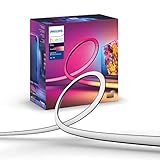
Philips Hue Play Gradient Lightstrip, 65 inch
Who it suits: Renters building a media wall around their own television — especially anyone already in, or deliberately entering, the Hue ecosystem — who want the best screen-synced gradient light available and understand what its stack really costs.
Start with the renter paradox this strip creates. It is the most expensive pick in the guide and the gateway to the only configuration here whose true cost can pass the whole $500 budget on a single wall — yet almost none of that money touches the apartment. Screen sync requires the Hue Play HDMI Sync Box 8K or Hue’s Sync TV app on supported televisions, and joining a Hue system at all requires the Bridge. Check the current price on Amazon for the strip itself, and price the Bridge and sync hardware separately before you commit: bought together, the full stack is a premium, ecosystem-level purchase, and Amazon also sells a bundle of the Sync Box 8K with this 65 inch strip — which still needs the Bridge on top. Essentially every dollar beyond the strip is electronics, and electronics move.
The strip’s own positioning needs the plain treatment. It sits at the very top of the single-strip market — the flagship tier its maker reserves for its best TV gradient — and third-party offers on its Amazon listing can run well above that positioning, which is why the seller matters as much as the strip: at a heavy markup from an unfamiliar seller, you are paying shortage-era money for a current flagship. Check the current price on Amazon, from a reputable seller, before you buy. The final pick in this guide exists to argue the opposite allocation: a complete TV wall for a small fraction of this stack’s cost.
- The reference TV gradient: multiple colors blended along the strip at once, cut to size, mounting brackets included — fitted to your own TV, so it moves when you do.
- Flagship-tier positioning — the top of the single-strip market; check the current price on Amazon and check the seller before paying.
- Its stack is almost entirely electronics — Bridge and sync hardware are unplug-and-carry assets that serve every future home, not just this lease.
Honest limitation: The strip requires a Hue Bridge and screen sync requires the Sync Box 8K or the Sync TV app on supported TVs — a full stack that can consume this guide’s whole budget on a single wall; and its Amazon offers are volatile, with third-party markups well above the maker’s own positioning.
Choose it if the media wall is the room that matters, you are a Hue household or becoming one, and you would rather own a portable system than decorate a landlord’s walls. Skip it if you want screen sync without an ecosystem — the Govee TV Backlight 3 Lite below does the job in one complete kit with nothing else to buy.
Govee COB LED Strip Light Pro, 9.8 ft
Who it suits: Renters whose strip will be seen — along a mirror they own, the edge of open shelving, a desk wall, a headboard — and who want it to read as one continuous line of light, then come off the furniture and move at the end of the lease.
COB construction packs 1,260 LEDs into every meter under a continuous phosphor and a soft silicone sleeve, so there are no individual diodes to see, count or catch in a glossy reflection — the output is a ribbon of light. It is a premium short run: check the current price on Amazon, and judge it as fixture-grade light for a furniture-scale feature, not as room coverage. The same strip peeled along a landlord’s ceiling line would be the opposite, which is a placement decision, not a product flaw.
The compromises are footage and proof. Nine point eight feet is a feature, not a room: outlining a rented bedroom’s ceiling in this strip would take several kits at flagship-adjacent cost, and every foot of it would stay behind — the plan section below gives perimeters to the bulk kit precisely so the sunk footage is cheap footage. Within its brief — the best-looking short run in the guide, mounted where you own the surface — nothing else is close.
- The densest light here: 1,260 LEDs per meter of COB under a silicone sleeve — no dots, in direct view or in reflections.
- RGBICW chips give segmented color and a dedicated warm-white channel; Matter, Alexa, Google and HomeKit with no hub to carry or buy.
- A furniture-scale run, so the whole purchase can travel — check the current price on Amazon.
Honest limitation: Only 9.8 ft in the box, so room-scale coverage at this density gets expensive fast — and if it is mounted on the landlord’s surfaces, every expensive foot stays; Govee also publishes no verifiable lumen or CRI figure for it.
Choose it if one short, visible run on your own furniture deserves fixture-grade light. Skip it if you need to outline whole rooms — that is the 100 ft kit below, at a small fraction of this strip’s cost per foot, and in a rental it should be bought as the disposable layer it is.

Govee LED Strip Light M1, 16.4 ft
Who it suits: Quality-first renters with one short run — a desk wall, a headboard, one cabinet bank on a shelving unit they own — who want the densest conventional strip Govee makes and smart-home credentials that will outlive any single apartment or app.
The M1’s four-in-one RGBICW chips pack 60 LEDs into every meter — double the density of standard strips — with a dedicated warm-white emitter alongside the color ones, so whites are honest and colors blend along the line instead of separating into beads; testing coverage has rated its brightness the strongest in its class. It sits in the premium tier for a conventional strip, and it goes on sale often enough that the plans in this guide treat it at its upper positioning so they work either way — check the current price on Amazon before you order. Its controller and adapter are pocket-sized electronics; nothing about this purchase needs the landlord’s surfaces at all.
The compromises are the Matter caveat, the footage and the finality of cutting. A renter whose home runs strictly on Matter and who never opens vendor apps is paying flagship money for a very bright plain strip. Govee publishes no CRI figure we could verify even here. None of that dethrones it for its brief: alongside the COB Pro it is one of the two feature-run strips in the renter plan, trading a little smoothness for nearly double the footage.
- Dense and bright: 60 LEDs per meter of RGBICW chips, with a real warm-white channel for honest whites.
- Matter over Wi-Fi joins Apple Home, Alexa, Google and SmartThings — an ecosystem position that carries across leases and platforms.
- 24V adapter included; cuttable at the marks and extendable with Govee kits toward 32.8 ft — check the current price on Amazon.
Honest limitation: Over Matter it is a single-color strip — the segmented effects live only in Govee’s app; cut pieces cannot be reconnected; and 16.4 ft is a feature run on your furniture, not a room’s perimeter.
Choose it if one short run deserves the best conventional-strip light and your smart home speaks Matter. Skip it if visible dots would not bother you and footage matters more — the 100 ft kit below covers six times the length for less money, as long as you price it as money that stays.

Govee RGBIC LED Strip Lights, 100 ft (2 x 50 ft)
Who it suits: Renters who understand exactly what they are buying: the cheapest atmosphere per foot in this guide, bought openly as a consumable — two rooms of perimeter color for one lease, priced so that leaving it behind is an acceptable outcome rather than a loss.
The box, per its manual, holds two rolls of 50 ft of RGBIC strip, one control box and one 24V, 48W mains adapter; run outward from the controller, the two rolls deliver a hundred feet of segmented color — gradients, chases and scene modes from the Govee Home app over Wi-Fi, with Alexa and Google voice control and music sync. Its cost per foot is the lowest in this guide by an order of magnitude — check the current price on Amazon — and that arithmetic is what makes a $500 budget cover an apartment: one of these kits does the perimeter work of a living room and a bedroom while the feature strips take the furniture that gets looked at. Of the purchase, the control box and adapter are a small share of electronics that travel; the rest is a hundred feet of adhesive-backed footage that, mounted on a landlord’s walls and ceiling line, stays — and stays in the worst way, because it will have been cut at the marks to this apartment’s dimensions, and cut sections cannot be reconnected or re-lit in the next home. Our one-third rule absorbs it comfortably — a single budget bulk kit of stays inside a $500 budget is a fair price for two rooms of glow for the length of a lease — but it must be bought as rent, not as equipment.
The compromises are physics and price movement. This kit’s price moves around more than the flagships’, so check the current price on Amazon on the day you order; the review is written for its usual position at the very bottom of the guide’s cost-per-foot range. One removal note, honestly stated: a hundred feet of adhesive is also a hundred feet of move-out labor and paint risk, which is why the plans below suggest mounting long runs in channel or clips on surfaces that tolerate it, and photographing the walls before you start.
- The most footage in the guide: 100 ft as two 50 ft rolls, at the lowest cost per foot of any pick here.
- One kit, one app: a single control box and 24V/48W adapter run the whole hundred feet, with app, voice and music sync.
- The plan’s engine: covers two rooms’ perimeters for less than one flagship feature strip — the right place in a rental budget for cheap, knowingly disposable footage.
Honest limitation: Almost the entire purchase is footage that stays — cut to this apartment, unrecoverable at move-out, with removal labor and paint risk on top; a single adapter feeding 100 ft also invites far-end voltage drop, and the kit’s price moves around, so check it live.
Choose it if your measured runs total 60 to 100 feet of perimeter color and you are content to expense it over the lease. Skip it if you expect to take your lighting with you — footage you keep belongs to the COB Pro or the M1, mounted on furniture.

PAUTIX Addressable CCT Smart IC COB LED Strip Lights, 32.8 ft
Who it suits: Renters who want genuine working white light across a long run — a kitchen, a cove, a hallway line — and who can mount it on a surface that is theirs, or who accept its under-cabinet run as a deliberate, priced gift to the apartment.
A whole-home plan that is all color is a plan for a showroom, not a home, and this strip is the plan’s architecture: 32.8 ft of COB at 560 LEDs per meter — a continuous, dotless line with no diodes to hide or reflect in a countertop — built on addressable IC control, so the white itself can move: chasing, flowing and gradient effects rendered in whites from 2700K to 6500K instead of in colors. Its cost per foot sits exactly where the proposition says it should: well above the bulk color reels, well below the Hue flagship’s, buying density and white quality across 32.8 ft — check the current price on Amazon. Under a landlord’s kitchen cabinets — its most natural home — the footage stays, the run is cut to that kitchen, and the purchase is spent on the apartment. Same strip, same light, opposite verdicts: in a rental, where you put it is what you bought.
The compromises are price volatility and the smart layer’s terms. Volatility first: this is the most price-volatile pick in the guide, and it has spent real time well above its usual position, so re-add any plan total at the live price on the day you order; the strip earns its place across its usual range, but a renter counting a stays allowance should count it at the price actually paid. The family’s remaining caveats carry over: output and CRI figures are the maker’s own, attributed rather than endorsed, and a 32.8 ft run deserves channel or clips rather than faith in adhesive — mounted, for a renter, on furniture wherever the layout allows.
- Dotless and animated at once: 560 LEDs per meter of addressable COB, with chasing and flowing effects in tunable white.
- A real run: 32.8 ft, with 24V supply, smart controller and Alexa voice control in the kit — check the current price on Amazon.
- The plan’s working light: fixture-grade white for the kitchen and coves — on your own shelving it travels; under the landlord’s cabinets it is a priced, deliberate stays item.
Honest limitation: Its price is the volatile one in this guide, so re-add the plan at the live price; effects live in PAUTIX’s app rather than in the voice assistants, and it is white-only by design.
Choose it if you are lighting a long cove, perimeter or cabinet run in white and can put it on a surface you own, or have decided the kitchen is worth the donation. Skip it if you want any color in that run — take the M1 or the COB Pro for the feature wall and let this strip do the rooms you live in.
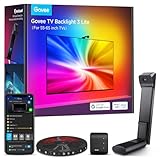
Govee TV Backlight 3 Lite, 11.8 ft (for 55–65 inch TVs)
Who it suits: Renters who want the TV wall to glow in sync with the picture — once, for one price, with nothing else to buy, and with every component attached to a television they own.
This pick exists to make the first pick’s arithmetic look like what it is, and in a rental it makes a second argument too: it is the most completely portable purchase in this guide. There is no hub, no bridge, no sync box and no subscription: the kit — strip, camera, control box and mains adapter — is the whole purchase, at a small fraction of the Hue stack’s cost; check the current price on Amazon. Travels, all of it, to every apartment you will ever rent.
The compromises are the camera’s terms. The strip is also sized to its television class — 11.8 ft fitted for 55–65 inch sets, with the 75–85 inch version a separate kit in a higher size tier — and it is a backlight, not a room light: its white channel makes it pleasant bias lighting, not illumination to read by. For the large majority of apartments, this is the TV wall done properly in one box, at the modest end of this guide’s pricing — and unlike a wall of stuck footage, it is still yours on moving day.
- Screen sync with no stack: the camera reads the picture itself, so built-in TV apps sync too — no Bridge, no sync box, no subscription.
- RGBICW four-in-one beads with a real warm-white emitter; app and voice control; adapter included.
- One complete kit that mounts to your own TV, so the entire purchase travels — check the current price on Amazon.
Honest limitation: Camera sync is an interpretation of the screen, not the HDMI signal — it needs the camera mounted and calibrated, syncs only its own strip, and Hue’s (far pricier) route remains the pixel-accurate, whole-room option.
Choose it if you want the TV wall synced this weekend for one price that you will still own at the next address. Skip it if you are building a Hue entertainment area with many lights moving together — that is the Play Gradient’s expensive, genuine specialty.
Comparison Table
| Product | Format & length | Light & control | Travels or stays? | Link |
|---|---|---|---|---|
| Philips Hue Play Gradient Lightstrip, 65 in | Diffused gradient strip, 65 in, cut to size | Flowing multicolor gradient; Hue app via Bridge, sync via Sync Box or TV app | Travels — mounts to your own TV; its costly stack is electronics | Check on Amazon |
| Govee COB LED Strip Light Pro | COB strip, 9.8 ft, 1,260 LEDs/m | Segmented RGBICW color with real white; Matter + Govee app | Travels if mounted on your furniture; stays if peeled to the landlord’s walls | Check on Amazon |
| Govee LED Strip Light M1 | Dense strip, 16.4 ft, 60 LEDs/m | RGBICW with real white channel; Matter + Govee app | Travels as a furniture-scale feature run | Check on Amazon |
| Govee RGBIC LED Strip Lights, 100 ft | Standard strip, 2 x 50 ft rolls, one 24V/48W adapter | Segmented RGBIC color; app + Alexa/Google voice, music sync | Stays — buy it as a per-lease consumable | Check on Amazon |
| PAUTIX Addressable CCT Smart IC COB | COB strip, 32.8 ft, 560 LEDs/m | Addressable tunable white with chasing effects; app + Alexa | Depends on placement — travels on your shelving, stays under the landlord’s cabinets | Check on Amazon |
| Govee TV Backlight 3 Lite | TV strip kit, 11.8 ft for 55–65 in TVs, camera included | RGBICW screen sync by camera; app + voice, no hub | Travels completely — every part attaches to your TV or shelf | Check on Amazon |
How to Choose an LED Strip Light for a Rented Apartment
- Audit every purchase as travels or stays before you price it. Electronics — bridges, sync boxes, controllers, cameras, adapters — move with you and keep their value across leases. Footage stuck to the landlord’s property is spent the day it goes up, because cutting is one-way and the run is tailored to this home’s measurements. Know which kind of dollar you are spending before you spend it.
- Keep stuck footage under about a third of the budget. On a $500 budget, that discipline is what keeps the plan portable. The rule is not anti-perimeter — the 100 ft kit fits inside it easily — it is anti-surprise: it stops a plan quietly becoming a stack of donations to the apartment.
- Mount features on furniture you own. A television’s back, a desk hutch, a bookcase, a headboard, a mirror frame — a feature strip on your own furniture is a travels item at feature-strip quality. The same strip on the landlord’s wall is the same money with the opposite outcome.
- Never hardwire, and never screw into the building. Every pick in this guide is plug-in with its adapter in the box, so wiring is never the issue. Mounting is: where adhesive is not enough, use channel or clips on your furniture, or removable mounting on surfaces that tolerate it — not screws in a landlord’s wall, which turn a light into a deposit dispute.
- Compare value by footage, not by headline price. The six picks here span the widest cost-per-foot range in the category, from bulk perimeter reels to a flagship TV gradient. Neither extreme is a mistake, but the renter version of the rule has a twist: pay feature prices only for footage that travels, and let the footage that stays be the cheap kind.
- Decide what each room’s light is for: color, white, or sync. Segmented RGBIC strips make scenes and atmosphere. COB white strips make light you can cook, read and work under. Sync strips make the television bigger. A $500 apartment plan usually contains all three jobs — in different rooms, on different surfaces, with different moving-day fates.
- Read the density before the brightness. Lumens in this category are maker figures with no common standard, and most listings publish no total at all. Density is checkable and decides what you see: spaced emitters dot, 60 LEDs per meter blends, COB at 560–1,260 per meter disappears. In a small apartment you are always close to the strip, so density matters more, not less.
- Ask where the white comes from. RGB strips fake white by mixing colors, and it shows on skin, food and paint. A dedicated white channel (the M1’s and COB Pro’s RGBICW, the TV Backlight’s four-in-one beads) or a white-only COB strip produces whites worth working under. In a rental kitchen — usually the worst-lit room in the home — this question outranks every scene mode.
- Count the ecosystem toll, then credit its portability. Hue’s Bridge unlocks its system, and the Play Gradient’s sync needs a sync box or sync app beyond that — check the current price on Amazon for each piece. Compare the price of the working system, and then ask how much of it you still own after the move.
- Plan the cut before you buy — and photograph the walls before you stick. Cut sections cannot be reconnected on these smart strips, so buy the length that covers the run and treat the offcut as waste. Before the first foot goes up, take dated photos of the paint and keep them with your move-in records; they are the cheapest deposit protection in this entire guide.
What $500 Buys in a Rental — Three Plans, Audited
The owner-focused version of this budget is worked through in Best Led Strip Lights Under $500; here, the same three ways to spend it are re-run through the travels-versus-stays audit, which changes both their shape and their ranking. Prices in this category move too often for printed totals to stay honest, so each plan is described by its makeup — check the current price on Amazon for every linked piece and add the plan up at live prices before you order.
Plan one: five rooms, mixed ecosystems — the plan this guide recommends, with two renter amendments. Take the COB Pro for the feature wall, the M1 for the desk or headboard run, the 100 ft Govee for two rooms’ perimeters, the PAUTIX 32.8 ft for the kitchen and the TV Backlight 3 Lite for the media wall; add aluminum channel and a small allowance for clips and connectors, and the combination is designed to land inside the $500 budget with room to spare at the picks’ usual positioning. Travels, in full: the TV Backlight (on your own TV), and the COB Pro and M1 provided they are mounted on your furniture, as their sections above assume — plus every controller and adapter in the five kits. Stays, as an owner would install it: the 100 ft perimeter kit, the PAUTIX under the landlord’s cabinets, and channel screwed into walls — together enough to push past the one-third line. Two amendments fix that: mount the PAUTIX on your own shelving instead of under the landlord’s cabinets, and put the channel on furniture or removable fixings instead of screws. Amended, the only true stays item is the deliberately cheap perimeter kit — one bulk purchase expensed over the lease for two rooms of glow — and the plan keeps the large majority of its value portable. Five kits, five adapters, zero ecosystem tolls.
Plan two: the all-Hue living level — and the audit’s cautionary tale. Hue households can spend the budget inside one ecosystem: the Gradient Lightstrip Ambiance (80 inch), at the top of Hue’s strip range at first-party retail, for the living-room feature run; the 33 ft Solo lightstrip, also an upper-tier Hue piece, for the long perimeter; and the Bridge that both need to be a system — plus channel. Now the audit, which is where this plan fails a renter: of the whole spend, the Bridge is the only part that certainly travels. Everything else is footage, and footage in this plan’s natural installation is ceiling lines and wall runs: it stays. The fix, if you love the ecosystem, is placement discipline — Hue strips behind your own furniture and TV rather than around the landlord’s ceiling — but as drawn, this is an owner’s plan wearing a renter’s budget.
Plan three: the one way to blow it — a single TV wall, and the audit’s paradox. The Play Gradient plus the Sync Box 8K plus the Bridge is the only configuration in this guide that can consume the entire $500 budget on one wall before a single other room is lit — at the stack’s usual positioning it overshoots the budget, and even shopped carefully, or via Amazon’s own bundle of the sync box with the 65 inch strip (which still needs the Bridge on top), it lands at or beyond the whole budget. The paradox is that nearly all of it travels, because the strip mounts to your own TV and the rest is shelf electronics. If the honest answer is that the whole home matters more than the one wall, the step down is real: the media wall in plan one is a single complete kit, and the apartment-specific shortlist in Best Led Strip Lights For Apartments Under $300 builds the same travels-first logic for a smaller budget.
Will an LED Strip Light Fit Your Apartment?
Physically, strips fit anywhere — that is their entire appeal — so in a rental the real questions are electrical, optical and contractual. Contractual third, and unique to renting: read the lease’s alteration and fixtures clauses before the first peel. Plug-in strips with adhesive are about as low-impact as decorating gets, but paint is the landlord’s, some leases name adhesive products explicitly, and the deposit math — a repainted wall can cost more than the strip that marked it — should be done before, not at move-out.
The room-by-room versions of this guide take the same budget into specific spaces. In bedrooms the questions soften and sharpen at once: light washes a ceiling beautifully from a headboard cove, but a control box’s standby glow and an app’s brightness floor matter at 2 a.m., and a headboard is usually your furniture — one of the few surfaces where a feature strip is both perfectly placed and fully portable; the bedroom-specific picks in Best Led Strip Lights For Bedrooms Under $500 are chosen with sleep in the room. In small rooms there is no distance to hide a cheap strip’s dots, and every surface is within arm’s reach, which cuts both ways — placement on furniture is easy, and so is seeing a bad install; the dedicated shortlist in Best Led Strip Lights For Small Rooms Under $500 leans on density for exactly that reason. And in a modern interior, where the strip is often the only visible light source and there is no shade to forgive it, the finish of the light itself is the design decision — the style-first shortlist in Best Led Strip Lights For Modern Homes Under $500 scores exactly that. And respect the cut marks and the voltage: cut only where the strip says to cut, never power a strip from a supply that did not come with it or match its voltage, and keep adapters, control boxes and the TV backlight’s camera out of sinks’ splash zones and steam — none of the six picks here is waterproof, and the kitchen pick belongs under cabinets, not inside showers.
Common Buying Mistakes
- Shopping for a $500 strip. There is not one — the flagship strips top out at the premium end of the ordinary strip market — so any listing that seems to be one is a bundle, a marketplace markup, or a different product wearing the name.
- Sticking feature-priced footage to the landlord’s walls. A premium COB strip around a rented ceiling is a donation; feature money belongs on furniture you own, and the footage that stays should be the bulk, low-cost-per-foot kind.
- Forgetting that cut footage fits only this apartment. Sections trimmed at the marks cannot be reconnected, and a perimeter cut for this living room will not fit the next one — even a perfectly peeled strip is usually a spent strip.
- Paying a heavy marketplace markup for the Play Gradient. Third-party offers on flagship listings can run far above the maker’s own positioning; check the seller and check the current price on Amazon before paying shortage-era money.
- Forgetting the Bridge — and the sync box — in the Hue math. A flagship strip plus a Bridge plus a sync box is a full ecosystem stack, not a single-strip purchase; it is a good system, and for a renter an unusually portable one, but price the whole working system before you commit.
- Screwing channel into a landlord’s wall to save the adhesive. Channel is the right hardware; the wall is the wrong place for its screws. Mount it on your furniture, or use removable fixings, and keep the deposit out of the lighting plan.
- Comparing strips by headline price without dividing by footage — paying flagship money for a short feature run when the job needed bulk length, or buying a bulk reel to light a mirror that needed density.
- Believing the biggest lumen claim. Most listings publish no total at all; where a maker figure exists — the Solo line’s 1,700 lumens at 4000K, from Signify’s datasheets — it is a maker’s rating, and the same rating across every length, which tells you length and brightness are separate purchases.
- Buying an RGB strip as white light. Mixed RGB “white” is a special effect, not illumination — kitchens, desks and mirrors need a white channel or a white strip, especially in rentals where the existing lighting is rarely yours to upgrade.
- Assuming Matter means full features. On the M1, Matter carries a single color; the gradients and music modes stay in Govee’s app. Check what your platform actually receives.
- Rushing the removal. A hundred feet of adhesive torn off in an afternoon is how paint — and deposits — are lost. Heat, patience and the move-in photos you took are the removal kit.
Final Recommendation
- Most renters building a whole-apartment plan: the amended five-kit plan in “What $500 Buys in a Rental” — COB Pro, M1, 100 ft Govee, PAUTIX 32.8 ft and TV Backlight 3 Lite, with only the cheap perimeter kit knowingly left behind. Check the current price on Amazon for each kit and add the plan up at live prices.
- Hue households, media wall first: Philips Hue Play Gradient Lightstrip, 65 inch — bought from a reputable seller at its proper flagship positioning, with the Bridge and sync costs counted and the whole stack owned outright at the next address.
- Best-looking single run: Govee COB LED Strip Light Pro, 9.8 ft — on your own mirror, shelves or desk.
- Best premium short run: Govee LED Strip Light M1, 16.4 ft.
- Most rooms per dollar: Govee RGBIC LED Strip Lights, 100 ft (2 x 50 ft) — bought as a per-lease consumable, without illusions.
- Kitchens and coves: PAUTIX Addressable CCT Smart IC COB Strip, 32.8 ft — on your shelving if you can, under the cabinets only as a priced decision.
- The TV wall without the stack: Govee TV Backlight 3 Lite, 11.8 ft — the most completely portable purchase in this guide.
Our top two frame the renter’s real decision, which is not which strip to buy but what $500 becomes on moving day. The five-kit plan is the distributed answer: flagship density on your furniture, bulk color on the landlord’s perimeter at consumable prices, fixture-grade white where the household actually lives, and a synced TV wall — in five rooms, for less than the stack costs, with only the one deliberately cheap perimeter kit knowingly left behind. Between them sit the honest specialists: the COB Pro’s seamless ribbon, the M1’s dense all-rounder, the PAUTIX’s animated white. None of the strips above pretends to cost $500, be verified in brightness, or be waterproof. Decide the rooms first, audit every dollar as travels or stays, keep the stuck footage under a third, count every hub before the strip that needs it, check the current price on Amazon, and mount it like you expect to leave — because you will.
Frequently Asked Questions
Is there really no LED strip light that costs $500?
Not as a single strip kit from a major maker, as far as this guide’s research could verify. The highest-positioned single strips are Philips Hue’s Play Gradient and Gradient Ambiance lightstrips at the top of the flagship tier, followed by Govee’s COB Strip Light 2 Pro (16.4 ft, on Govee’s store) and Hue’s 33 ft Solo lightstrip just behind them. Amazon marketplace offers have exceeded those positions — third-party sellers have at times marked the Play Gradient’s listing up dramatically — but those are seller markups on flagship strips, not $500 products. The only ways to genuinely spend $500 are a whole-home plan across several kits, or an ecosystem stack like Hue’s strip plus Bridge plus Sync Box 8K, where most of the money buys hardware that is not a strip at all.
What part of a strip-light purchase do I actually keep when I move?
The electronics: bridges, sync boxes, control boxes, cameras and adapters unplug and travel, and so does any strip mounted to your own furniture or television. What stays is footage stuck to the landlord’s walls, ceilings and cabinets — and it stays twice over, because smart strips cut at their marks cannot be reconnected, so a run tailored to this apartment’s measurements would not fit the next home even if it peeled off cleanly. That asymmetry is why this guide caps stuck footage at about a third of a renter’s $500 budget.
Will strip lights damage the paint and cost me my deposit?
They can, and the honest answer is that the risk sits in the removal, not the installation. Peel-and-stick backing on clean, fully cured paint, removed slowly — ideally with gentle heat — usually comes away cleanly; the same adhesive torn off textured, warm or freshly painted walls is how deposits are lost. Never screw channel into a rented wall to solve an adhesive problem — that trades a maybe-damage for a certain hole.
Does the Philips Hue Play Gradient lightstrip need a sync box?
For screen sync, yes — or Hue’s Sync TV app on a supported television. The Sync Box 8K analyzes HDMI sources — consoles, streamers, players — and cannot see apps running inside the TV itself, which is the camera-based Govee backlight’s structural advantage: its camera reads the screen, so everything the TV displays syncs, in one complete kit. For a renter, note the other side of the Hue ledger: the Bridge and Sync Box are pure electronics, so the stack’s cost — the priciest configuration in this guide — is also the most portable spend here.
Why do the Govee strips need 2.4GHz Wi-Fi?
Because their radios are 2.4GHz-only, like most smart lighting. The Matter picks (the COB Pro and the M1) join Matter platforms over the same Wi-Fi; note that on the M1, Matter carries a single color along the strip, while its segmented scenes live in the Govee app.
Can I cut these strips to fit, and rejoin the pieces?
You can cut the smart strips here at their printed cut marks — and on them, the piece you cut off cannot be reconnected and lit again. Measure the run, buy the length that covers it, and treat the trimmed remainder as waste. If a layout needs a corner turn, a gap jump or two separately powered sections, settle the connectors and second kit before ordering rather than improvising with a cut piece that will never light.
Are LED strip lights bright enough to light a whole room?
As ambient light, yes — a ceiling-perimeter run of the 100 ft Govee gives a room a complete, even glow, and a dense white run like the PAUTIX under cabinets or in a cove is genuine working light for the surface it aims at. In a rental there is a further reason to take the question seriously: the ceiling fixture is the landlord’s and often the worst light in the home, and a well-planned strip layout is one of the few upgrades a renter can make — and, chosen as this guide chooses, largely take along.