Where to buy
Shopping for the best security camera for apartments under $200? Apartment picks below favour no-drill mounting, plug-in or battery power and landlord-safe placement; the one hardwired pick is flagged clearly as a permission-first step-up. Check price on Amazon from the links and confirm your lease terms before any fitting is touched. Prices change often, so check price on Amazon for each pick before you buy. Orders are placed on Amazon. We may earn a commission from qualifying purchases.
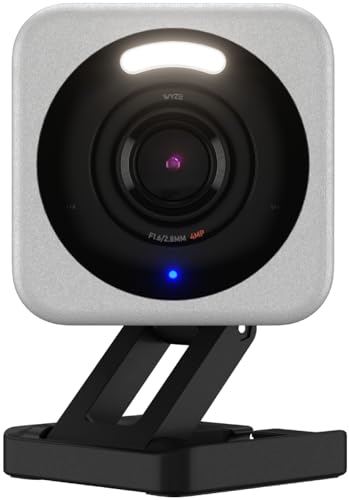
- Best flexible single camera: Wyze Cam v4 (Indoor / outdoor) — Check on Amazon
- eufy Security Indoor Cam S350 (Indoor only) — Check on Amazon
- TP-Link Tapo C120 (Indoor / outdoor) — Check on Amazon
- Arlo Essential Indoor Camera 2K (2nd Generation) (Indoor only) — Check on Amazon
- Blink Outdoor 4 (2-Camera System with Sync Module Core) (Outdoor (wire-free)) — Check on Amazon
- Wyze Cam Floodlight v2 (Outdoor (hardwired floodlight)) — Check on Amazon
Read the full guide ↓
Disclosure: As an Amazon Associate, dailyhomedecorating.com earns from qualifying purchases. Links to Amazon on this page are affiliate links; they cost you nothing extra. Listing details such as price and availability change often, so check the current Amazon listing before you buy.
Finding the best security camera for apartments under $200 starts with the lease, not the spec sheet. Renters usually cannot drill into exterior walls, cannot touch electrical fittings, and may need every device to leave with them at the end of the tenancy, so the winning apartment camera is small, self-installed in minutes, and useful from a shelf, a windowsill facing inwards, or a removable mount. This guide judges the same under-$200 field through that renter lens: five of the six picks install with no tools beyond what is in the box, and the sixth, a hardwired floodlight, is included only as a clearly labelled step-up for renters whose landlord agrees in writing.
Apartments also change what a camera is for. The realistic jobs are watching your own front door and entry hall, keeping an eye on parcels in a shared corridor where building rules allow, checking on a pet, and having a recording if your door is ever tried. A camera is not an alarm system and does not replace the building’s locks or your landlord’s responsibilities; it is a visibility tool, and in shared buildings it should be aimed at your own space, never at a neighbour’s door or windows.
Our renter short answer: the Wyze Cam v4 is the easiest first apartment camera, the eufy S350 covers a studio or open-plan living space from one shelf, and the Tapo C120 adds free smart detection for a door-facing spot. The Arlo suits a bedroom-adjacent camera thanks to its physical privacy shield, and the Blink kit is the wire-free option for a balcony or parking spot you are allowed to watch. Read the install notes in each review before ordering; in a rental, the mounting story matters as much as the video quality.
In this guide
Quick Picks
Six picks, six different jobs. Every camera below is labelled by where it can actually live, because a general security camera guide only helps if the indoor and outdoor roles are never confused.
| Best for | Pick | Zone | Key spec | Link |
|---|---|---|---|---|
| Best flexible single camera | Wyze Cam v4 | Indoor / outdoor | 2.5K QHD, maker-rated IP65, colour night vision, motion-activated spotlight and siren | Check on Amazon |
| Best indoor detail | eufy Security Indoor Cam S350 | Indoor only | Dual lenses: 4K wide + 2K telephoto, 8x hybrid zoom, 360-degree pan and tilt | Check on Amazon |
| Best free smart detection | TP-Link Tapo C120 | Indoor / outdoor | 2K QHD, maker-rated IP66, free on-device person, pet and vehicle detection, dual spotlights | Check on Amazon |
| Best indoor privacy control | Arlo Essential Indoor Camera 2K (2nd Generation) | Indoor only | 2K video, automated privacy shield that physically covers the lens, plug-in power | Check on Amazon |
| Best two-camera outdoor kit | Blink Outdoor 4 (2-Camera System with Sync Module Core) | Outdoor (wire-free) | Two 1080p wire-free cameras, 143-degree diagonal field of view (maker spec), Sync Module Core included | Check on Amazon |
| Best floodlight camera | Wyze Cam Floodlight v2 | Outdoor (hardwired floodlight) | 2K HD, dual LED floodlights rated 2,800 lumens by the maker, 160-degree view, 105dB siren (maker figure) | Check on Amazon |
How we chose
We chose for lease compatibility first: no pick in the main five requires drilling, hardwiring or permanent modification, and each can be removed at move-out without trace. Size and discretion scored highly, because apartment cameras sit in living space, not in a loft. We then applied the same ownership test as our general guide: what records without a subscription, what detection is free, and what the plan costs you in features if you skip it, stated per pick from maker terms.
Coverage logic differs in a flat. Most apartments have one door that matters, one main room, and perhaps a balcony, so a wide field of view and pan-and-tilt movement are worth more than a second fixed camera. Power was judged on outlet reality: renters rarely have sockets where they want them, so cable length and battery options were weighed honestly, and battery-life numbers remain maker claims under stated conditions throughout. The floodlight pick is the deliberate exception, kept because some renters have landlord permission and a fitting over a private parking bay or garden, and it is labelled as such everywhere it appears.
The picks in detail
Wyze Cam v4 — Best flexible single camera
Zone: Indoor / outdoor. Storage and subscriptions: Local microSD (up to 512GB, card sold separately) records without a plan; the paid Cam Plus plan unlocks smart detection labels and cloud event history.
For renters this is the lowest-friction start: it sits on a shelf today, moves to a covered balcony tomorrow, and its small size keeps both landlord and housemates calm.
The Wyze Cam v4 is the most flexible single camera in this roundup because the maker rates the same small body for indoor and outdoor use (IP65 weather resistance is the maker’s rating). Its 2.5K QHD sensor, colour night vision, motion-activated spotlight and built-in siren give it a deterrent toolkit that indoor-only cameras lack, and it can sit on a nursery shelf in winter and move to a covered porch in summer without buying anything new.
The fee structure needs reading carefully, because Wyze splits features across a line. Recording to a microSD card (up to 512GB by the maker’s spec, sold separately) works without any plan, including continuous recording, and basic motion alerts are free. What the paid Cam Plus plan adds is the smart layer: person, pet, package and vehicle detection labels, and cloud-stored event history. Without the plan you get motion alerts without those labels, so a busy street can mean more notifications to sort through by hand.
Power is wired USB, which keeps the camera always awake but means every placement needs an outlet within cable reach, and outdoors that cable run needs weather care. The camera is 2.4GHz Wi-Fi only, so homes whose routers push devices to 5GHz may need a moment of setup attention.
Ownership of the v4 is defined by choices Wyze leaves in your hands. Fit a large card and it becomes a quiet continuous recorder that happens to send motion alerts; skip the card and lean on the free tier and it becomes a live-view camera with limited history; add Cam Plus and it becomes a smart-alert camera that labels people, pets, packages and vehicles. All three are legitimate, but they are different products in practice, so decide which one you are buying before it arrives. The app is shared across Wyze’s whole range, which makes the v4 an easy first brick if you expect to add more cameras later, and its small magnetic-friendly form factor makes repositioning a two-minute job whenever a room changes.
What we like
- Works indoors and outdoors from the same body (maker-rated IP65)
- 2.5K QHD with colour night vision, spotlight and siren
- Local microSD recording, including continuous, with no plan required
- Two-way talk and Alexa and Google compatibility
Honest limitation: Smart detection labels and cloud history sit behind the paid Cam Plus plan, and it is 2.4GHz Wi-Fi only.
Choose it if its role above matches the gap in your home; skip it if that gap is already covered or its one limitation is the thing you cannot accept. Check on Amazon
eufy Security Indoor Cam S350 — Best indoor detail
Zone: Indoor only. Storage and subscriptions: Local microSD (up to 128GB, card sold separately) or eufy HomeBase 3; no subscription required for recording or on-device detection.
In a studio or one-bed flat, the S350’s pan, tilt and zoom can replace two fixed cameras, which matters when every device is on show in your living space.
The S350 is the indoor half of a serious under-$200 system, and it earns that place with a trick no single-lens camera in this guide can copy: it carries two lenses at once. The maker fits a 4K wide-angle lens for the whole room and a 2K telephoto lens for faces and details, and the two work together for up to 8x hybrid zoom, so a clip can show both the room and a readable close-up of who crossed it. The head pans a full 360 degrees and tilts, and the camera can track a person or pet as they move instead of losing them at the edge of the frame.
Storage and fees are where this pick is unusually honest value. Recordings go to a microSD card in the camera (up to 128GB by the maker’s spec, card sold separately) or to a eufy HomeBase 3 hub if you own one, and the person, pet and crying detection the maker advertises runs on the device rather than behind a paywall. eufy sells an optional cloud plan, but nothing in the basic record-and-review loop requires it. Power is plug-in via USB, which means it can record continuously rather than waking for motion, and a privacy mode turns the lens away when you are home and want the room unwatched.
The limitations are placement and ecosystem. This is an indoor camera with no weather rating, so it cannot cover a porch or yard, and it lives inside the eufy app: it works with Alexa and Google Assistant for voice and display streaming, but it is not a HomeKit camera. The dual-lens head is also larger than a basic cube camera, which matters on a small shelf.
Day to day, the S350 behaves like a small robot guard for one room: it can return to saved viewpoints, follow a person across the floor, and tell the difference, per the maker’s on-device detection, between a person, a pet and a crying baby, which keeps alerts meaningful without a plan filtering them for you. Two-way talk is built in for checking in or warning off, and the app assembles event clips from the card or hub so you are not scrubbing a timeline blind. If you later add a HomeBase 3, the same camera joins a wider eufy system without being replaced, which protects this purchase better than most at the tier. The honest summary is that the S350 asks for a shelf, an outlet and a memory card, and in return removes both the second camera and the subscription from an indoor setup.
What we like
- Dual 4K wide and 2K telephoto lenses with 8x hybrid zoom (maker spec)
- Local recording to microSD or HomeBase 3 with no mandatory subscription
- 360-degree pan and tilt with person and pet tracking
- Plug-in power allows continuous recording
Honest limitation: Indoor only, with no weather sealing, and the microSD card is not included in the box.
Choose it if its role above matches the gap in your home; skip it if that gap is already covered or its one limitation is the thing you cannot accept. Check on Amazon
TP-Link Tapo C120 — Best free smart detection
Zone: Indoor / outdoor. Storage and subscriptions: Local microSD recording (card sold separately) with no plan required; optional Tapo Care cloud adds cloud history and rich notifications.
The C120 suits a renter watching an entry from inside a window-adjacent shelf or a private balcony: free detection means no second monthly bill arriving alongside the rent.
The Tapo C120 answers the subscription question differently from most of this guide: the person, pet and vehicle detection the maker advertises runs free on the device, so the alerts that rival brands place behind a plan arrive labelled here without one. The camera records 2K QHD, carries a maker IP66 weather rating for indoor or outdoor use, and adds dual spotlights for colour night vision.
Recording goes to a microSD card in the camera (sold separately) with no fee attached, and TP-Link’s optional Tapo Care plan exists for shoppers who want cloud-stored history and richer notifications on top. Power is plug-in with a generous cable, which suits a camera watching a driveway from a garage or a living room from a shelf, and the magnetic and screw-mount base options make small placement adjustments easy.
The trade-offs are ecosystem and power style. There is no battery version, so every spot needs an outlet, and the camera lives in the Tapo app rather than a hub-based system, which keeps things simple but means no central recorder unless you add one yourself. Cloud history, if you want it, is the paid layer here too.
The C120’s ownership story is simplicity. There is no hub to place, no plan needed to make alerts smart, and no battery to schedule around: plug it in, fit a card, and the camera watches indoors or out with labelled detections from day one. TP-Link’s app handles the Tapo range broadly, so a second Tapo camera, plug or bulb later joins the same place, and the camera’s compact body and flexible base make it easy to re-aim as you learn a room. Its ceiling is equally clear: shoppers who want hub-based central recording, or a fully battery-wireless position, are describing a different product, and the C120 does not pretend otherwise. Within its brief, it is the lowest-maintenance route in this guide to competent, fee-light coverage.
What we like
- Free on-device person, pet and vehicle detection (maker feature list)
- 2K QHD with maker-rated IP66 sealing for indoor or outdoor use
- Local microSD recording with no required plan
- Dual spotlights for colour night vision
Honest limitation: Plug-in power only, and cloud history sits behind the optional paid Tapo Care plan.
Choose it if its role above matches the gap in your home; skip it if that gap is already covered or its one limitation is the thing you cannot accept. Check on Amazon
Arlo Essential Indoor Camera 2K (2nd Generation) — Best indoor privacy control
Zone: Indoor only. Storage and subscriptions: Cloud recording and smart detection require an Arlo Secure plan after the trial; this model has no local storage option.
Bedrooms and studio sleeping corners are where renters hesitate to place cameras; the Arlo’s physical shield is the answer that does not depend on trusting an app toggle.
The Arlo Essential Indoor Camera earns its place on one feature the rest of this guide mostly imitates in software: an automated privacy shield that physically closes over the lens. When the camera is disarmed, the shield shuts and the camera cannot see the room at all, which is a stronger privacy guarantee for a bedroom-adjacent or living-room camera than a promise inside an app. Video is 2K, power is plug-in, and the camera covers the standard indoor checklist of motion alerts, night vision and two-way talk.
The subscription position must be stated plainly: Arlo builds this camera around its Arlo Secure plan. After the included trial, cloud video recording and the smart detection and activity-zone features depend on that paid plan, and this model offers no microSD slot or hub recording as a local alternative. Budget for the plan as part of the purchase, or choose a local-storage pick from this guide instead.
Within those terms it is a polished indoor camera for shoppers already in, or happy to join, the Arlo ecosystem, and the shield makes it the easiest indoor camera here to justify in a private room. It is indoor-only, with no weather rating for a porch or garage.
The Arlo’s daily rhythm is built around arming and disarming: arm it when the house empties and the shield opens; disarm it when you are home and the lens is physically covered, a routine the app can automate by schedule or location on the maker’s platform. That rhythm suits households that think of security as a state the home is in, rather than a feed that is always running. The cost of the polish is the plan dependency already stated: treat the Arlo Secure subscription as part of the product, confirm what the trial includes and when it ends, and this becomes a calm, premium-feeling indoor camera. Buy it expecting free history and it will disappoint; buy it as a shielded, plan-based camera and it delivers exactly that.
What we like
- Physical automated privacy shield covers the lens when disarmed
- Sharp 2K indoor video with night vision and two-way talk
- Activity zones and smart detection on the Arlo Secure plan
- Simple plug-in setup with no hub required
Honest limitation: Recording history depends on a paid Arlo Secure plan after the trial, and there is no local storage option at all.
Choose it if its role above matches the gap in your home; skip it if that gap is already covered or its one limitation is the thing you cannot accept. Check on Amazon
Blink Outdoor 4 (2-Camera System with Sync Module Core) — Best two-camera outdoor kit
Zone: Outdoor (wire-free). Storage and subscriptions: Cloud clip saving and person detection need a Blink Subscription Plan after the included trial; the Sync Module Core has no local storage, so local clips require a Sync Module 2 and USB drive bought separately.
Choose the Blink kit only for spaces you are entitled to watch, such as a private balcony or an allocated parking bay, and expect the plan to be part of the deal.
This is the only true kit in the guide: two wire-free outdoor cameras plus the Sync Module Core hub they connect through, sized so a front door and a back garden can be covered in one purchase under the tier. Each camera records 1080p HD with infrared night vision and a wide 143-degree diagonal field of view by the maker’s spec, and because there are no cables at all, placement is limited by Wi-Fi and hub range rather than by outlets.
Power is the headline maker claim: each camera runs on two AA lithium batteries, and Blink rates battery life at up to two years under its default settings and typical use assumptions. Treat that as a maker claim with conditions attached: heavy motion traffic, long live-view sessions and cold weather all shorten real battery life, and the honest expectation is long intervals between battery swaps rather than a guaranteed calendar figure.
The subscription terms are the part to accept before buying. Saving and reviewing clips in the cloud, and person detection, run through the Blink Subscription Plan once the trial ends. The included Sync Module Core does not offer local USB storage; if you want local clips without a plan you need the separate Sync Module 2 and a USB drive. Buy this kit for wire-free convenience with a plan, not as a subscription-free system.
Living with the Blink kit means living at battery pace. The cameras wake for motion or live view and sleep the rest of the time, which is how the maker can claim up to two years from a pair of AA lithium cells under default settings, and it also means clips begin at the trigger moment rather than a few seconds before it. The Sync Module Core keeps the cameras off your main Wi-Fi for their low-power link and brokers their connection to the app. Households that check in constantly, or mount a camera over a busy street, will swap batteries sooner and lean harder on the plan’s person detection to cut noise. Set expectations that way, and the kit’s appeal is real: two viewpoints, no cables, and a system that mostly disappears until something happens.
What we like
- Two cameras and the hub in one box for front-and-back coverage
- Completely wire-free mounting, indoors or outdoors
- Up to two-year battery life per camera (maker claim, conditions apply)
- Person detection available on the Blink plan
Honest limitation: Cloud clip history needs a paid Blink plan after the trial, and the included Core module cannot store clips locally.
Choose it if its role above matches the gap in your home; skip it if that gap is already covered or its one limitation is the thing you cannot accept. Check on Amazon
Wyze Cam Floodlight v2 — Best floodlight camera
Zone: Outdoor (hardwired floodlight). Storage and subscriptions: Local microSD recording (card sold separately) works without a plan; Cam Plus adds smart detection labels and cloud event history.
Apartment step-up only: this floodlight needs an existing fitting and your landlord’s written permission. Without both, skip it and take a battery or plug-in pick instead.
A floodlight camera does a job no battery camera can: it replaces an existing outdoor light fitting, so the camera gets permanent mains power, a permanent mounting point and a pair of bright LED panels in the same install. Wyze rates the two floodlights at 2,800 lumens combined, pairs them with a 2K camera and a 160-degree view, and adds a siren the maker rates at 105dB, so a detection can answer with light, sound and colour night footage at once.
Because it is hardwired, it never sleeps to save battery and never needs a ladder visit for charging. Recording can run to a microSD card locally (sold separately) with no plan required, and the paid Cam Plus plan layers on smart detection labels and cloud event history for shoppers who want them. Dusk-to-dawn and motion-triggered lighting modes mean the fitting still behaves like a porch light, not just a camera with lamps attached.
The honest cost is installation. This pick needs an existing floodlight junction box or new electrical work, which rules it out for most renters and for anyone not comfortable, or not permitted, to touch mains wiring; a qualified electrician is the safe route. There is no battery fallback during a power cut.
In daily use the floodlight earns its keep as a light first and a camera second: it can follow a dusk-to-dawn schedule, brighten on motion, and light a path for your own arrivals while the camera keeps watch. That dual role is why placement deserves care, since a fitting aimed for the driveway may give the camera a worse angle than a dedicated mount would, and the two jobs must be balanced at install. The siren and two-way talk turn a detection into a conversation or a warning from the app, and because power is permanent, none of these features ration themselves. If your home already relies on an outdoor fitting every night, this is the pick that upgrades an existing habit instead of adding a new device to maintain.
What we like
- Permanent mains power: no charging, no battery swaps
- Bright dual floodlights (2,800 lumens, maker figure) with colour night vision
- Wide 160-degree view and a loud siren (105dB, maker figure)
- Local microSD recording available without a subscription
Honest limitation: Hardwired install needs an existing junction box or an electrician, so it is not renter-friendly and dies with a power cut.
Choose it if its role above matches the gap in your home; skip it if that gap is already covered or its one limitation is the thing you cannot accept. Check on Amazon
Comparison table
| Pick | Zone | Key spec | Recording without a plan? |
|---|---|---|---|
| Wyze Cam v4 | Indoor / outdoor | 2.5K QHD, maker-rated IP65, colour night vision, motion-activated spotlight and siren | Yes — microSD (smart labels need Cam Plus) |
| eufy Security Indoor Cam S350 | Indoor only | Dual lenses: 4K wide + 2K telephoto, 8x hybrid zoom, 360-degree pan and tilt | Yes — microSD or HomeBase 3 |
| TP-Link Tapo C120 | Indoor / outdoor | 2K QHD, maker-rated IP66, free on-device person, pet and vehicle detection, dual spotlights | Yes — microSD, detection free |
| Arlo Essential Indoor Camera 2K (2nd Generation) | Indoor only | 2K video, automated privacy shield that physically covers the lens, plug-in power | No — history needs Arlo Secure |
| Blink Outdoor 4 (2-Camera System with Sync Module Core) | Outdoor (wire-free) | Two 1080p wire-free cameras, 143-degree diagonal field of view (maker spec), Sync Module Core included | No — cloud history needs a Blink plan |
| Wyze Cam Floodlight v2 | Outdoor (hardwired floodlight) | 2K HD, dual LED floodlights rated 2,800 lumens by the maker, 160-degree view, 105dB siren (maker figure) | Yes — microSD (smart labels need Cam Plus) |
Living with a camera in rented space
Apartment cameras live closer to you than house cameras do. The device shares your living room, your hallway and sometimes your bedroom wall’s opposite corner, so qualities that barely register in a house, like size, a visible status light, a privacy mode you trust, and a cable that does not trail across the only walkway, become daily-life factors. This is why the Arlo’s physical shield and the S350’s lens-away privacy mode score beyond their spec value here, and why a compact cube that disappears on a bookshelf can be the right choice over a technically stronger camera that dominates the room.
Shared buildings add a social layer. A camera inside your flat is your affair, but anything that records a landing, a corridor or a neighbour’s door involves other people’s privacy and often the building’s rules or local law. The defensible apartment setup is boring in the best way: devices inside your own walls, aimed at your own door and rooms, with audio recording, which some jurisdictions treat more strictly than video, used thoughtfully. If a managing agent or landlord asks what you have installed, that description is one you can give with a straight face.
Finally, plan for the camera’s second home. Renters move, and the picks here were chosen to move well: no holes to fill, no wiring to abandon, no hub married to the building. When you leave, the whole system should fit in one small box, and the flat should show no sign it was ever there. A camera you would hesitate to reinstall in the next place was the wrong rental purchase, however good its first installation felt.
Sound deserves a renter’s attention, because most of these cameras hear as well as see, and two-way talk and audio recording carry their own rules in many places. The safe apartment habit is to use audio deliberately: talk through the camera when it helps, such as greeting a courier at your own door, and be cautious about continuously recording conversations in spaces where visitors would not expect it. Your own household’s comfort matters as much as the law here; a camera housemates resent will be turned to the wall, and a turned camera is money wasted.
Deposit-proofing is the final apartment skill. Keep every box, cable and adhesive pad, photograph each mounting spot before and after, and store any written landlord permission with your lease. If you use adhesive mounts, remove them slowly at move-out with the maker’s method rather than a hurried pull. The picks in this guide were chosen so that a careful renter can present a flat exactly as it was found, with the entire camera system in a shoebox and the deposit conversation never needing to happen.
How to choose the best security camera for apartments under $200
Begin with your lease and your building. Check whether exterior mounting, balcony fixtures or corridor-facing devices are restricted, and assume indoor, removable placement unless you have written permission otherwise. Most renters find the winning position is inside, near the front door, angled across the entry and the main room; it needs no permission, survives any weather, and records the one route every visitor and intruder must use.
Choose the fewest cameras that cover that route. A pan-and-tilt model like the S350, or a wide-angle fixed camera like the Wyze v4, usually covers a studio or one-bedroom flat alone. Add a second viewpoint only for a genuinely separate risk, such as a ground-floor window or private balcony, and prefer battery power there if outlets are scarce, remembering battery figures are maker claims that shrink with busy positions.
Then decide the fee question with renter maths. A subscription is another monthly outgoing that follows you between homes, while local recording to a memory card costs nothing and moves with the camera. If you choose a plan-based brand, confirm the plan covers the features you actually bought the camera for, especially recorded history. Finally, plan the exit: keep boxes and mounts, use adhesive or shelf placement where you can, and photograph the wall before and after if you do fix anything with permission.
Common mistakes
Drilling first and reading the lease later. Exterior holes and replaced light fittings are the two fastest routes to a deposit deduction. Every main pick here installs without them; treat the floodlight as permission-only.
Aiming through a window at the street. Glass reflects infrared at night and most through-window footage is unusable after dark, plus a street-facing aim can breach building rules. Face cameras into your own entry instead.
Recording a shared corridor without checking rules. Communal areas belong to everyone. Many buildings and local laws restrict recording there; your own doorway from inside your flat is the safer and usually sufficient angle.
Buying a multi-camera kit for a one-room flat. A kit spreads cost across viewpoints a studio does not have. One movable camera you reposition as you learn your space beats three fixed cameras watching the same sofa.
Forgetting the move-out test. If a camera cannot be down, packed and forgotten in fifteen minutes on moving day, it is the wrong rental camera. Favour shelf, magnetic and adhesive mounting.
Assuming the building’s security covers your flat. Concierge desks and block cameras protect communal areas, not your door or your belongings. Your camera’s job starts at your own threshold.
Before you buy: a quick checklist
Run this renter’s check before ordering. One: confirm the pick installs without drilling or wiring, or, for the floodlight alone, that written landlord permission exists. Two: confirm the aim stays inside your own space, your door, your rooms, your private balcony, and nowhere a neighbour’s privacy begins. Three: decide the fee position, local recording for a clean monthly budget, or a plan accepted with open eyes for the Blink kit or the Arlo. Four: check the outlet reality in your flat, because rental sockets are never where the camera wants to be, and measure the cable run before the box arrives. Five: picture moving day, and confirm the whole setup comes down in minutes and leaves no trace. A pick that passes all five will serve this flat and the next one. A pick that fails the first or the fifth is a deposit risk wearing a camera’s clothing, and no resolution figure is worth that trade in a home you do not own. One more renter-specific habit is worth forming from the first day: keep a small note, on your phone is fine, recording the camera’s position, the date it went up, and a screenshot of its view. If a neighbour, a housemate or a managing agent ever asks a reasonable question about what the camera sees, that note answers it instantly and calmly, and it doubles as your complete reinstallation map when the next lease begins in earnest.
Final recommendation
For most renters, the Wyze Cam v4 is the right first purchase: cheap to run locally, small, and free to move rooms or homes. Step up to the eufy S350 if your flat is open-plan and one camera must do the work of two, and pick the Arlo when the camera will live near where you sleep. The Tapo C120 is the no-subscription detection bargain, the Blink kit covers permitted outdoor spots without cables, and the floodlight waits for a landlord who says yes in writing.
Whichever you choose, test the view from your phone before you settle the placement, check where recordings live, and keep the packaging. In a rental, the best camera is the one that protects this flat and leaves with you, leaving nothing behind but a clean wall.
One practical closing tip for renters: photograph your camera positions and keep a note of which pick covers which spot, plus any landlord permission you obtained, in the same folder as your lease. If a deposit question ever arises, that small file ends the argument, and when you move, it makes reinstalling in the next flat a ten-minute job.
Start here: Wyze Cam v4 for the main role in this guide, with the eufy Security Indoor Cam S350 as the natural second step and the TP-Link Tapo C120 close behind it. If none of the three fits your home, the remaining picks above are ordered so the next one down is the closest alternative for the same job.
FAQ
Can I install a security camera in a rented apartment?
Indoor cameras that sit on furniture or use removable mounts are generally a renter’s own business, but leases and building rules vary and can restrict exterior mounting, corridor recording and light-fitting changes. Check your lease, ask your landlord about anything fixed, and keep cameras aimed at your own space.
What is the best camera position in a small apartment?
Inside the front door, high in a corner, angled across the entry and into the main room. It captures everyone who enters, needs no exterior permission, and one wide or pan-and-tilt camera usually covers a studio or one-bedroom flat from that single point.
Do apartment cameras need a subscription?
No. The eufy, Tapo and Wyze picks here record to a memory card without a plan, though Wyze keeps its smart detection labels on the paid tier. Arlo and Blink tie recorded history to their plans after a trial, so read each review’s storage line before choosing.
Can I put a camera on my balcony?
If the balcony is exclusively yours and building rules allow it, a battery camera like the Blink Outdoor 4 avoids cable and drilling issues. Aim it at your own balcony and door, not across at neighbours, and expect battery life to fall short of the maker’s up-to-two-year claim in a busy position.
Will a camera help with parcel theft in my building?
A camera inside your door cannot watch a communal lobby, and recording shared areas may be restricted. It can still confirm deliveries at your own door where rules allow a door-facing view from inside, and its recordings can support a report to building management or police, but it cannot prevent theft by itself.
Can my landlord object to an indoor camera?
Landlords rarely control what sits on your own furniture, but they can enforce lease clauses about fixtures, alterations and communal-area recording. When in doubt, get permission in writing for anything attached or wired, and keep standard indoor placement undocumented and unobtrusive.
Can I take my camera system to my next apartment?
Yes, and the picks here were chosen with that in mind. Plug-in and battery cameras move in minutes, your app account and settings travel with you, and local recordings on your memory card move too. Cloud subscriptions also follow the account, not the address. The only pick that cannot move is the hardwired floodlight, which is one more reason it is a permission-first exception for renters.


