Where to buy
Check the latest price, availability and delivery on Amazon. Orders are placed on Amazon. We may earn a commission from qualifying purchases.
- Best overall: TP-Link Tapo L930-5 RGBWIC Smart Light Strip, 16.4ft — Check on Amazon
- Govee RGBIC Wi-Fi LED Strip Lights, 32.8ft (H618C) — Check on Amazon
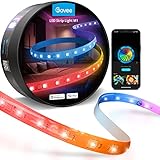
- Govee LED Strip Light M1 with Matter, 16.4ft — Check on Amazon
- Philips Hue Solo Lightstrip, 10ft — Check on Amazon
See 2 more Amazon options
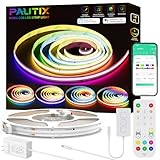
- PAUTIX RGB Smart IC COB LED Strip Light Kit, 20ft — Check price on Amazon (check-price pick: it belongs in this guide only if the live price is at or under $75)
- Nanoleaf Essentials Matter Lightstrip 80″ Smarter Kit — no link: we could not pin this kit’s US Amazon listing code to our two-source standard, so search Amazon by the exact product name or model NF080K03-2LS instead.
Read the full guide ↓
Disclosure: As an Amazon Associate, dailyhomedecorating.com earns from qualifying purchases. Links to Amazon on this page are affiliate links; they cost you nothing extra. Listing details such as price and availability change often, so check the current Amazon listing before you buy.
In a modern interior, a light strip is not a gadget. It is a building material. The look that defines contemporary rooms — the floating vanity, the media wall with no visible fixture, the ceiling cove that washes a wall in an even gradient — is almost always a strip of LEDs hidden in a channel, behind a lip, or under a shelf edge, throwing light at a surface instead of at your eyes. Done well, you never see the source at all. You see architecture that glows. Done badly, you see a dotted line of cheap diodes reflected in a quartz countertop, a cold blue “white” fighting your warm oak floors, and a phone carrying four lighting apps, one per room. This guide is about doing it well on a budget: the under-$75 strips that can disappear into a modern home, judged on the things that decide whether the result looks designed or looks added-on.
Three qualities matter more in a modern home than anywhere else. The first is evenness: a visible row of dots breaks the illusion instantly, which is why diode density and COB construction get so much weight below. The second is white. Modern rooms live in white light — warm in the evening, neutral at midday — and most strips spend 95 percent of their lives making white, not rainbow effects. A strip whose “white” is a cold mix of colored diodes will look wrong against every surface you chose carefully. The third is discipline: one ecosystem, one app, one set of routines for the whole house.
Here is the honest shape of the tier. At $75 you can do exactly one of three things properly. You can buy length — over 30 feet of addressable color strip for the price of a modest dinner out. You can buy real white light with genuine all-day circadian behavior and no hub at all — that is what the Tapo L930-5 does. Or you can buy premium light quality and a serious ecosystem — Govee’s M1 when it is discounted into this tier, or Philips Hue’s Solo — as long as you read the catches, because Hue’s full feature set needs a Bridge sold separately, which takes the combined spend well beyond this tier. What $75 cannot buy is all three in one box, and any listing that implies otherwise is rounding the truth. Every pick in this guide is tied to a stated strip length, because in this category a kit cannot be judged without its length.
Below: a quick picks table, a short design brief on where strips belong in a contemporary room, detailed notes on all six picks, a comparison table, a buying checklist, the mistakes that make strip lighting look cheap, and an FAQ. If the room you are lighting is where you sleep, the companion guide to the Best Smart Light Strip For Bedrooms Under $75 works the same tier from a sleep-first angle, and the Best Smart Light Strip For Small Rooms Under $75 covers it for short runs and tight corners.
Quick Picks
Short on time, or comparing several options at once? Each row names the job in a modern home and the strip that suits it, with a link to the listing where we could pin one to our standard.
| Job in the home | Pick | Why it stands out | Link |
|---|---|---|---|
| Best overall | TP-Link Tapo L930-5 RGBWIC Smart Light Strip, 16.4ft | Real white LEDs plus addressable color, Wi-Fi and HomeKit, and a circadian mode that treats light like architecture — no hub; check price on Amazon | Check on Amazon |
| Best length for the money | Govee RGBIC Wi-Fi LED Strip Lights, 32.8ft (H618C) | Twice the length of most rivals in this tier — a whole media wall in one kit, if saturated color is the look you want; check price on Amazon | Check on Amazon |
| Best light quality | Govee LED Strip Light M1 with Matter, 16.4ft | Dense 60 LEDs per meter (maker figure) and a real warm-white channel — but only in budget when discounted | Check on Amazon |
| Best ecosystem gateway | Philips Hue Solo Lightstrip, 10ft | The entry ticket to the most design-literate lighting ecosystem there is — once you add the Bridge that costs extra | Check on Amazon |
| Smoothest glow | PAUTIX RGB Smart IC COB LED Strip Light Kit, 20ft | COB construction gives one continuous, dotless line of light — the most architectural result in the guide | Check price on Amazon |
| Best short run with real white | Nanoleaf Essentials Matter Lightstrip 80″ Smarter Kit | Bright, real-white RGBW strip with Matter over Thread — only 80 inches long, and no link (see the review) | Search Amazon by exact name |
How These Picks Were Chosen
Budget came first, and it was applied the way this category demands: against a named length, never against a bare price. A linked pick below is one whose Amazon price we could confirm from two independent sources at $75 or less for the exact configuration discussed. Three picks needed explicit labels instead of quiet inclusion. The Govee M1 sits above this tier at its regular positioning, so it appears here strictly as a sale-dependent pick — in-budget only on the days its live price drops to $75 or below; check the current price on Amazon before counting on it. For the PAUTIX COB kit we could not confirm a US price from two sources at all, so it runs as a check-price pick: no figure printed, and a place in this guide only while the live listing sits at or under $75. Nanoleaf’s kit is the mirror case — its positioning inside this tier is documented by several sources, but the current US Amazon listing code resisted the same two-source pinning, so it is reviewed in prose, without a buy button.
The second filter was how the light behaves in a designed room, and it cut harder than price did. We weighted four things. First, evenness: diode density (LEDs per meter, cited where the maker publishes it) predicts whether a run reads as a continuous line or a dotted one, and COB construction eliminates the dots entirely. Second, white quality: a strip with a dedicated white channel (RGBW, RGBWW or RGBWIC) can produce a genuinely warm evening white and a clean neutral at midday; a plain RGB or RGBIC strip has to mix its “white” out of colored diodes, and the mix lands cold and blue-leaning whatever the app calls the preset. Third, all-day behavior: the strips that earn their keep in a modern home are the ones that shift with the day — brighter and cooler while you work, warmer and dimmer after dark — through a documented circadian mode or schedules, not the ones with the longest scene library. Fourth, ecosystem discipline: whether the strip joins a platform you can standardize on house-wide, because the second and third strips you buy matter more than the first.
One housekeeping note on numbers. Strip brightness is quoted by makers with no cross-brand measurement standard behind it, so any lumen figure below is flagged as a maker’s number and used only for comparisons inside one brand’s range. And one absence shapes several reviews: not one kit here includes a motion sensor. A hallway run that wakes as you approach means a separate sensor from the same ecosystem, bought later — an extra cost we flag rather than hide.
Designing With Strips: Where They Belong in a Modern Home
Before the products, the placements — because in a modern interior the placement is the product. Four locations do almost all of the work. Under floating cabinets and vanities, a strip tucked behind the front lip throws a pool of light onto the floor or counter and makes heavy furniture visually hover; it wants a smooth, dotless source, because the lit surface is close and reflective. In ceiling coves and tray ceilings, the strip hides in a channel and washes the ceiling or wall; the run is long, the light is bounced, and total coverage matters more than pixel density. Behind media walls, mirrors and headboards, a halo separates the object from the wall and gives a room depth after dark; a gentle gradient looks expensive here and a saturated rainbow looks like a gaming setup, so choose for the room’s actual character. On open shelving and stairs, short runs outline the architecture itself — the job where an 80-inch kit is exactly the right size.
Two rules cut across all four. Hide the source, always: a strip you can see — or see reflected in a glossy countertop — looks cheap; angle it toward the wall and let diffusion turn dots into a line. And design for the white hours, not the color minutes: set the everyday state first (warm, dim, indirect) and let color be the exception, not the default.
The 6 Best Smart Light Strips for Modern Homes Under $75
TP-Link Tapo L930-5 RGBWIC Smart Light Strip, 16.4ft
Who it suits: Homeowners who want one strip that behaves like part of the house — warm and dim in the evening, bright and neutral at midday, real white when the room is working — without buying a hub or committing to an ecosystem on day one.
If we could hand a first-time buyer only one strip from this guide, it would be this one, and the explanation is packed into its name: RGBWIC pairs addressable color segments with dedicated white diodes on the same tape. Those white diodes are the substance, not a garnish — they are what produce a genuinely warm white for an evening under-cabinet glow and a clean neutral white over a desk at noon, while the color side still lays 50 addressable zones along a media wall in a slow gradient. TP-Link rates the white output at 1,000 lumens; file that under maker’s figures, like every brightness claim in this category, though the hardware is plainly engineered for white light in a way plain RGBIC strips are not. Connection is 2.4 GHz Wi-Fi with no hub, and the platform list — Apple HomeKit alongside Alexa and Google Assistant — is one rivals in this tier rarely match. Check the current price on Amazon — it sits toward the accessible end of this tier for a strip with a real white channel.
The feature that makes it read as architecture rather than accessory is documented in TP-Link’s own support pages: Auto-Biorhythm Lighting, which TP-Link describes for its bulbs and LED strips, adjusts brightness and color temperature through the day against your local sunrise and sunset, with gradual transitions between time points. In practice that means the cove over your kitchen island is cool and bright while you cook lunch and warm and low while you eat dinner, without you opening an app — and TP-Link’s own words for the feature are about avoiding eye irritation and sleep disruption. It is a system you build once from nodes and schedules rather than a one-tap preset, but no rival here offers a maker-documented circadian mode in this tier without extra hardware. TP-Link also lets you set the strip’s Default State — its behavior when power returns after an outage — a small setting that decides whether a 4 a.m. power blink lights the room like a showroom. The tape itself is coated — TP-Link calls it a PU coating, rated IP44 — and trimmable at its marked points, with the usual rule that the cut-off piece is spent. Two limits to plan around: 16.4 feet is the maximum run — this strip cannot be extended — and TP-Link does not publish an LED density figure; the coating diffuses the diodes reasonably well, but a bare run facing a glossy surface will still show its segments more than a COB strip does, so mount it to bounce, not to face.
- RGBWIC layout: dedicated white diodes alongside 50 addressable color zones, for white that is warm or neutral as needed.
- Documented by TP-Link itself: an Auto-Biorhythm circadian mode and a configurable Default State for power restore.
- Hub-free Wi-Fi with HomeKit, Alexa and Google Assistant; coated, trimmable tape.
Honest limitation: The run cannot be extended past 16.4 feet, the white brightness figure is a maker’s number, and TP-Link publishes no LED density — buy it for white quality and all-day behavior, not for the smoothest possible line of light.
Choose it if you want the most complete all-round strip in the tier — check the current price on Amazon. Skip it if a single run must pass 16.4 feet — the Govee below exists for that.

Govee RGBIC Wi-Fi LED Strip Lights, 32.8ft (H618C)
Who it suits: Anyone whose design calls for one long continuous run — a full media wall, a ceiling cove around a large living room, a bed-to-desk sweep in a studio — and whose rooms genuinely live in color rather than white.
Length is the whole story here. Thirty-two point eight feet is two full 16.4-foot strips’ worth of coverage in a single kit, enough to trace a media wall, climb a corner and finish along a cove. Check the current price on Amazon — in a single kit, it delivers the longest run in this guide by a wide margin. It runs on Wi-Fi plus Bluetooth in the Govee Home app, takes Alexa and Google Assistant voice commands, and needs no hub. Govee’s app is the most playful here — dozens of scenes, segmented DIY color, music sync through a built-in microphone — and in a media room or a den, that energy is the point of the room.
Now the design caveat, stated just as plainly: the H618C is an RGBIC strip, which means every diode is a colored diode and there is no white channel at all. Set it to “warm white” and it mixes red, green and blue to approximate it; the result is a cold, slightly blue-leaning light that flattens warm woods and looks noticeably wrong as the everyday light of a considered living room — and no app preset fixes physics. Its saturated gradients also fight calm, minimalist furniture; this is a strip for rooms that want a light show, and it is superb at that job. Govee’s app gives you timers and schedules, but there is no documented circadian mode of the kind TP-Link builds in — the all-day white discipline a modern home runs on has to be faked with stepped scenes. You can trim it at the marked points, but — as with every strip here — whatever comes off the powered run is dead. Its adhesive backing is, like all budget backing, effectively one-shot: clean the surface, plan the route and commit, because a peeled run rarely re-sticks well. Judged as a white-light product it fails; judged as the most color coverage in the tier, nothing else is close.
- The longest single-kit run in this guide: 32.8 feet; check price on Amazon.
- Wi-Fi and Bluetooth control with Alexa and Google Assistant; no hub needed.
- Segmented RGBIC color with Govee’s large scene library and music sync.
Honest limitation: No white channel, so all “white” is a cold RGB mix; no true circadian routine; adhesive is one-shot and cut-off pieces cannot be reused.
Choose it if your design needs length and color above all — a media wall is its home ground. Skip it if the strip has to make the warm, quiet white your living spaces actually live in — it cannot do that job at any setting.

Govee LED Strip Light M1 with Matter, 16.4ft
Who it suits: Design-first buyers who want the best-looking bead-style light in the tier — dense, smooth, with a genuine warm white — and a strip that speaks the smart home’s future language, and who are willing to wait for a discount to get it inside the budget.
Begin with the warning label this pick carries: the M1’s regular positioning sits above this guide’s ceiling. It keeps its place because it is discounted into this tier often enough in sales, and when it is in tier, nothing else here matches it. So the rule, repeated wherever the M1 appears below, is simple: $75 or less live — check the current price on Amazon — or walk away. What that positioning buys is density and white. Govee publishes 60 light beads per meter for the M1 — roughly double the density of its basic RGBIC strips — and behind a floating shelf or under a cabinet lip that density is the difference between a dotted line and an even wash of light. It is also an RGBIC strip with a real warm-white channel added, so unlike the H618C above it can hold a warm glow that actually looks warm at the low brightnesses an evening room runs at. It was also Govee’s first Matter product — Matter over Wi-Fi, no hub, working with Alexa, Google Assistant, Apple Home and SmartThings.
Two honest qualifications come with the badge, and the first one matters most to a modern home. Matter control of the M1 is single-color control — the multi-color effects, scenes and music modes live in the Govee Home app, so your whole-home platform gets a well-behaved dimmable strip and the app keeps the fireworks. Read through the future-proofing lens, it is still a good deal: Matter is the standard every platform now speaks, so the strip will join whatever ecosystem you standardize on later, and its everyday behavior — on, off, dim, one color, one temperature — is exactly what architectural lighting does all day anyway. Second, 16.4 feet is what the box holds, and while Govee sells an extension that doubles the run to about 32.8 feet, the extension is a separate purchase that would push the real spend past this tier — inside a $75 budget, this is a one-wall or one-feature strip, not a whole-room one. Inside those limits, this is the connoisseur’s pick of the tier: the smoothest bead-style glow in the guide and a warm white you can live with, even if it stops short of a documented circadian program like the Tapo’s.
- 60 LEDs per meter by the maker’s own count — the densest bead-style tape here, and the glow shows it.
- A real warm-white channel alongside the RGBIC color, so dim warm light stays warm instead of sliding blue.
- Matter over Wi-Fi across Alexa, Google, Apple Home and SmartThings; the effects library lives in Govee’s app.
Honest limitation: Sale-dependent: at its regular positioning it sits over budget. Matter control is single-color only, and extending past 16.4 feet costs extra.
Choose it if you catch it at $75 or under and want the best light quality in the tier plus a future-proof connection. Skip it at its regular positioning, or when the run is long — the H618C covers twice the distance in one kit.
Philips Hue Solo Lightstrip, 10ft
Who it suits: Homeowners playing the long game — people who expect to light several rooms over the next few years, want one app and one standard of behavior across all of them, and are willing to start with a single premium strip.
The Solo is the premium short strip: 10 feet of RGBWW strip, meaning red, green, blue plus warm-white and cool-white diodes, so its whites are real, tunable from candle-warm to daylight, and convincing at the very low levels an evening room lives at. Signify markets the Solo line at up to 1,700 lumens — a headline figure shared across the line’s marketing, so read it as “bright for a strip,” not as a measurement. Check the current price on Amazon — the strip alone can squeeze inside this budget, and only just. Out of the box it runs over Bluetooth in the Hue app: on, off, dim, color and scenes, in the room, from the sofa. That needs no extra hardware, and for a single under-vanity glow it is all some rooms need.
Now the catch, stated just as plainly: everything that makes Hue the most design-literate ecosystem in this guide lives behind the Hue Bridge. The Wake Up automation that fades a strip up like a sunrise over your chosen minutes, the Go to Sleep fade, schedules that run when your phone is off, out-of-home control, and Matter support all require the Bridge — and the Bridge is sold separately (check its current price on Amazon). Strip plus Bridge together are not an under-$75 purchase by any honest accounting, and this guide will not dress them up as one. Why pay it eventually? Because the Bridge is bought once and every Hue light you add afterwards inherits the same discipline: one app for the whole house, scenes that span rooms, and the most considerate power behavior in the guide — Hue lets you set what a light does when power returns, so a midnight outage does not have to mean a living room lit like an operating theater at 4 a.m. The Solo shows one color at a time — it is not an addressable gradient strip like the Govees or the Tapo, which in a modern interior is arguably a feature: it does calm, even light, and leaves the light shows to other products. And Hue’s own listing language on cutting is blunt: once you cut it, you cannot reconnect it, so measure the run twice. Bought as a gateway — strip now, Bridge when the budget allows — it is the best long-term purchase in the guide. Bought expecting the full Hue experience out of the box, it will disappoint you, and that expectation is exactly what this review exists to prevent.
- RGBWW diodes give real warm-to-daylight white, convincing at very low brightness.
- With the Bridge: gradual Wake Up and Go to Sleep automations, whole-home scenes in one app, and a configurable power-on behavior.
- Bluetooth app control works out of the box with no extra hardware.
Honest limitation: The signature routines need the Bridge, sold separately, taking the combined spend over this budget. The run is only 10 feet, shows one color at a time, and cannot be reconnected once cut.
Choose it if you are standardizing on Hue for the whole home and will add the Bridge. Skip it if $75 is a hard ceiling for the whole project — the Tapo gives you circadian behavior with no second purchase.

PAUTIX RGB Smart IC COB LED Strip Light Kit, 20ft
Who it suits: Design purists. If the dotted look of bead-style strips under a cabinet or behind a mirror bothers you — and in a modern interior it should — COB is the construction you have been looking for, with an app experience you will have to make peace with.
COB — chip-on-board — mounts the emitters so densely along the tape that the eye stops resolving individual dots and reads a single continuous ribbon of light. Under a floating vanity, where the whole point is a soft pool of light on the floor with no visible source, or along a kitchen counter whose glossy surface reflects everything above it, that difference is not subtle: the PAUTIX throws the smoothest, most even glow in this guide, smoother than the dense M1, because there are effectively no gaps to see. The box is complete: the 20-foot addressable strip this guide covers, a 24-volt power supply, PAUTIX’s SP548E controller and an RF remote. The controller speaks Wi-Fi and Bluetooth through the BanlanX app and adds Alexa and Google Assistant voice control, and the RF remote has a whole-home virtue: unlike infrared remotes, RF works through cabinet doors and furniture, so a remote in a drawer can kill the light without line of sight. It is UL-listed and runs on 24 volts, which drops less voltage over a long run than the 12-volt kits; the maker divides the 20 feet into 61 addressable segments of roughly four inches each — coarse zoning next to the Tapo’s 50 segments in 16 feet, which matters for effects and barely at all for a static glow.
Now the two labels this pick carries. First, pricing: no US figure for this kit met our two-source standard, so the pick runs as check-price — it earns its place in an under-$75 guide only while the live Amazon listing is at or under $75, and loses it the moment it is not. Second, white: for all its optical quality, this is an RGB strip with no white channel, so its “warm white” is the same red-green-blue mix as every other RGB strip, better hidden by the COB diffusion but not warmer in spectrum — the line will look perfect and the light on your oak floor will still lean cool. The BanlanX app is a generic platform app — functional timers and schedules, no circadian mode, and a polish level a step below Govee’s or TP-Link’s software. Buy this strip for the quality of its light as a physical object: the most convincing invisible-source glow in the tier. Do not buy it for software, and do not buy it as a room’s only light source if true warm white matters to you.
- COB construction: one continuous, dotless line of light — the smoothest glow in the guide, safe near reflective surfaces.
- A complete 20-foot kit: 24V supply, Wi-Fi/Bluetooth controller and an RF remote that works through furniture.
- UL-listed and addressable, with app timers and schedules plus Alexa and Google voice control.
Honest limitation: A check-price pick — check the current price on Amazon, as it counts only while the live listing is $75 or under. No white channel, and the generic app has no circadian routine.
Choose it if an even, invisible-source line of light is your top priority and the live price cooperates. Skip it for real warm white or a polished app — those jobs belong to the Tapo and the M1.
Nanoleaf Essentials Matter Lightstrip 80″ Smarter Kit
Who it suits: Owners of a Matter-and-Thread home who need one short, bright, real-white run — a floating shelf, a mirror halo, the top of a wardrobe, a stair tread line — rather than a whole room of light.
This is the guide’s prose-only pick, and the reason is procedural: the kit sits in the middle of this tier at its regular positioning and is discounted often, but its current US Amazon listing code could not be pinned to the two-source standard we require before printing a buy link. So there is no button. So the shopping instruction is literal: search Amazon for “Nanoleaf Essentials Matter Lightstrip 80″ Smarter Kit,” model NF080K03-2LS, and confirm you have landed on the Matter generation rather than the older HomeKit-only kit it replaced. What you are looking for is an RGBW strip: color diodes plus a real white channel tunable from about 2700K warm to 6500K daylight, which makes it one of only three picks here that can do an honest warm evening white. Nanoleaf’s brightness figures — a maker-rated peak of 2,200 lumens — are the highest headline numbers in the guide; as ever, they are maker numbers, but independent reviewers agree the strip is unusually bright for its size.
The constraints are length and infrastructure. Eighty inches is 6.7 feet: one shelf run, one mirror, one side of a vanity — not a cove, not a media wall, and expansion packs that lengthen it are a separate purchase beyond the kit. The strip shows one color at a time rather than addressable zones, which suits architectural light perfectly and party effects not at all. Its smart control, meanwhile, rides on Matter over Thread, so full ecosystem control presupposes a Thread border router — a HomePod mini, a recent Apple TV, a current Echo or Nest hub. Plenty of homes already own one without realizing it; if yours does not, that is a second purchase standing between you and the features on the box, and this budget cannot absorb it. The fallback is real, though: the Nanoleaf app controls the strip over Bluetooth with no router at all, the app offers a circadian lighting mode that shifts color temperature through the day, and the kit includes a physical in-line controller — a small mercy that app-only strips cannot match when the network is down. Cut points come roughly every 13 inches, and the offcut, as everywhere in this guide, is spent. In a Thread home with one short, bright run to light, it is arguably one of the smartest picks in the guide for that job; outside one, the Tapo does more with less fuss.
- RGBW tape with genuine tunable white (about 2700–6500K) and the highest maker-rated output here.
- Matter over Thread with a Bluetooth app fallback, a circadian mode, and a physical in-line controller.
- Positioned in the middle of this tier, and discounted often.
Honest limitation: Just 80 inches, one color at a time, and Matter control presupposes a Thread border router you may not own. No Amazon link — the US listing code could not be pinned to our standard, so buy by exact name and model.
Choose it if a Thread home is already running and the job is one short, bright, real-white run. Skip it if you need length or addressable effects, or do not own a border router — the Tapo covers all three in one hub-free kit.
No link for this pick; search Amazon by the exact product name, per the note above.
Comparison Table
| Product | Length | Control | White light | Price basis | Link |
|---|---|---|---|---|---|
| TP-Link Tapo L930-5 | 16.4ft | Wi-Fi app, HomeKit, Alexa, Google; no hub | Real white channel (RGBWIC) | Check price on Amazon | Check on Amazon |
| Govee RGBIC Wi-Fi H618C | 32.8ft | Wi-Fi + Bluetooth app, Alexa, Google; no hub | RGB mix only — cold | Check price on Amazon | Check on Amazon |
| Govee M1 with Matter | 16.4ft | Matter over Wi-Fi + Govee app; no hub | Real warm-white channel | Check the current price on Amazon — sale-dependent, in tier only at $75 or under | Check on Amazon |
| Philips Hue Solo | 10ft | Bluetooth app; Bridge (extra) adds automations and Matter | Real warm + cool white (RGBWW) | Check price on Amazon; Bridge sold separately | Check on Amazon |
| PAUTIX RGB Smart IC COB Kit | 20ft | Wi-Fi + Bluetooth app, RF remote, Alexa, Google | RGB mix only — but dotless COB glow | Check price — buy only at $75 or under | Check price on Amazon |
| Nanoleaf Essentials Matter Kit | 80 inches (6.7ft) | Matter over Thread (border router needed) + Bluetooth app | Real white channel (RGBW) | Mid-tier positioning — search Amazon by exact name | Search Amazon by exact name |
How to Choose
Start with the placement, not the product. Before you open a single listing, measure — in feet — the run you actually intend to light. A floating double vanity wants 5 to 7 feet per side. A kitchen’s under-cabinet run is usually 10 to 16 feet. A media wall with a halo on three sides lands in the 16-to-20-foot class that three of these picks come in. A full ceiling cove in a large living room wants the Govee’s 32.8 feet. Buying by placement first is also how you avoid the category’s favorite trap, a low headline figure attached to a short strip. If you are weighing this tier against the rest of the modern-homes ladder, the Best Smart Light Strip For Modern Homes Under $100 guide shows what the next step up adds, and the Best Smart Light Strip For Modern Homes Under $40 keeps the same honesty rules on a tighter budget.
Decide what “white” you are actually buying. This is the single most consequential choice in the guide. If the strip will light counters, faces, artwork or pages — if it is, in other words, a light — it must have a white channel: RGBW, RGBWW or RGBWIC, like the Tapo, M1, Hue Solo and Nanoleaf here. If it will only ever be a colored halo behind a screen, a plain RGBIC strip is fine and can offer more length for the tier — but do not let a listing’s “16 million colors including warm white” phrasing talk you out of the distinction, because an RGB mix at its warmest is still a cool, blue-leaning light, and in a room full of warm materials it will read as a mistake every evening.
Pick the ecosystem before the strip. The first strip is cheap; the fifth strip in a different app is the expensive decision. Decide which platform your house will speak — Tapo/Kasa, Govee, Hue, or a Matter platform over Thread — and buy inside it, because scenes, schedules and circadian behavior only feel like architecture when they run across rooms from one place. Matter is the hedge: a Matter strip like the M1 or the Nanoleaf can move platforms later, even if, as the M1 shows, the platform connection may carry fewer effects than the maker’s own app. The wider field, including ecosystems this tier only touches, is mapped in the Best Smart Light Strip Under $100 guide.
Plan the unglamorous parts. Smart strips are powered from one end by a brick that needs an outlet near the run, and the controller needs somewhere invisible to live — behind the cabinet, inside the cove, under the vanity. Every strip here carries effectively one-shot adhesive: wipe the surface down, dry-fit the route with painter’s tape, then commit. Cutting is one-way on all of them: marked points only, and the offcut is dead unless it stays on the powered side. And none of these kits includes a motion sensor, so if a hallway that lights itself as you pass is part of the design, budget separately for the ecosystem’s sensor later rather than expecting it in the box.
Common Buying Mistakes
Leaving the source visible. A strip you can see directly — or reflected in a countertop, a screen or a glossy floor — looks like a dorm-room decoration, whatever it cost. Mount it behind a lip, angle it at a surface, and let the room see the light, never the lamp.
Comparing prices without comparing lengths. A short kit and a long kit cannot be judged on headline figure alone. Every pick here is tied to a length; compare like-for-like lengths on any listing you find elsewhere before calling it a bargain, and check the current price on Amazon for the exact configuration you need.
Believing the lumen headline. Lumen claims on strip boxes are maker numbers with no shared standard, and one headline figure often stretches across a whole product line. Density, diffusion and placement decide how a designed glow looks. A dimmable strip bounced off a wall will always feel more expensive than a brighter one aimed at the room.
Buying RGB for a white-light job. The most common regret in this category: a strip bought to light a kitchen or a bathroom that can only make cold mixed white. If white is the job, the spec sheet has to show a white channel — RGBW, RGBWW or RGBWIC — full stop.
Collecting apps. One strip from each brand means four apps, four accounts, four sets of routines that cannot see each other — the opposite of a smart home. Standardize on one ecosystem per house and let the strip choice follow from it.
Assuming the kit price is the whole system cost. Hue’s automations need a Bridge; Nanoleaf’s Matter needs a Thread border router; the M1’s extension costs extra. The honest cost of a designed system is the strip plus whatever unlocks the feature you actually bought it for, and several reviews above flag those extra purchases openly.
Cutting first and measuring later. Every strip here cuts one-way. The offcut cannot be reconnected (Hue’s listing says so outright), splicing kits for addressable strips are a hobbyist project rather than a fix, and a strip cut two feet short is short forever.
Final Recommendation
For most modern homes, buy the TP-Link Tapo L930-5. It is the only pick that combines a real white channel, a documented circadian mode that lets light follow the day like architecture, HomeKit-grade control with no hub, and a power-restore setting for its 16.4-foot run — check the current price on Amazon. Build your everyday scenes on it and the room will look designed every ordinary evening. If your design needs twice the length for a media wall and color matters more than white, the Govee H618C, at 32.8 feet, is the length play — check price on Amazon — bought with your eyes open about its cold mixed white. If light quality is your religion, take the Govee M1 on any day its live listing sits at $75 or under — check the current price on Amazon — and on a regular-positioning day, take the Tapo instead. Choose the Hue Solo only as the first piece of a Hue home you intend to finish with a Bridge, and the PAUTIX only if its live price is in tier and a dotless line of light outranks software in your priorities. The Nanoleaf remains the Thread-home specialist for a single short run. Whichever you choose, hide the source, set the circadian schedule on the first evening, and let the house run on one app — a modern interior is judged by how its light behaves when nobody is thinking about it.
FAQ
How do I stop a light strip from looking cheap in a modern room?
Hide the source and bounce the light. Mount the strip behind a lip, inside a cove or under a cabinet so you see the lit surface, never the diodes — and watch for reflections in glossy counters and screens, which betray a “hidden” strip just as surely. Then prefer density: a high-density or COB strip reads as one line of light, while a sparse strip reads as a row of dots. Finally, live in white: a warm, dim, even glow looks architectural; a saturated rainbow looks like an accessory.
Can one app really run my whole home’s strips?
Yes, if you standardize before you accumulate. Tapo, Govee and Hue each run their own strips — and in Hue’s case bulbs and fixtures too — from one app with cross-room scenes. Matter is the emerging common language: a Matter strip can join Apple Home, Google Home, Alexa or SmartThings, though, as the Govee M1 shows, the platform connection may offer single-color control while the maker’s app keeps the effects.
Why does my strip’s “warm white” look blue?
Because a plain RGB or RGBIC strip does not possess white at all — it fakes it by mixing red, green and blue diodes, and the mixture leans cool. The cure is hardware, not settings: a strip with a dedicated white channel (RGBW, RGBWW or RGBWIC). No app update, preset or “warm” slider can change the diodes on the tape.
Do I need a hub for strips in a modern home?
Usually not. The Tapo, both Govees and the PAUTIX all run hub-free over Wi-Fi. The exceptions are feature-shaped: Hue’s automations, cross-room schedules and out-of-home control need the Hue Bridge, sold separately, and Nanoleaf’s Matter control needs a Thread border router, which many homes already own inside a smart speaker or streaming box. Bluetooth-only control — the Hue Solo’s out-of-the-box mode — works, but only from inside the room.
What is a circadian mode, and is it worth having?
It is the strip adjusting its own brightness and color temperature across the day — brighter and cooler in the morning, warmer and dimmer in the evening — following your local sunrise and sunset. TP-Link documents exactly this as Auto-Biorhythm on the Tapo, and the Nanoleaf app offers a circadian mode too. In a modern home it is the difference between lighting you operate and lighting that behaves like architecture: set it once and the light is right at every hour.
Can I cut a smart strip to fit a shelf or cabinet?
Yes — at the marked cut points and nowhere else — but on every strip in this guide the cut is permanent. Whatever lies beyond it loses power and cannot be rejoined to the same smart run; Hue’s listing puts it bluntly: “once you cut it, you can’t reconnect it.” Measure the route first, place the powered end and its controller, then cut once.
Is there a motion-sensor strip in this guide for hallways?
No — and that absence is worth knowing before you buy. None of the six kits includes a motion sensor. The practical substitutes are a dim warm schedule that runs overnight at a few percent brightness (cheap to run and surprisingly effective along a hallway), voice control, or a separate motion sensor from the same ecosystem added later at extra cost.