Where to buy
Check the latest price, availability and delivery on Amazon. Orders are placed on Amazon. We may earn a commission from qualifying purchases.
- Best overall: Govee COB Strip Light 2 Pro, 16.4 ft, RGBWWIC with Matter — Check on Amazon
- Philips Hue Solo Lightstrip, 33 ft, RGBWW with Hue App Control — Check on Amazon
- Govee LED Strip Light M1, 16.4 ft, RGBICW with Matter — Check on Amazon
- Nanoleaf Essentials Matter HD Lightstrip, 16.4 ft (5 m), Matter over Wi-Fi — Check on Amazon
See 2 more Amazon options
- TP-Link Tapo L930-5 Smart Light Strip, 16.4 ft, RGBWIC with HomeKit — Check on Amazon
- Govee COB LED Strip Light Pro, 16.4 ft, RGBICW with Matter — Check on Amazon
Read the full guide ↓
Disclosure: As an Amazon Associate, dailyhomedecorating.com earns from qualifying purchases. Links to Amazon on this page are affiliate links; they cost you nothing extra. Listing details such as price and availability change often, so check the current Amazon listing before you buy.
Start with the finding this whole guide is built on, because it changes what the guide is for: there is no $500 smart light strip. We went looking for one — through the flagship lines of Philips Hue, Govee, Nanoleaf and TP-Link — and the most expensive single strip any major maker offers is the Philips Hue Gradient Lightstrip Ambiance, sold through Hue’s own store for the 80 inch base kit and through first-party retailers such as Crutchfield and Best Buy. Below it sit Govee’s newest flagship, the COB Strip Light 2 Pro at 16.4 ft, and Hue’s longest strip, the 33 ft Solo. Nothing else in the category comes close to those three, and none of the three comes close to $500. So a $500 budget for a bedroom is not a product search. It is a system budget — and for a bedroom that is genuinely good news, because a bedroom does not need one heroic strip. It needs three or four modest jobs done properly: a glow behind the headboard, a faint path of light under the bed at 3 a.m., a slow sunrise ramp instead of an alarm clock’s violence, and a closet that lights itself. Spent as a system, $500 covers all of that in one room with money left over, or does the main jobs in two rooms.
That reframing shapes the six picks below. They are the building blocks of a bedroom system, each verified for the exact length named, and the “What $500 Buys” section further down assembles them into three worked plans. Three honesty notes run through everything. First, brightness: there is no common measurement standard behind the lumen figures in this category, so this guide prints a lumen figure only where a maker’s own specification states one, and attributes it every time — treat every such number as a maker’s claim, not a measurement. Second, ecosystem tolls are real money and are counted here: Hue strips do their best work behind a Hue Bridge — a one-time ecosystem addition sold through Hue’s own store and Amazon — and the one Hue accessory a bedroom almost never needs, the premium-priced HDMI sync box, gets its own warning below, because adding it is the fastest way to make a bedroom strip project blow through this budget. Third, cutting is one-way on every smart strip here: a section trimmed at the cut marks cannot be reconnected and lit again, so footage is bought to cover the run, not tailored afterward. Add the standing warning about adhesive — peel-and-stick backing is the weakest component of every strip sold, and serious runs belong in aluminum channel, sold in multi-packs of 1 m lengths — and you have the honest shape of this tier: the single product does not exist, but the bedroom system very much does.
Quick Picks
Short on time, or comparing several options at once? Each row below names a buyer type and the strip that suits it, with a link to the listing.
| Buyer type | Pick | Why it stands out | Link |
|---|---|---|---|
| Best overall | Govee COB Strip Light 2 Pro, 16.4 ft | A dotless COB line at a maker-claimed 1,344 LEDs per meter, with real warm and cool white channels for sunrise ramps — check price on Amazon, no hub to buy | Check on Amazon |
| Best long run | Philips Hue Solo Lightstrip, 33 ft | One 33 ft run covers a king bed’s under-bed perimeter and reaches the closet; behind a Bridge it runs Hue’s wake-up routines — check price on Amazon | Check on Amazon |
| Best sunrise value | Govee LED Strip Light M1, 16.4 ft | A real warm-white channel and Matter in a mid-tier position — check the current price on Amazon; the two-zone bedroom starts here | Check on Amazon |
| Best for Matter and Apple Home | Nanoleaf Essentials Matter HD Lightstrip, 16.4 ft (5 m) | Matter over Wi-Fi with tunable whites and a circadian mode in Nanoleaf’s app — check price on Amazon, no proprietary hub | Check on Amazon |
| Best budget | TP-Link Tapo L930-5, 16.4 ft | Segmented RGBWIC color with a real white channel and HomeKit support, no hub — the budget pick of this guide; check price on Amazon | Check on Amazon |
| Best dotless value | Govee COB LED Strip Light Pro, 16.4 ft | The original COB flagship: a maker-claimed 1,260 LEDs per meter and a warm-white channel in the lower COB tier — check the current price on Amazon before buying | Check on Amazon |
How These Picks Were Chosen
The first filter was verification. Every linked pick below had to be pinned to a real Amazon listing confirmed from at least two independent sources for the exact configuration named — the maker’s own store, first-party retail and the listing itself. Two genuinely relevant products failed that test and are handled the way this series always handles them: in prose, with no link. The Hue Gradient Lightstrip Ambiance (80 inch) sits at the category’s ceiling, at the top of the range on Hue’s store and at first-party retail — but its current US Amazon listing could not be pinned to the standard, so it appears in the all-Hue plan below as a system component, not a pick. The Hue Bridge and the Hue Motion Sensor get the same treatment: real, relevant, and discussed where the plans need them rather than linked as picks.
The second filter was bedroom fitness, and it is stricter than the filter for a living room. A bedroom strip has to produce honest white, because the two jobs that matter most — the sunrise ramp and the wind-down hour — are white-light jobs, and white mixed from red, green and blue emitters looks cold and faintly blue next to a real white channel. So every pick here carries a dedicated white emitter set (RGBW, RGBWW, RGBICW or RGBWWIC in the makers’ shorthand), and the plain-RGB bulk reels that anchor cheaper guides were excluded from this one no matter how cheap the footage. A bedroom strip also has to behave at the bottom of its dimming range — a strip that cannot go genuinely dim is useless as a night path light — and it has to be controllable from the bed, by voice or app, without a phone hunt. Sunrise and sleep scheduling had to be native to the maker’s app or ecosystem, not a workaround. And because bedrooms are where strips get seen — behind a headboard, reflected in a dark window — emitter density mattered more here than footage alone: two of the six picks are COB strips whose light reads as one continuous line, and the guide says plainly which picks will show dots in direct view and which will not.
We did not use these strips ourselves. We read the maker listings, manuals, specification sheets and price records, and compared the things that decide whether a bedroom system works: the footage in the box; whether white comes from a dedicated channel or from mixing color emitters; the control path (Bluetooth app, Wi-Fi app and voice, Matter, or a Zigbee bridge) and what each rung quietly leaves behind; the true system picture, counting every bridge and sensor a plan needs; and the maker’s own cutting terms, which on every pick here are one-way. Brightness and color-rendering figures are treated as maker claims throughout — the Govee COB 2 Pro publishes a maker CRI figure, attributed wherever it appears; the other makers publish none we could verify, so this guide prints none for them.
The 6 Best Smart Light Strips for Bedrooms Under $500
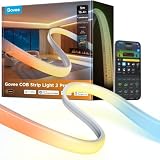
Govee COB Strip Light 2 Pro, 16.4 ft
Who it suits: Bedroom buyers whose strip will be seen — mounted behind a headboard, along a wall edge or under a floating shelf — and who want the light to read as one continuous line, in color and in honest white, with no hub to buy.
This is the strip the bedroom brief was written for. COB construction packs a maker-claimed 1,344 LEDs into every meter under a continuous diffuser, so there are no individual diodes to see, count or catch in a dark window’s reflection — behind a headboard it throws a single unbroken band of light up the wall, which is exactly the effect cheaper strips promise and then ruin with visible dots. The chips are RGBWWIC: segmented color control, plus dedicated warm and cool white emitters, so the strip’s white is produced by white diodes across a maker-claimed 1,000K to 10,000K range rather than approximated by mixing colors. That range is why it leads a bedroom guide: the bottom of it is candlelight-warm for the wind-down hour, the middle covers the neutral whites of a sunrise ramp, and Govee publishes a maker CRI figure of 92+ for its white — a claim, attributed as one, but a checkable specification in a category where most makers publish nothing. Govee also claims 540 lumens per meter; treat that as a maker’s figure, though at any plausible fraction of it, a headboard run is ambient light, not task light. Control is the modern full set with no hub: Wi-Fi and Bluetooth, Matter, Alexa, Google Assistant and SmartThings, with the Govee app carrying the segmented scenes, a DaySync mode that walks the white temperature through the day, and the scheduled wake and sleep ramps a bedroom actually uses. For current pricing, check price on Amazon for the 16.4 ft kit.
The compromises are cost per foot and finality. Sixteen feet is a headboard and one wall, not a room perimeter: at this premium per-foot position, ringing a whole bedroom ceiling in COB 2 Pro would take three kits and most of this guide’s budget, which is why the plans below give it the run that gets looked at and hand the long hidden runs to cheaper strips. Cutting follows the family rule with unusually fine marks — every 6.5 cm, per Govee — and the maker’s terms are explicit that once cut, the strip cannot be reconnected or extended, so a wrong measurement is a permanent one. The best of its effects live in Govee’s app rather than in the voice assistants, which handle the basics; and Govee’s own listed lifespan figure for the strip, 25,000 hours, is a maker number that sits below some rivals’ claims — at bedroom hours of use it is still many years, but it is printed here because the maker publishes it and buyers deserve to see it. None of that dethrones it for its brief: it is the best-looking light in this guide, and the headboard is where looks are the whole job.
- The smoothest light here: COB at a maker-claimed 1,344 LEDs per meter — no dots in direct view or in reflections.
- Real whites for real routines: dedicated warm and cool white channels across a maker-claimed 1,000K–10,000K, with a maker CRI figure of 92+.
- No hub, no toll: Matter, Wi-Fi, Alexa, Google and SmartThings out of the box — check the current price on Amazon for the 16.4 ft kit.
Honest limitation: As the premium per-foot pick here it is a feature strip, not a perimeter strip; cutting is one-way despite the fine 6.5 cm marks; and its headline brightness and CRI figures are the maker’s own claims, not independent measurements.
Choose it if one visible run — the headboard above all — has to look like a fixture from day one. Skip it if your runs are long and hidden, where its smoothness is wasted and the Solo or the Tapo below cover far more footage from a lower tier.
Philips Hue Solo Lightstrip, 33 ft
Who it suits: Hue households — or buyers willing to become one — who want a single long run to do the bedroom’s hidden work: the under-bed perimeter that lights the 3 a.m. path to the bathroom, and on into the closet.
The Solo is Hue’s length play, and length is a bedroom feature. The 33 ft kit is one continuous strip: run it around the underside of a king bed frame — a king’s perimeter is about 26 ft — and the same strip still has footage left to climb into the closet or along the baseboard, all as one zone on one controller. Its light is the honest kind for routines: Hue builds the Solo on RGBWW emitters, so its whites come from dedicated white diodes across a warm-to-cool range, and Hue rates the strip at up to 1,700 lumens. Read that figure the way this guide reads every Hue number — as the maker’s own rating — and read its footnote too: 1,700 lumens is the same total Hue claims for the 10 ft Solo, so what the longer kit buys is length, not brightness; spread over 33 ft, this is gentle ambient light, which for under-bed and closet duty is precisely right. Where the Solo earns its place in a bedroom is the ecosystem behind it. On Bluetooth out of the box it does basic app control; behind a Hue Bridge it gains the full Hue app — the Wake Up automation that fades a sunrise over your chosen minutes, sleep routines that dim the room down at night, grouping with every other Hue light you own, and pairing with the Hue Motion Sensor so the under-bed run lights itself, low and warm, when feet hit the floor. That sensor pairing is the single most convincing bedroom trick in this guide, and only the Hue plan below does it natively.
The compromises are the toll and the listing. The toll first: the strip’s own price is not its system price — the Bridge and the sensor are separate purchases on top, so budget for the ecosystem as well as the strip before any second strip is added. The listing second: the Amazon page linked here is a family listing whose default view is the 10 ft kit, so select the 33 ft size and check the current price on Amazon before you buy, because Hue pricing changes over time. The strip itself shows one color along its whole length at a time — there are no segmented zones or gradients here — and it trims only at its marked intervals, one-way, like every pick in this guide. Judged as a component, though, it is the long, calm, routine-driven run the bedroom plans are built around.
- One run, two jobs: 33 ft covers a king bed’s ~26 ft under-bed perimeter and still reaches the closet, as a single zone.
- Real white from RGBWW emitters, plus Hue’s Wake Up and sleep routines and native motion-sensor pairing behind a Bridge.
- The long-run Hue option: 33 ft in one kit, the most footage per kit of any Hue strip here — check price on Amazon.
Honest limitation: The Bridge and sensor that unlock its bedroom tricks are extra purchases on top; the listing defaults to the 10 ft kit, so the 33 ft size must be selected and its current price checked on Amazon; and its maker-rated 1,700 lumens is the same total as the 10 ft version — length, not brightness, is what the money buys.
Choose it if you are building the Hue bedroom in the plans below and want the long hidden run done in one strip. Skip it if you have no intention of buying a Bridge — without one, the M1 and the Nanoleaf below deliver routines and voice control from lower tiers.

Govee LED Strip Light M1, 16.4 ft
Who it suits: Value-first bedroom buyers who want the sunrise-routine essentials — a real warm-white channel, dense emitters, Matter credentials — from a mid-tier pick.
The M1 is the conventional-strip overachiever. Its four-in-one RGBICW chips pack 60 LEDs into every meter — double the density of standard strips — with a dedicated warm-white emitter alongside the color ones, so the whites a bedroom lives on are produced honestly and colors blend along the line instead of separating into beads. It is Govee’s Matter strip: over Wi-Fi it joins Apple Home, Alexa, Google Home and SmartThings through the Matter standard, while the Govee Home app carries the scene library, the segmented DIY effects and the scheduled wake and sleep ramps that make it a bedroom pick rather than a party pick. The strip is 24V, mains-powered with the adapter included, trims at its marked points, and per its manual can be extended with Govee’s extension kits toward a 32.8 ft maximum. Its tier position is the argument: it sits well below the COB flagships — check the current price on Amazon — so two of these (headboard zone plus under-bed zone, independently controlled) make sense where one COB 2 Pro would be the alternative, which is exactly how the Govee plan below is built.
The compromises are the Matter caveat, the footage and the finality of cutting. The Matter caveat deserves plain words, because it applies across Govee’s range: over Matter, this strip behaves as a single-color strip — one color along its whole length, with brightness and white temperature adjustable — while the gradients, segments and effects that justify its price live only inside the Govee app. A buyer whose home runs strictly on Matter and who never opens vendor apps is paying for features they will not use. The footage is the second cost: 16.4 ft covers a headboard, a bed’s two long sides or a desk wall beautifully, and a room perimeter not at all. And cutting is one-way — the manual is explicit that detached pieces cannot be reconnected, so measure twice. Govee publishes no CRI figure we could verify for the M1, so none is printed. Within its brief — the feature strip for buyers who would rather have two zones than one perfect line — nothing else in the guide matches it in its tier.
- Dense and honest: 60 LEDs per meter of RGBICW chips with a real warm-white channel for sunrise and wind-down whites.
- Matter over Wi-Fi for Apple Home, Alexa, Google and SmartThings, with the full scene and scheduling library in Govee’s app.
- Mid-tier positioning — check price on Amazon; two zones sit comfortably where one flagship COB strip would be the alternative.
Honest limitation: Over Matter it is a single-color strip — the segmented effects live only in Govee’s app; cut pieces cannot be reconnected; and 16.4 ft is one feature run, not a room.
Choose it if you want two independently controlled bedroom zones — headboard and under-bed — on a sane budget. Skip it if the strip will sit in direct view and dots would bother you: that is the COB 2 Pro’s job, at a clear per-foot premium.

Nanoleaf Essentials Matter HD Lightstrip, 16.4 ft (5 m)
Who it suits: Matter-first and Apple Home households who want a name-brand bedroom strip with tunable whites and a circadian mode, without adopting a proprietary hub or a vendor’s bridge.
Nanoleaf’s pitch is standards instead of ecosystems. This 5 m Smarter Kit — model NF085K03-5ALS on the listing — connects over Wi-Fi and Bluetooth and speaks Matter natively, so it joins Apple Home, Google Home, Alexa and SmartThings through whichever Matter controller the home already has, with no Nanoleaf bridge to buy and no Zigbee network to maintain. For a bedroom, its most relevant feature is in Nanoleaf’s own app: a Circadian Lighting mode that walks the strip’s white temperature through the day automatically — cool and bright in the morning, warm and dim by night — which is the sunrise-and-wind-down brief delivered as a standing setting rather than a pair of scheduled scenes. The whites themselves are tunable across 2700K to 6500K per Nanoleaf’s specification, the strip carries the line’s animated multicolor scenes, and the kit’s in-line controller means basic on, off and brightness control works from the hardware even when the phone is in another room — a small thing at 2 a.m. that bedroom buyers learn to value. Its positioning undercuts every other name brand in this guide — check the current price on Amazon for the full 16.4 ft kit, which is also sold through Apple’s store.
The compromises are newness and paperwork. This Wi-Fi HD generation is the line’s newest, and its documentation is thinner than the Thread-based kit it succeeds: zone counts conflict between the listing’s own style naming and manuals for sibling models, so this guide prints no zone count for it rather than repeat a number two maker documents disagree on — what is certain is that animated scenes run through Nanoleaf’s app, while over Matter it behaves as a color-and-white strip like every Matter strip here. Nanoleaf’s brightness figures for the line are maker figures and vary by model, so none is printed for this kit either. The Matter setup itself, while hub-free, still needs a Matter controller in the home for ecosystem control — an Apple TV, HomePod, Echo or SmartThings hub — and buyers whose home lacks one are back to Bluetooth and the Nanoleaf app, which is fine for one bedroom and limiting for a house. Within its brief — the standards-based strip for a platform household — it is the cheapest credible way in.
- Matter over Wi-Fi with no proprietary hub: joins Apple Home, Google Home, Alexa and SmartThings through the controller you already own.
- A circadian mode in Nanoleaf’s app walks white temperature through the day — the bedroom routine as a standing setting.
- The most accessible name-brand tier in this guide for the full 16.4 ft — check price on Amazon.
Honest limitation: The newest generation’s paperwork conflicts with itself — zone counts disagree between the listing and sibling manuals, so none is printed; Matter control needs a controller in the home; and its animated scenes live in Nanoleaf’s app, not in the voice assistants.
Choose it if your home already runs on Matter or Apple Home and you want the bedroom strip to simply join it. Skip it if you want segmented gradient effects as the main event — that is Govee’s app-driven specialty, above.

TP-Link Tapo L930-5 Smart Light Strip, 16.4 ft
Who it suits: Budget builders and second-bedroom shoppers — anyone who wants segmented color, a real white channel and HomeKit support in one no-hub kit, in a tier that makes doing two rooms an easy decision.
The L930-5 is the pick that embarrasses the tier ladder. TP-Link builds it as RGBWIC — segmented color across 50 addressable zones per the maker’s specification, plus a dedicated white emitter set, so its whites are real whites rather than a blue-leaning mix — and wraps the strip in a polyurethane coating that shrugs off dust and the occasional splash in a way bare strips cannot. It runs on Wi-Fi with no hub of any kind, works with Apple HomeKit alongside Alexa and Google Assistant — HomeKit support in this budget tier is genuinely rare — and carries Tapo’s app scheduling, timers and sunrise/sunset automation, music sync, and an Away mode. TP-Link rates it at 1,000 lumens; that is a maker’s figure, and like every number in this category it should be read as one — what matters for a bedroom is that it dims smoothly for night duty and that its white channel makes its sunrise ramps look like morning rather than like a screen. Its tier is the headline: it is this guide’s budget pick, sold through TP-Link’s own store and Amazon — check the current price on Amazon. Multiple bedrooms’ worth of Tapo sit in a different tier altogether from one flagship strip in this guide, which is why it anchors the third plan below.
The compromises are polish and platform. Fifty zones is coarser segmentation than Govee’s app-driven strips produce, and the effects library is smaller; the strip is a 2.4 GHz Wi-Fi device, so homes with congested or band-steered networks can expect the usual pairing dance; and Tapo’s app, while competent, asks for a TP-Link account and offers none of the scene depth of Govee’s or the automation depth of Hue’s. The coating that protects it also makes it a strip to route in channel or clips rather than bend around tight abuse, and cutting follows the same one-way rule as every pick here. None of that dents its proposition: judged on the bedroom essentials it keeps intact for its tier — real white, scheduling, voice from bed, no hub — it is the standout value pick in this guide by a wide margin.
- The full bedroom checklist in the budget tier: segmented RGBWIC color, a real white channel, scheduling and sunrise/sunset automation, no hub.
- HomeKit support alongside Alexa and Google — rare in any tier, remarkable in this one.
- The budget tier of this guide, with a wipe-clean coated strip — check the current price on Amazon.
Honest limitation: Coarser zones and a smaller effects library than Govee’s strips; 2.4 GHz Wi-Fi only; and its 1,000-lumen figure is the maker’s own, like every brightness number in this category.
Choose it if you are lighting a second bedroom, a guest room or a first apartment and want the essentials done properly. Skip it if the strip will be stared at nightly and smoothness is the point — the COB picks above exist for that wall.

Govee COB LED Strip Light Pro, 16.4 ft
Who it suits: Buyers who want the dotless COB look from the more accessible COB tier — and who are willing to check the current price on Amazon before buying, because this pick’s positioning against its successor is the thing to verify.
This is the original COB flagship, the 2024 strip that started the category’s density race: COB construction at a maker-claimed 1,260 LEDs per meter, RGBICW chips with a dedicated warm-white emitter, Matter alongside Alexa and Google Assistant, and the full Govee app scene library. In a bedroom it does the same headboard job as its successor — one continuous band of light, honest warm whites for the evening, scheduled ramps for the morning — and, sitting in a lower tier than the 2 Pro for the same 16.4 ft, it does it as the more accessible of the two COB options — check price on Amazon. The differences are real but narrow: the successor’s silicone-sleeve diffusion is smoother still, its white range runs wider with both warm and cool white channels where this strip’s dedicated channel is warm white, and Govee publishes a CRI figure for the new model that it does not publish for this one. In direct view on a matte wall, most buyers would struggle to separate them; in a glossy reflection or at very low brightness, the newer strip’s extra diffusion earns its premium.
The compromises start with positioning, and this guide states it plainly: this model sits below its successor in Govee’s range, but its live positioning has drifted toward the successor’s before — check the current price on Amazon first; if it has converged on the 2 Pro’s level, the 2 Pro above is the better buy and this pick’s reason to exist is gone for the day. Govee publishes no CRI figure we could verify for it, so none is printed. It is also, unavoidably, yesterday’s flagship: the app support and Matter credentials are current, but buyers who keep strips for a decade should know the line has moved on. Within its terms — the COB look, the bedroom essentials, the lower COB tier — it remains the value route to a dotless headboard.
- Dotless COB light at a maker-claimed 1,260 LEDs per meter, with a dedicated warm-white channel and Matter.
- The most accessible route in this guide to a continuous line of light — check price on Amazon for 16.4 ft.
- The full Govee app library: scenes, segmented effects, scheduling and voice control with no hub.
Honest limitation: Its value case depends on its live tier holding below the 2 Pro — check the current price on Amazon, and walk away to the 2 Pro if the two have converged; its diffusion is a step behind its successor’s, and no CRI figure is published for it.
Choose it if its current price on Amazon still sits clearly below the 2 Pro’s and the headboard is a matte wall in ordinary light. Skip it if its price has converged on the 2 Pro’s, or the strip will be reflected in glass or gloss paint nightly.

Comparison Table
| Product | Format & length | Light & control | Best use | Link |
|---|---|---|---|---|
| Govee COB Strip Light 2 Pro | COB strip, 16.4 ft, maker-claimed 1,344 LEDs/m | Segmented RGBWWIC color with real warm and cool whites; Matter + Govee app, no hub | The headboard line — the visible run done perfectly | Check on Amazon |
| Philips Hue Solo Lightstrip | Standard strip, 33 ft, trims at marked intervals | Single-color RGBWW with real whites; Hue app via Bridge, Bluetooth basics | Under-bed perimeter plus closet in one long run | Check on Amazon |
| Govee LED Strip Light M1 | Dense strip, 16.4 ft, 60 LEDs/m | Segmented RGBICW with real warm white; Matter + Govee app | Two-zone bedrooms — headboard and under-bed | Check on Amazon |
| Nanoleaf Essentials Matter HD Lightstrip | Standard strip, 16.4 ft (5 m) | Tunable whites 2700K–6500K and animated scenes; Matter over Wi-Fi + Nanoleaf app | Matter and Apple Home bedrooms, circadian mode | Check on Amazon |
| TP-Link Tapo L930-5 | Coated strip, 16.4 ft, 50 zones per maker | Segmented RGBWIC with real white; Wi-Fi app, HomeKit, no hub | Second bedrooms and guest rooms on a budget | Check on Amazon |
| Govee COB LED Strip Light Pro | COB strip, 16.4 ft, maker-claimed 1,260 LEDs/m | Segmented RGBICW with warm-white channel; Matter + Govee app | The dotless headboard from the more accessible COB tier | Check on Amazon |
How to Choose a Smart Light Strip for a Bedroom
Assign the job before the strip. A bedroom has four strip jobs — headboard glow, under-bed night path, closet light and ceiling or baseboard perimeter — and they reward different strips. Visible runs reward density (the COB picks); hidden runs reward footage and routines (the Solo, the Tapo). Buying one strip to do all four is how budgets die.
Apply the white test. Sunrise ramps and wind-down light are white-light jobs. If a strip’s nameplate lacks a W — RGBW, RGBWW, RGBICW, RGBWWIC — its “white” is color emitters mixing toward a cold blue approximation, and it will look like a screen, not like morning. Every pick in this guide passes the test; most strips in the cheapest tiers do not, which is the honest core of the step down to Best Smart Light Strip Under $300.
Count the ecosystem toll before the strip. Hue’s routines, sensor pairing and out-of-home control live behind the Bridge, so a Hue bedroom carries that one-time ecosystem cost before the first strip. Govee, Nanoleaf and Tapo charge no toll, but keep their best effects inside their own apps. Neither answer is wrong; budgeting as if the toll does not exist is.
Decide how you will command it from the bed. Voice through a bedside speaker, an app, or an in-line controller button — pick the one you will actually use at 2 a.m., and check the power-restore behavior while you are at it: Hue’s app offers a power-on behavior setting, so an outage need not end with the bedroom snapping to full brightness; on other platforms, look for the equivalent memory setting before you buy.
Measure, then buy length — never the reverse. Cutting is one-way on every pick here. Buy the kit that covers your measured run with footage to spare, and treat any offcut as scrap, not as the start of the closet run.
What $500 Buys in a Bedroom — Three Honest Ways to Spend It
Plan one: the all-Hue bedroom. The Solo 33 ft takes the under-bed perimeter and the closet — check its current price on Amazon. The headboard gets the strip this guide could not link: the Hue Gradient Lightstrip Ambiance 80 inch, at the top of the category’s range on Hue’s own store and at first-party retailers such as Crutchfield and Best Buy — search for it by name, and buy it through first-party retail rather than a marketplace markup. Add the Bridge and the Motion Sensor for the self-lighting night path, and the system fits under the $500 budget, with the best routines in the business. What it must not add: the premium-priced HDMI sync box. Sync is a television feature. A bedroom has no HDMI source worth syncing a headboard to, and adding the box pushes the plan far beyond its purpose to solve a problem the room does not have.
Plan two: the Govee two-zone bedroom. The COB 2 Pro takes the headboard; one M1 takes the under-bed run as an independent zone — check the current price on Amazon for each. Together they sit comfortably under the $500 budget, with no hub and no toll. Add a second M1 for the closet and the whole room is still done within budget, with headroom this guide recommends keeping rather than spending.
Plan three: spread it, or keep it. Tapo L930-5 kits in three bedrooms — check the current price on Amazon — give every bedroom in the house real white, scheduling and voice control from the budget tier, for a combined outlay in a different league from one flagship strip. Or take the single best component, the COB 2 Pro, and keep most of the budget in your pocket: as Best Smart Light Strip For Bedrooms Under $300 shows, a complete and honest bedroom system exists at that level too, and the step down to Best Smart Light Strip For Bedrooms Under $200 still buys a real white channel and native scheduling. The whole-house version of this thinking — every room planned at once — is laid out in Best Smart Light Strip For Modern Homes Under $500.
Measuring Your Bedroom for Strips
Headboards run about 42 inches wide for a twin, 56 for a full, 62 for a queen and 80 for a king — which is why the 80 inch Gradient exists, and why a 16.4 ft strip covers any headboard with footage left to drop down both sides. Under-bed perimeters are the surprise: a queen frame’s underside runs about 23 ft around, a king’s about 26 ft, which is why the 33 ft Solo is the only single kit in this guide that does the whole job and reaches the closet. Small rooms invert the problem — one 16.4 ft kit is usually the whole room, perimeter included — and Best Smart Light Strip For Small Rooms Under $500 works that arithmetic in full. Whatever the run: clean the surface, let the adhesive cure before bending the strip into service, and put any run you will see daily into aluminum channel (sold in multi-packs of 1 m lengths) instead of trusting tape to hold for years.
Common Buying Mistakes
- Buying a sync box for a bedroom. The premium-priced sync box syncs a television’s picture. A headboard does not need it, and it is the only accessory that can blow this budget single-handedly.
- Judging by the lumen headline. There is no common standard behind strip brightness figures; the Solo’s maker-rated 1,700 lumens spread over 33 ft is gentler light than a short strip claiming the same total. Density and placement decide how a bedroom strip feels — not the biggest number on the box.
- Cutting first and measuring later. Every pick here cuts one-way. Test the run lit, at night, before anything is trimmed or stuck down.
- Forgetting the Bridge in Hue math. A Hue strip on its own is not the whole system starter — the Bridge is part of the real commitment. Budget the toll or choose a toll-free platform.
- Expecting a strip to replace the bedside lamp. Strips are indirect ambient light. Reading in bed still needs a lamp; no pick in this guide, in any tier, changes that.
Final Recommendation
Build the system, not the trophy. For most bedrooms: the Govee COB Strip Light 2 Pro behind the headboard and an M1 under the bed — no hub, honest whites at both ends of the day, and a healthy share of the budget unspent; check the current price on Amazon for each. For Hue households: the Solo’s long run, the Gradient through first-party retail, the Bridge, and the motion sensor — inside the $500 budget, and no sync box. For everyone else: the Tapo, three times over, and keep the change. The $500 strip does not exist; the $500 bedroom, done properly, does — with money left over, which is the surest sign the budget was spent honestly.
Frequently Asked Questions
Is there really no smart light strip that costs $500?
None that we could verify from any major maker. The category’s ceiling is the Hue Gradient Lightstrip Ambiance, sold on Hue’s own store for 80 inches; below it sit Govee’s flagship COB 2 Pro and Hue’s 33 ft Solo — check the current price on Amazon for each linked pick. Marketplace listings priced above first-party retail are markups on the same strips, not more expensive products — which is why this guide treats $500 as a system budget and shows how to spend it as a system.
Do I need a Hue Bridge for a bedroom?
For basics, no — Hue strips pair over Bluetooth for app control in the room. For the things that make a Hue bedroom worth building, yes: the Wake Up and sleep automations, out-of-home control, grouping with other rooms and pairing the motion sensor all live behind the Bridge. Allow for it in the budget once — it is a one-time ecosystem purchase — and it serves every Hue light you add afterward.
Which strip is best for a sunrise wake-up?
Any pick with a real white channel and native scheduling — which is all six here. The most polished version is Hue’s Wake Up automation behind a Bridge (the Solo is the natural run for it); the best value version is the M1’s scheduled ramps in the Govee app; and Nanoleaf’s circadian mode is the set-and-forget option, walking the white temperature automatically instead of following fixed scenes.
Will the strip blast on after a power outage?
It depends on the platform, and it is worth setting deliberately in a bedroom. Hue’s app offers a power-on behavior setting, so strips can restore their previous state rather than snapping on. On Govee, Nanoleaf and Tapo, look for the memory or power-restore option in the app after setup — and test it once, during the day, rather than learning the answer at 3 a.m.
Can I cut a strip and rejoin the pieces later?
No. On every pick in this guide, cutting at the marked points is permanent: the detached piece cannot be reconnected and lit again, and several makers state the point explicitly in their own documentation. Buy footage to cover the run, test before you trim, and treat offcuts as scrap.
Are smart strips bright enough to light a whole bedroom?
As ambient light, yes — a perimeter or headboard run changes how a room feels at night. As the room’s only light, no: strip output figures are maker claims with no common standard, the light is indirect by design, and tasks like reading or dressing still need real fixtures. A strip system complements a bedroom’s lighting; it does not replace it.