Where to buy
Check the latest price, availability and delivery on Amazon. Orders are placed on Amazon. We may earn a commission from qualifying purchases.
- Best overall for apartments: Govee LED Strip Light M1, 16.4 ft, RGBICW with Matter — buy two — Check on Amazon
- Govee COB LED Strip Lights 2 Pro, 16.4 ft, RGBWWIC, Matter — Check on Amazon
- Philips Hue Solo Lightstrip, 33 ft, White and Color Ambiance (select the 33 ft size on the listing) — Check on Amazon
- Govee COB LED Strip Light Pro, 16.4 ft, RGBICW with Matter (2024 flagship) — Check on Amazon
See 2 more Amazon options
- Govee RGBIC LED Strip Lights, 32.8 ft, with Covers and Diffuser Channel — Check on Amazon
- PAUTIX Addressable CCT Smart IC COB LED Strip Lights, 32.8 ft, 2700K–6500K, Alexa Voice Control — buy two — Check on Amazon
Read the full guide ↓
Disclosure: As an Amazon Associate, dailyhomedecorating.com earns from qualifying purchases. Links to Amazon on this page are affiliate links; they cost you nothing extra. Listing details such as price and availability change often, so check the current Amazon listing before you buy.
Two hundred dollars is a serious lighting budget, and in a rented apartment it should not be spent the way a homeowner spends it. Every pick in this guide is scored on that split, because at $200 the split is where the money is won or lost: the renter’s version of value is maximum electronics and minimum fitted footage, installed without a single screw in a landlord’s wall and without a single wire that needs an electrician — and, it should be said plainly, every pick here is a plug-in, low-voltage kit, so the electrical side of the install needs nobody’s permission.
The second honest fact is about the shelf itself. Shop the band between $150 and $200 for a single strip and there is barely a shelf to shop: at the top of the band it holds essentially three strips — Govee’s flagship COB models and Philips Hue’s longest Solo lightstrip. So this guide treats $200 the way the market forces it to be treated, as a system budget, and then applies the renter’s filter to each system. Spent the renter’s way, $200 buys two self-contained premium kits that unplug and move as units; or one flagship strip mounted on furniture you own, where it never touches the landlord’s property at all; or an ecosystem strip whose hub — the most portable object in this entire guide, bought once and carried to every future home — you have priced honestly, including the uncomfortable case where the hub pushes the true system over $200; or a finished line of light whose diffuser channel arrives in the box and goes up with removable adhesive instead of the screws a homeowner would reach for; or, for long leases only, a long white run whose removal bill is counted before it is bought. The six picks below are those purchases, with verified listings — check price on Amazon for each pick — because the headline cost means little until it is weighed against the footage, and in a rental it means even less until it is divided into what travels and what stays.
Three honesty notes shape everything that follows. Where a maker publishes a figure — Govee claims 540 lumens per meter and a CRI above 92 for its flagship COB strip; Signify rates the 33 ft Hue Solo at 1,700 lumens in total — this guide reports it as the maker’s figure and says so every time. The Hue number hides the tier’s most instructive fact: 1,700 lumens is the same total output Signify rates for the 10 ft Solo, spread here over more than three times the length. Second, density decides how a strip looks: the flagship COB picks, at a maker-claimed 1,344 and a verified-class 1,260 LEDs per meter, erase the dotted look entirely; the 60-per-meter picks blend at a distance or need a diffuser; and no app scene fixes spaced emitters in direct view. The Hue Solo 33 ft needs the Bridge that unlocks its full feature set, and together that system pushes over this guide’s $200 budget — stated here rather than in a footnote, so check the current price on Amazon for both parts before you count the total. Two positioning notes carry labels up front: the 2024 Govee COB flagship sits below its successor in the range — check the current price on Amazon before you buy — and the channel kit sits in the upper part of this tier as a finished-install option, again with the live price to check on Amazon.
Quick Picks
Short on time, or comparing several options at once? Each row below names a renter situation and the purchase that suits it, with a link to the listing.
| Buyer type | Pick | Why it stands out | Link |
|---|---|---|---|
| Best overall for apartments | Govee LED Strip Light M1, 16.4 ft — buy two | Two kits inside the $200 budget — check price on Amazon: two independent premium zones, each a sealed unit of adapter, controller and strip that unplugs and moves with you | Check on Amazon |
| Best light that never touches a wall | Govee COB LED Strip Lights 2 Pro, 16.4 ft | The densest smart strip Govee sells — a maker-claimed 1,344 LEDs/m, RGBWWIC with real white chips and Matter — made for one short run on furniture you own — check price on Amazon — no hub required | Check on Amazon |
| Best if a Bridge already travels with you | Philips Hue Solo Lightstrip, 33 ft | Thirty-three feet of Hue color if you already own the hub — check price on Amazon — but the maker rates it at the same 1,700 total lumens as the 10 ft, and from zero the system pushes over the $200 budget once the Bridge is added | Check on Amazon |
| Best flagship value | Govee COB LED Strip Light Pro, 16.4 ft (2024) | Last generation’s flagship COB — 1,260 LEDs/m, RGBICW, Matter — positioned below its successor in the range; check the current price on Amazon before you buy | Check on Amazon |
| Best finished line without a screw | Govee RGBIC LED Strip Lights with Covers, 32.8 ft | The diffuser channel is in the box: mount the track with removable adhesive, never the screws, and the strip lifts out of the channel intact on moving day — check price on Amazon | Check on Amazon |
| Best long white run — long leases only | PAUTIX Addressable CCT Smart IC COB Strip, 32.8 ft (buy two) | Two reels inside the budget — check price on Amazon — for 65.6 ft of addressable, dotless tunable white — and 65 ft of removal work, counted honestly in the review | Check on Amazon |
How These Picks Were Chosen
The first filter was the budget, applied to verified listings and to the configuration each review actually recommends — which is why two of the six picks are framed as builds rather than boxes. The Govee M1 is a single premium kit; it belongs in an under-$200 apartment guide because the renter’s question is what $200 accomplishes, and a pair of M1 kits — check price on Amazon — forms the most portable purchase in this guide. The PAUTIX addressable COB strip is a single reel; it belongs because two of them buy a 65.6 ft dotless white run that no manufacturer sells as a single kit in this tier — though its review is the one place in this guide where the renter’s arithmetic argues against the purchase for most leases. Everything else sits in or near the $150 to $200 band: the COB 2 Pro near the top of the band, the Hue Solo 33 ft in the upper part of the band, the 2024 COB Pro positioned below its successor, and the Covers kit in the upper part of the band as a finished-install option — check the current price on Amazon for each one. One genuinely eligible strip is discussed but not linked: Govee’s COB Strip Light 2 in 32.8 ft sits near the top of this band on Amazon and would otherwise rank near the top of this guide, but its Amazon listing code could not be pinned to the verification standard this series requires — two independent sources agreeing on the exact listing — so it appears in prose in the “What $200 Buys a Renter” section instead of in the tables.
The second filter was the renter’s split, applied to every component of every pick. Two are portability-first: the M1 pair, where each zone is an independent kit, and the two COB flagships, which earn their place only when mounted on furniture the renter owns — a media console, a desk, your own headboard — where their short, dense runs never touch the landlord’s property.
We did not use these strips ourselves. Brightness and color-rendering figures were treated as maker claims throughout: Govee’s 540 lumens per meter and CRI 92+ for the COB 2 Pro are attributed to Govee every time they appear, Signify’s 1,700 lumens for the Hue is a first-party datasheet rating, and where no figure could be verified, this guide prints none.
The Renter’s Ledger: What Travels and What Stays
Before the reviews, the framework deserves one section of its own, because it reverses the way these products are usually priced. The M1 pair is almost all ledger-positive: two complete electronic systems and 32.8 feet of strip that only becomes consumable where you cut or stick it to a painted surface. The Hue inverts the usual reading entirely: its Bridge, the component a homeowner guide treats as a toll, is the single most portable asset in this article, while its 33 feet of strip is the largest consumable. It makes them lease-length purchases, and the reviews price them that way: the shorter your lease and the more likely your move, the further your $200 should slide toward the travels column.
The 6 Best LED Strip Lights for Apartments Under $200
Govee LED Strip Light M1, 16.4 ft — Buy Two
Who it suits: Most renters at this budget — anyone with two places to light (a desk wall and a headboard, a television and a shelf line) who wants premium light that packs into a moving box as two complete, independent kits.
The M1 is the building block of the most portable purchase this budget can make. One kit — check price on Amazon — is a premium strip: four-in-one RGBICW chips at 60 LEDs per meter — double standard density — with a dedicated warm-white emitter, so whites come from a real white diode rather than a color mix; Matter over Wi-Fi joining Apple Home, Alexa, Google Home and SmartThings; the Govee app’s 64-plus scene modes and music sync; 24V power with the adapter in the box; cuttable at the marks and extendable with Govee’s extension kits toward 32.8 ft. Two kits together fit inside this budget — check the current price on Amazon for the pair — and the renter’s point is what that purchase actually buys: not 32.8 feet of strip, but two separate installations, each with its own adapter, its own controller and its own entry in the app. Either way, the framing is the point: at $200, the M1 becomes the unit of a system you design, with room in the budget thinking for the clips and channel a serious, reversible install wants — and for a renter, a system made of independent units is the only kind that survives a change of address intact.
The compromises are the Matter caveat, the density ceiling and the discipline of the install itself.
- Two zones inside the budget: two M1 kits — check price on Amazon — each independently powered, controlled and removable.
- Premium light per zone: RGBICW chips at 60 LEDs per meter with a real warm-white channel, Matter over Wi-Fi, and the full Govee scene library.
- Nothing stranded at move-out: no shared supply, no long-run voltage drop, no single point of failure — each kit is a complete product in its own box.
Honest limitation: Over Matter each strip is single-color — the segmented effects live only in Govee’s app; 60 LEDs per meter is dense but not dotless like the COB picks; and the portability is yours to keep or throw away at install time — footage stuck and cut to one room’s walls is fitted to that room.
Choose it if your project is two short runs in two places, your home speaks Matter, and you expect to move before you expect to redecorate. Skip it if you have one run and want it flawless — the COB 2 Pro below focuses the budget on one perfect line.

Govee COB LED Strip Lights 2 Pro, 16.4 ft
Who it suits: Renters with one short, visible run on furniture they own — a media console, a desk backdrop, your own headboard or shelving — who want the most finished light the category sells without the strip ever touching the landlord’s property.
This is the flagship the tier exists for, and its specification sheet reads like a point-by-point answer to every compromise in the cheaper guides. The kit is mains-powered by an included 48W adapter, the strip trims at cut marks printed every 6.5 cm, and check the current price on Amazon before you buy. For 16.4 feet, this is the most premium light in this guide per foot, bought deliberately. What travels, here, is essentially the whole purchase.
The compromises are length, finality and evidence. Length first: 16.4 feet is one feature, not a room. Finality is the same fact from the installer’s side: there is no rejoining a misjudged cut on a premium flagship strip. Resist that.
- The densest light in the guide: COB construction at a maker-claimed 1,344 LEDs per meter — a dotless line that can sit in direct view on your own furniture.
- Real white alongside color: RGBWWIC chips with dedicated white emitters and a claimed 1,000K–10,000K range, plus a maker-claimed CRI above 92.
- Full control with no hub: Wi-Fi app, Alexa and Google voice, and Matter for Apple Home and SmartThings — check price on Amazon — and almost all of the purchase travels.
Honest limitation: Sixteen feet is a feature run, not a room; cutting is permanent (Govee’s own wording: a cut strip cannot be reconnected or extended); the headline density, lumen and CRI figures are the maker’s claims for a product launched in September 2026, backed by a one-year warranty; and its portability depends on mounting it to furniture, not walls.
Choose it if one visible run on your own furniture deserves the best light Govee makes and your smart home should not need a new hub. Skip it if your run is longer than 16 feet or must live on the landlord’s walls — the Covers kit or the M1 pair above covers real footage more reversibly.
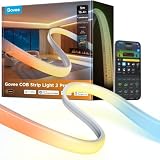
Philips Hue Solo Lightstrip, 33 ft
Who it suits: Hue households with a genuinely long run — a full ceiling perimeter, a long cove, a hallway line — who already own a Bridge, or who have honestly decided the Bridge is a decade-long asset they are buying on purpose.
Start with the arithmetic, because this pick is arithmetic twice over: once as a strip, and once as a rental. As a strip: the Solo line is one product sold in three lengths, and Signify’s own datasheet rates the family’s output at 1,700 lumens at 4000K (1,500 at 2700K) — the same total for the 33 ft strip as for the 10 ft strip in the under-$75 guide. The 33 ft version — check the current price on Amazon — therefore buys length, not brightness: spread over 33 feet, the same output that makes the 10 ft strip feel punchy becomes a gentle, even wash, exactly right for a perimeter glow and exactly wrong for anyone expecting three times the light. The link on this page opens the Solo family listing, where the 10 ft kit is the default view — select the 33 ft size before checkout, and check its live price on Amazon. The Bridge is the most portable object in this article — bought once, it unplugs in thirty seconds, moves to every future home, and runs every Hue light you will ever own, with the newer Bridge Pro as the higher-tier hub option in the Hue range. Already own a Bridge: the strip alone — check price on Amazon — is a legitimate under-$200 purchase, and the Bridge on your shelf is sunk value working for you. Starting from zero: strip plus a Bridge pushes the system over this guide’s budget, stated here as it was in the introduction, and the Bridge Pro pushes it further still. It is not under $200 from zero, and this guide will not call it that.
The compromises are the toll, the format, the tape and the footage. Judged as a rental purchase from zero, its honest cost is the strip plus the Bridge you still owe — and that sum is not under $200.
- The longest quality run in the guide: 33 ft of Hue RGBWW color — check price on Amazon — for homes that already run Hue.
- A published output rating: Signify rates the strip at 1,700 lumens at 4000K — with the caveat that it is the same total as the 10 ft version.
- The Bridge is the most portable asset in this guide: bought once, it travels to every future home; Bluetooth covers the basics with no hub at all; backed by a 2-year warranty.
Honest limitation: From zero, the full feature set needs a Bridge, making the true system cost push over the $200 budget — check the current price on Amazon for both parts; the strip shows one color along its length with no segments, it cannot be extended, 33 feet is the longest removal job in the guide, and the listing’s default size is the 10 ft kit, so the 33 ft option must be selected deliberately.
Choose it if you already own a Hue Bridge, or want Hue color along a genuinely long run badly enough to budget the hub on top as a long-term asset. Skip it if you want effects along the strip, a complete smart setup for $200 all-in with no second purchase, or a short lease — the Govee picks do all three.

Govee COB LED Strip Light Pro, 16.4 ft (2024)
Who it suits: Density-first renters who want the dotless COB flagship experience on their own furniture and are willing to take last generation’s model — in exchange for its lower position in the range.
Two years before the COB 2 Pro above, this strip was the flagship, and most of what made it one is still here. It launched in September 2024 as the premium end of Govee’s range, and at 16.4 feet it is this guide’s value flagship: positioned below its successor in the range — check the current price on Amazon before you buy. In rental terms, choosing the earlier flagship over the successor leaves more of the budget thinking for the clips and channel for the next apartment’s install.
The compromises are generational and evidential. Positioning second, and stated plainly: this pick’s case rests on it sitting below its successor in the range. Check the current price on Amazon before buying, and if it has moved up to sit alongside the successor, the argument for this pick collapses and the COB 2 Pro above is the buy.
- Near-flagship density: COB construction at 1,260 LEDs per meter — a dotless line in direct view, within a step of the successor’s claimed figure.
- RGBICW chips with a dedicated white emitter, Matter over Wi-Fi, app and voice control, and no hub required.
- Positioned below the successor in the range — check the current price on Amazon before you buy.
Honest limitation: Its value case rests on its position below the successor and must be confirmed by checking the current price on Amazon; it publishes no verifiable CRI figure, its white architecture is a generation behind the COB 2 Pro, and cutting is one-way like every Govee flagship.
Choose it if you want the dotless flagship experience on your own furniture and the saving against the successor matters more than the newest white chips. Skip it if checking the current price on Amazon shows it sitting alongside its successor — at that point the successor above is strictly the better buy.

Govee RGBIC LED Strip Lights with Covers, 32.8 ft
Who it suits: Finish-first renters — anyone whose strip will run in direct view along a skirting line, ceiling edge, cabinet face or studio wall, and who wants the installed, straight-edged look without a single screw in the landlord’s property.
Every other pick in this guide hands you a strip and leaves the two hardest parts of a clean install — diffusion and mounting — as homework, and for a renter that homework usually ends in one of two failures: the strip glued straight to painted drywall, or a channel screwed into someone else’s cabinets. The positioning is a welcome surprise in this guide: for a finished install in the upper part of this tier — check price on Amazon — the kit bundles the channel that other picks leave as a separate purchase. Even the stays column shrinks in relative terms: if a length of channel ever has to be abandoned, it is this kit’s track you are leaving, not a flagship strip’s.
The compromises are rigidity, density and the honesty of calling the channel portable.
- The finished install in a box: diffuser channel with corner pieces included, turning a 60-LEDs/m strip into a straight, softened line of light.
- The renter’s mounting route: track up on removable adhesive, screws unused, strip seated in the channel rather than glued to paint — and lifted out intact at move-out.
- Real footage: 32.8 ft as two 16.4 ft strips, with Wi-Fi app control, Alexa and Google voice, and Matter per the listing — check price on Amazon.
Honest limitation: The dotless look is the channel’s work, not the emitters’ — the strip alone is standard density; the track makes the route rigid and straight-only; and the channel’s portability depends on disciplined adhesive mounting — mounted carelessly, it is as fitted as any install in this guide.
Choose it if the strip will be visible, the run is straight, and you want the fixture look with a clean exit. Skip it if your route curves, you need dotless light from the strip itself, or your walls cannot hold a test patch — the COB picks above carry their diffusion with them.
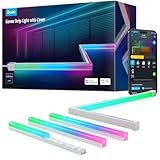
PAUTIX Addressable CCT Smart IC COB LED Strip Lights, 32.8 ft — Buy Two
Who it suits: White-light builders on long leases — renters lighting a long kitchen perimeter, a full cove or a big room’s crown line in dotless tunable white, who expect to install the same run in the next home too, and who have read this review’s removal paragraph before reaching for a card.
This pick is a build, and the guide says so in its name, because the product it recommends does not exist as a product: nobody sells a 65 ft smart COB white strip at this tier, at any price we could verify. What exists is this reel — 32.8 ft of addressable COB at 560 LEDs per meter, a continuous dotless line of white that can move, with chasing and flowing effects rendered in whites tunable from 2700K to 6500K, a 24V supply and smart controller in the kit, and Alexa voice control on top of the maker’s app — positioned in the lower part of this tier for a single reel — check price on Amazon. Bought twice, the pair still sits inside the $200 budget and covers 65.6 feet: a whole kitchen’s cabinet run with the island besides, a living room’s full cove, a hallway that finally stops looking like a corridor. Even allowing for movement in its positioning, a two-reel build of this lower-tier reel remains framed as an inside-the-budget build in this guide — check the current price on Amazon for both reels before you buy.
The compromises are color, coordination, proof — and removal, which for this audience is the headline. The reels themselves travel well as hardware — each is its own kit of strip, supply and controller, and a renter who installs the same cove in the next home genuinely can re-use them, which is why this pick is here at all — but footage cut to one room’s geometry is that room’s footage, and the honest expected value of this build is a long lease, a landlord who has agreed in writing, or a buyer who treats the strip as a per-apartment consumable — it sits at the accessible end of this tier — and the controllers as the traveling asset.
- A run no box sells: two 32.8 ft reels total 65.6 ft of addressable, dotless COB white inside the $200 budget — check price on Amazon — at the accessible end of this tier per foot.
- Voltage drop designed out: each reel runs on its own 24V supply, so the far end matches the near end — and each reel re-installs as its own kit in the next home.
- Budget-friendly positioning: a two-reel build sits at the accessible end of this tier — check the current price on Amazon to confirm the pair still fits the $200 budget.
Honest limitation: White only — its effects are shades of white, not color; two kits means two controllers that do not synchronize with each other; output and CRI figures are the maker’s own, from a specialist brand with a smaller support operation; and 65.6 ft is the biggest removal job in this guide — footage cut to this apartment stays fitted to this apartment.
Choose it if you are on a long lease, lighting a long cove, perimeter or cabinet run in white, and want it smart, animated and dotless. Skip it if your lease is short, you need one synchronized sweep from a single controller, or you need any color at all — the Govee picks above are the portable and the colorful tools respectively.
Comparison Table
| Product | Format & length | Light & control | Rental verdict | Link |
|---|---|---|---|---|
| Govee LED Strip Light M1 (buy two) | Dense strip, 2 x 16.4 ft, 60 LEDs/m | RGBICW with real white channel; Matter + Govee app | Most portable purchase here: two complete kits that unplug and move as units | Check on Amazon |
| Govee COB LED Strip Lights 2 Pro | COB strip, 16.4 ft, maker-claimed 1,344 LEDs/m | RGBWWIC color + real white; Wi-Fi app, voice, Matter | Best light in the guide — mount it on your own furniture and nearly all of it travels | Check on Amazon |
| Philips Hue Solo Lightstrip, 33 ft | Standard strip, 33 ft, not extendable | Single-color RGBWW; Bluetooth app, full features via Bridge | Inverted ledger: the Bridge travels for a decade, the 33 ft of strip is the consumable — and the from-zero system busts the budget | Check on Amazon |
| Govee COB LED Strip Light Pro (2024) | COB strip, 16.4 ft, 1,260 LEDs/m | RGBICW with real white chip; Wi-Fi app, voice, Matter | Flagship density for less than its successor, on the same furniture-first terms | Check on Amazon |
| Govee RGBIC Strip Lights with Covers | Standard strip in channel, 32.8 ft (2 x 16.4 ft), 60 LEDs/m | Segmented RGBIC color; Wi-Fi app, voice, Matter per listing | The finished look with a clean exit: channel on removable adhesive, screws unused, strip lifts out intact | Check on Amazon |
| PAUTIX Addressable CCT COB (buy two) | COB strip, 2 x 32.8 ft, 560 LEDs/m | Addressable tunable white with chasing effects; app + Alexa | Long leases only: 65.6 ft of dotless white, and 65.6 ft of removal work | Check on Amazon |
How to Choose an LED Strip Light for an Apartment Under $200
- Start with the ledger, not the light. Divide every candidate into what travels — adapter, controller, app account, ecosystem, hub — and what stays: footage cut to this apartment, channel fixed to this apartment, adhesive bonded to this apartment’s paint. The shorter your lease and the likelier your move, the more of the $200 belongs in the travels column.
- Admit what the budget is: a system, not a strip. Between $150 and $200 there are only a handful of single strips in that band.
- Never screw, drill or hardwire what the landlord owns. Every pick in this guide is a plug-in, low-voltage kit: no electrician, no junction box, no permission needed for the electrical side.
- Mount to your own furniture first. A media console, a desk, a headboard, your own shelving: surfaces you own are the only ones where adhesive is free of consequences, and the short flagship runs in this guide — 16.4 feet of COB — were practically designed for them.
- Test the bond before you trust it, and price the peel. Clean, dry, fully cured paint; a one-foot test patch left for a week; then the full run.
- Do the true-cost arithmetic for ecosystems, out loud. The Hue Solo 33 ft’s full feature set sits behind a Bridge — check the current price on Amazon for both parts — and together the system pushes over this budget, with the Bridge Pro as the higher-tier hub above that. The renter’s refinement is to split the verdict: the strip half of that sum is a per-apartment consumable, the Bridge half is a decade-long asset that travels. Neither answer is wrong; buying the Hue without having done the sum is. If the honest budget is lower, the apartment-specific picks in Best Led Strip Lights For Apartments Under $100 cover the M1 as a single kit and the Hue’s shorter lengths without the system framing.
- Measure the run, then weigh the cost against the footage. The six picks here span from the accessible end of the tier per foot to the premium flagship end. In a rental, also weigh the cost against the lease: a flagship on your own desk carries its value into your fourth apartment as well as your first; a fitted cove has to be bought again in each new home.
- Read the density before the brightness. Lumens in this category are maker figures with no common standard, and at this tier the trap deepens: the 33 ft Hue carries the same total lumen rating as its 10 ft sibling.
- Ask where the white comes from. RGB and RGBIC strips fake white by mixing colors, and it shows on skin, food and paint. At $200, accepting mixed white in a strip you will read or cook by is paying flagship money for a party trick.
- Plan the cut before you buy — and consider not cutting. Every pick here trims at printed marks, and on all of them the cut-off section is dead — Govee prints the rule on its flagship pages: once cut, the strip cannot be reconnected or extended.
- Climb the control ladder only as high as you will actually use. Bluetooth app: one room, one phone.
What $200 Buys a Renter — and What It Honestly Doesn’t
Two hundred dollars buys the top of the consumer strip market, and its boundaries are worth naming precisely, because three of the most interesting products near this budget are ones this guide discusses without linking. The first is Govee’s own COB Strip Light 2 in 32.8 ft: 840 LEDs per meter of RGBIC COB — dotless like the flagships above, though without their dedicated white chips, so its whites across the claimed 1,000K–10,000K range are tuned mixtures — positioned near the top of this band alongside the COB 2 Pro on Amazon, and also sold at Govee’s own store — a prose-only mention here with no purchase link. The second is Philips Hue’s Gradient Lightstrip in 80 inches, the only Hue strip that runs several colors along its length at once, positioned near the top of this tier at US retailers with a maker rating of 1,800 lumens and a published CRI above 80 — a genuinely premium product whose US Amazon listing we likewise could not pin (the listing code that surfaces belongs to the UK 240-volt version), and whose full features would need a Bridge on top in any case, taking its honest system total over this guide’s budget. For a renter, that is a premium system commitment of which only the Bridge travels well; the case rarely survives a lease. The third is Govee’s non-COB Strip Light 2 Pro in 32.8 ft, positioned in the upper part of this tier: the same color generation as the flagships with real white chips, at standard density — the right answer for a long concealed run, mentioned here for renters whose strip will hide in a cove and who do not need COB density they will never see.
What $200 does not buy, at any of these prices, is verified brightness: no pick in this guide carries an independently measured output figure, and the one first-party rating present — Hue’s — demonstrates why totals mislead, since the same 1,700 lumens serve both a 10 ft and a 33 ft strip. It does not buy a Hue system from zero, as the Bridge arithmetic shows. It does not buy a fixed price of any kind: positions in this tier move, and at this tier checking the live price on Amazon is worth more than any coupon blog. And it does not buy a deposit guarantee: no adhesive in this guide promises a clean release on every paint, which is why the test patch is in the checklist rather than in the accessories tab. The general, non-renter comparison of this tier — the same strips scored for owners, with permanence as a virtue rather than a cost — is in Best Led Strip Lights Under $200; if your honest project is one short run of simple color, none of this tier is necessary, and the step down is as real as the step up.
Will an LED Strip Light Fit Your Apartment?
Physically, strips fit anywhere — that is their entire appeal — so the real questions are electrical, optical and contractual. Electrical first: every run starts within reach of an outlet, because the adapter’s lead is short and no strip here can be powered from its far end; the two-kit builds turn that constraint into a plan, with each run’s outlet near its own controller. Optical second: a strip hidden in a cove can be a standard-density model and still look like a line of light, while a strip in direct view shows every diode it owns — which is why this tier’s money flows toward density and channels. Contractual third, and for this guide decisive: what does your lease say about adhesive, and what will your paint tolerate? Those two questions, answered honestly, eliminate more picks than any specification. The room-by-room versions of this shortlist score the same strips differently: the bedroom picks in Best Led Strip Lights For Bedrooms Under $200 weigh standby glow and the app’s brightness floor at 2 a.m.; the style-first shortlist in Best Led Strip Lights For Modern Homes Under $200 treats the finish of the light itself as the design decision; and the dedicated picks in Best Led Strip Lights For Small Rooms Under $200 lean hardest on density and diffusion, because in a small room you are always close enough to see the dots a spaced strip makes.
Two installation rules protect both the strip and the deposit. First, prepare the surface like you mean it: clean, dry, fully cured paint, and a test section before the full run — most “defective adhesive” stories are unprepared-surface stories, and the rest are gravity stories that clips would have solved, on a modest run or on a flagship run.
Common Buying Mistakes
- Screwing the Covers kit’s channel into a landlord’s wall or cabinets. The screws are in the box for homeowners. In a rental, the track goes up on removable adhesive — that reversibility is the entire reason the kit suits apartments.
- Cutting a flagship strip to fit a room you will leave. On every Govee flagship here, a cut strip cannot be reconnected or extended; the offcut is waste, permanently, on a premium flagship strip — and the fitted remainder is shaped like someone else’s future living room.
- Counting the Hue strip alone as the system price. The strip plus a Bridge is a system that pushes over this budget; with the Bridge Pro it pushes further still. It can be a good system — the Bridge travels for a decade — but it is not an under-$200 purchase from zero.
- Buying the listing’s default size. The Hue Solo link opens on the 10 ft kit; the 33 ft configuration this guide recommends must be selected deliberately, and its price checked, before checkout.
- Trusting peel-and-stick alone across 33 feet. Hue’s adhesive complaints are the category’s most documented, and a long perimeter has to hold for the whole lease and then release cleanly at the end of it. Clips or channel from day one, and a test patch before either.
- Assuming Matter means full features. On the M1, Matter carries a single color per strip; the gradients and music modes stay in Govee’s app. Check what your platform actually receives before paying flagship money for a standard.
- Expecting two kits to behave as one strip. Two PAUTIX controllers do not synchronize chases, and two M1s are two installations that agree on a look, not one circuit. That independence is their portability — and their limit.
- Overpaying for the 2024 COB Pro without checking. Its case rests on sitting below its successor — check the current price on Amazon, and if it sits alongside the successor, the COB 2 Pro is strictly the better buy.
- Buying the longest footage because the budget allows it. Every foot stuck down is a foot to peel at move-out, when time is shortest. Footage is the consumable; electronics are the asset. Spend accordingly.
- Throwing the boxes away on day one. Adapters, controllers and channel lengths pack safely in their original boxes — which is to say, in the boxes your moving day will wish you had kept.
Final Recommendation
- Most renters, two zones, maximum portability: Govee LED Strip Light M1, 16.4 ft — buy two.
- The best light, on your own furniture: Govee COB LED Strip Lights 2 Pro, 16.4 ft.
- Hue color on a long run, Bridge already owned: Philips Hue Solo Lightstrip, 33 ft.
- Flagship density for less: Govee COB LED Strip Light Pro, 16.4 ft (2024).
- A finished install with a clean exit: Govee RGBIC LED Strip Lights with Covers, 32.8 ft.
- Long dotless white runs, long leases: PAUTIX Addressable CCT Smart IC COB Strip, 32.8 ft — buy two.
Our top two are the purchases that respect the renter’s ledger from opposite directions. The M1 pair is the system answer: two complete, independent, premium kits inside the budget — check price on Amazon — of which everything except any footage you choose to fit to a wall unplugs and travels, with Matter credentials that will outlive the lease. The COB 2 Pro is the light answer: the finest strip in the guide, mounted where a renter’s finest things belong, on furniture you own, so that its cost is spent on density and white quality rather than on decorating a landlord’s ceiling. The Hue is the ecosystem answer with its overage stated in the open; the 2024 COB Pro is the same flagship idea for less than its successor; the Covers kit is the finished look with the screws left in the box; and the PAUTIX build is the long white run for the renter whose lease — and whose next apartment — can honestly carry it.
Frequently Asked Questions
Will strip-light adhesive damage my paint or my deposit?
It can, and this guide would rather say so than sell you a strip.
Is the Hue Solo 33 ft really over budget on its own?
From zero, yes — honestly over. The strip alone sits in the upper part of this tier — check price on Amazon — but its full feature set (out-of-home control, routines, grouping, entertainment sync, Matter, full voice integration) sits behind the Hue Bridge, making the working system push over the $200 budget. If you already own a Bridge, the strip alone is a clean under-$200 purchase and this objection disappears.
Why does the same Hue Solo claim 1,700 lumens at both 10 feet and 33 feet?
Because Signify’s datasheet rates the Solo family’s total output at 1,700 lumens at 4000K regardless of length — the longer strip spreads the same total light over more than three times the footage.
Can I take the diffuser channel from the Covers kit with me when I move?
Yes — if you installed it the renter’s way.
Should I cut a strip to fit my apartment exactly?
Only when the geometry truly demands it, and never casually. Where a cut is unavoidable, cut once, at the printed marks, after measuring twice — and recognize the offcut for what it is on a flagship strip: waste.
Do any of these strips need an electrician or my landlord’s permission?
No electrician, and no permission for the electrical side: all six picks are plug-in, low-voltage kits powered by adapters included in the box, and none is hardwired, spliced into a circuit, or installed in a wall.
What happens to a two-kit build when I move?
It splits back into two kits — which is precisely its virtue.